Inventory & Purchase
Dymo Labels Without Price
Print Dymo product labels without the price, next to the standard Dymo label.
Odoo 19Free
Inventory & Purchase · Odoo 20
Readable, unique barcodes for every product variant, generated from your own codes
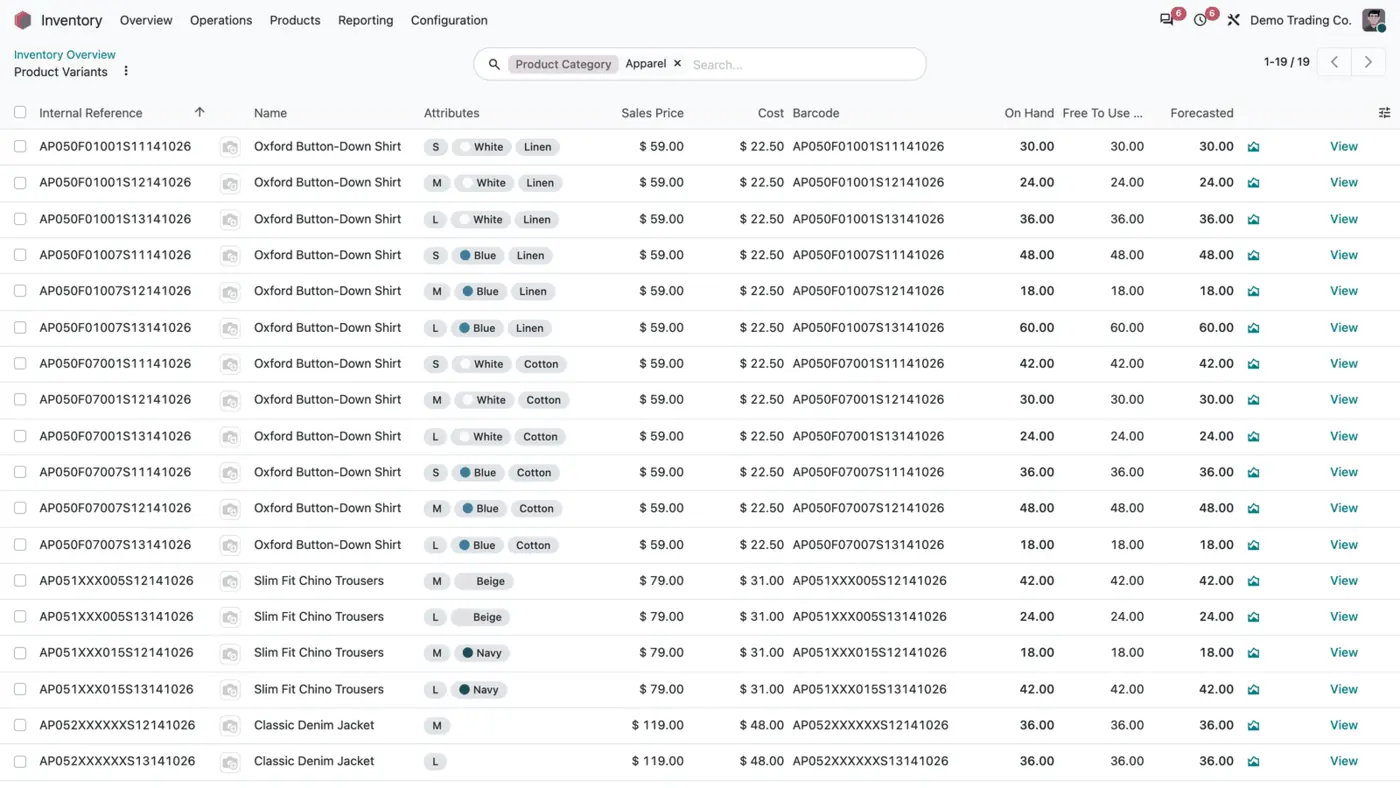
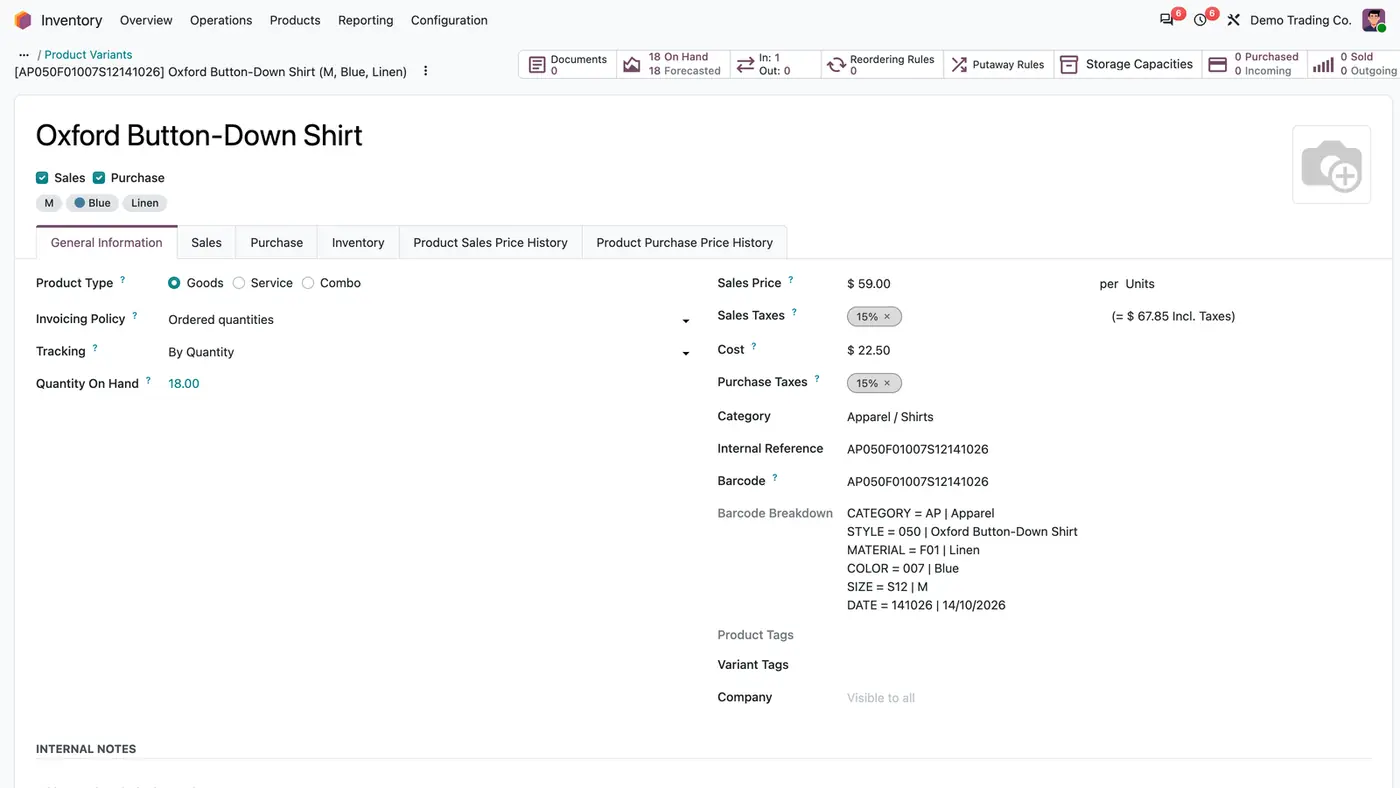
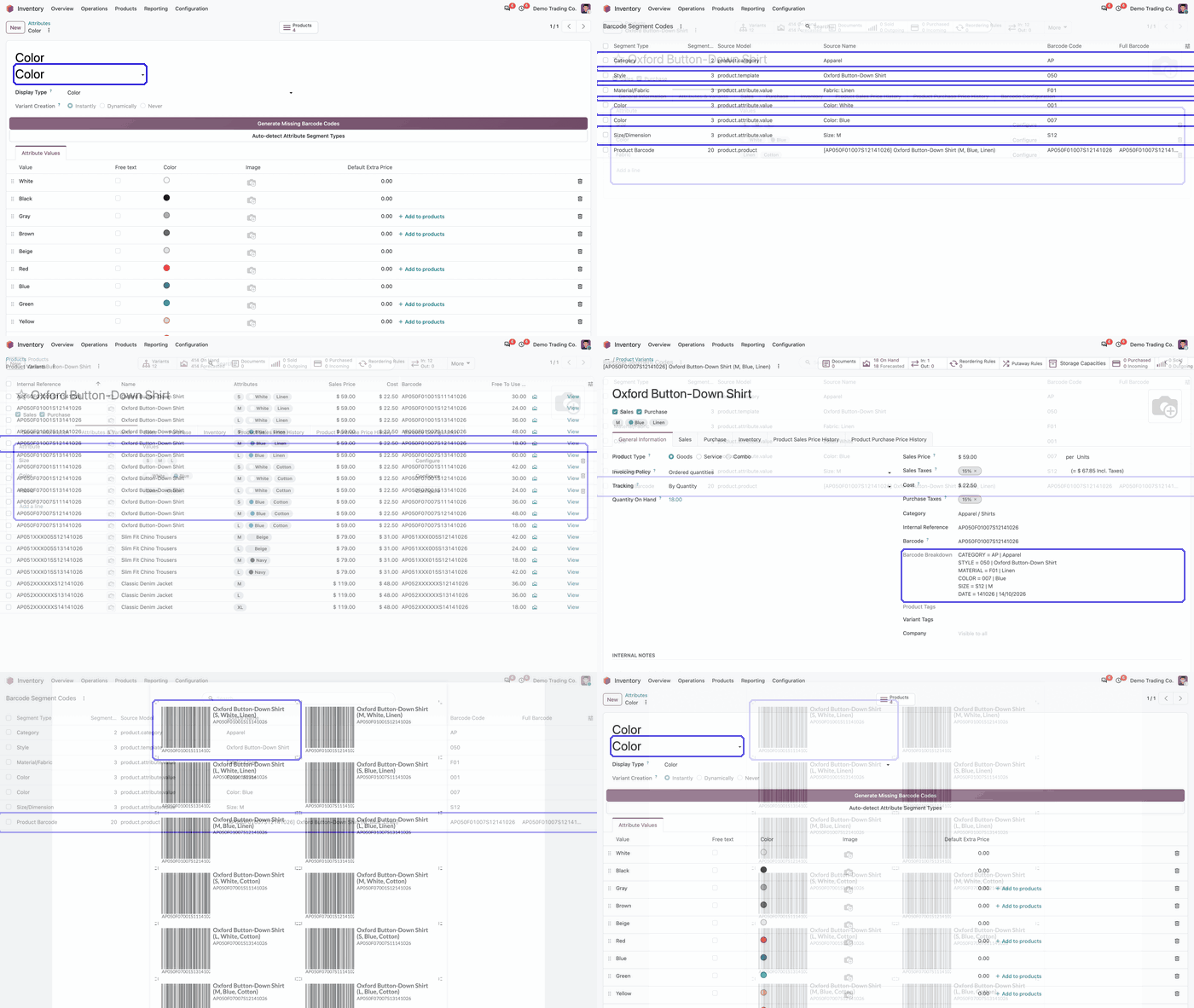
Product Barcode Generator is an Odoo 20 app that builds a fixed 20 character barcode for every variant from its category, style, attributes such as colour, size and material, and a date segment. New variants get their barcode on creation, existing variants get theirs at installation and from a daily job.
Key features
Hand-typed barcodes drift out of step with the catalogue. One person codes by category, another by supplier, a third leaves the field empty, and a medium and a large end up with the same code. Random numbers are also impossible to read, so counts and picking slow down. The result is stock counts that will not reconcile and pickers who scan the wrong size.
 Play demo
Requires: Inventory (stock), Discuss (mail)
The app is sold for Odoo 20. Odoo Online does not allow third-party apps, so the app cannot be installed there.
Every purchase includes 90 days of free support from FlexCode Systems.
| Setting | What it does |
|---|---|
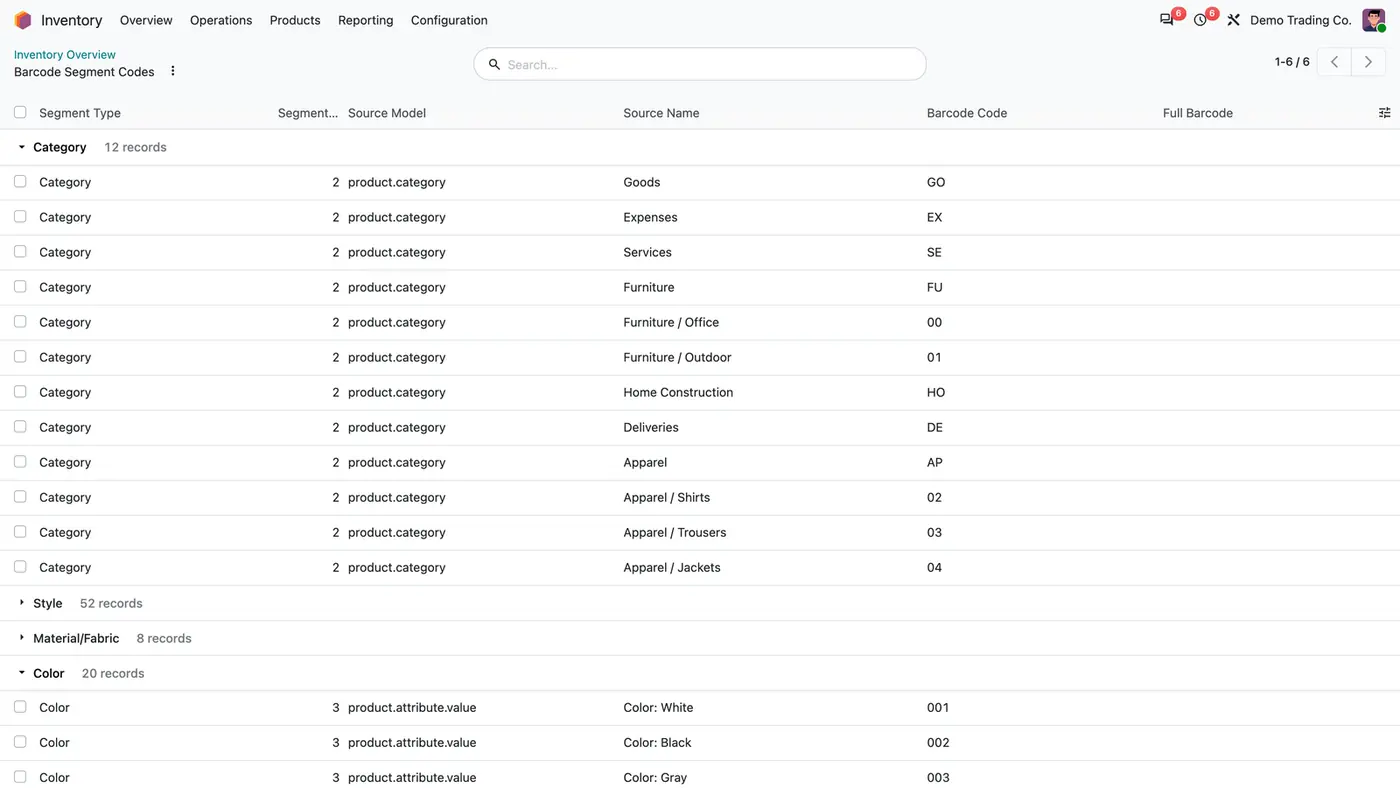
| Category code | Two character code that forms the first segment of the barcode. |
| Category level | Which level of the category tree the category code is read from. |
| Attribute segment type | Tells the generator which segment (style, material, colour or size) an attribute fills. |
| Attribute value code | The characters written into the segment for that value. |
Install Product Barcode Generator, set a code on each product category and on each attribute value, and every new variant gets its barcode automatically. The barcode is built from the category, style, material, colour, size and date segments.
Yes. Product Barcode Generator runs a bounded background job that gives a barcode to every variant without one. It leaves correct barcodes untouched and is safe to run more than once.
Product Barcode Generator checks every code across variants and blocks duplicates. The error names the attribute, the values and the segment in conflict, so you know which code to change before a duplicate reaches the warehouse.
It is a fixed 20 character code assembled from category, style, material, colour, size and date segments. Each segment comes from a code you set on the category or attribute value, so staff can read the code.
Yes. Product Barcode Generator respects the active company and its records and has been tested in multi-company databases. English, German and Arabic translations are included.
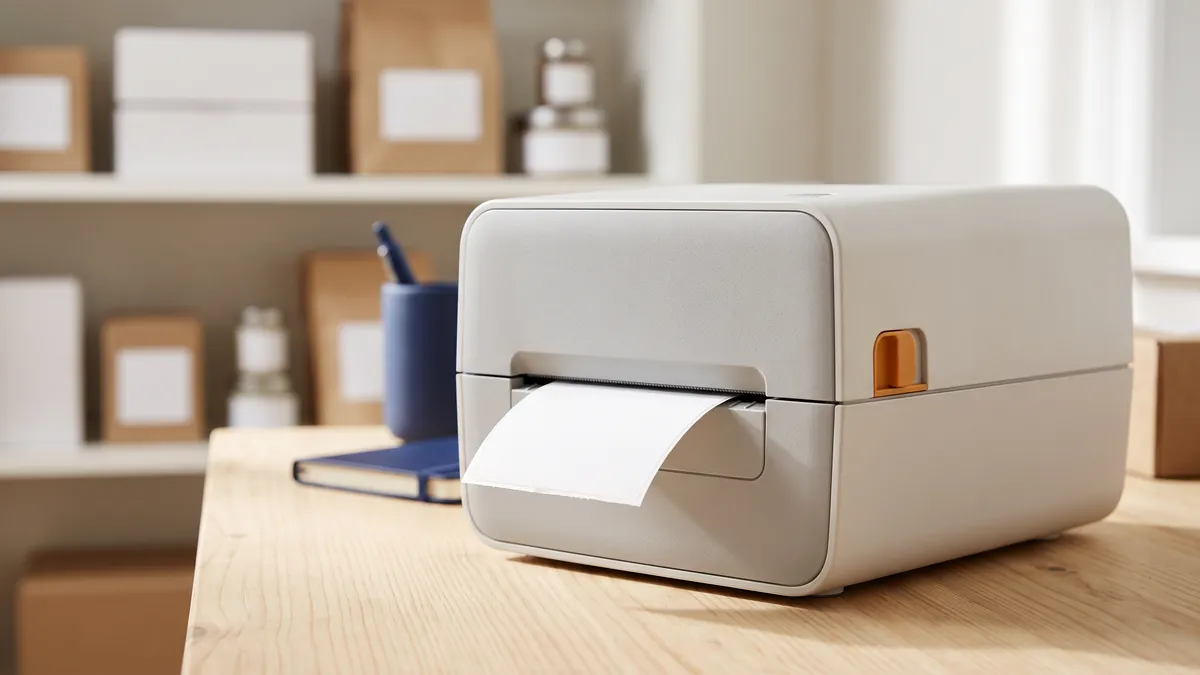
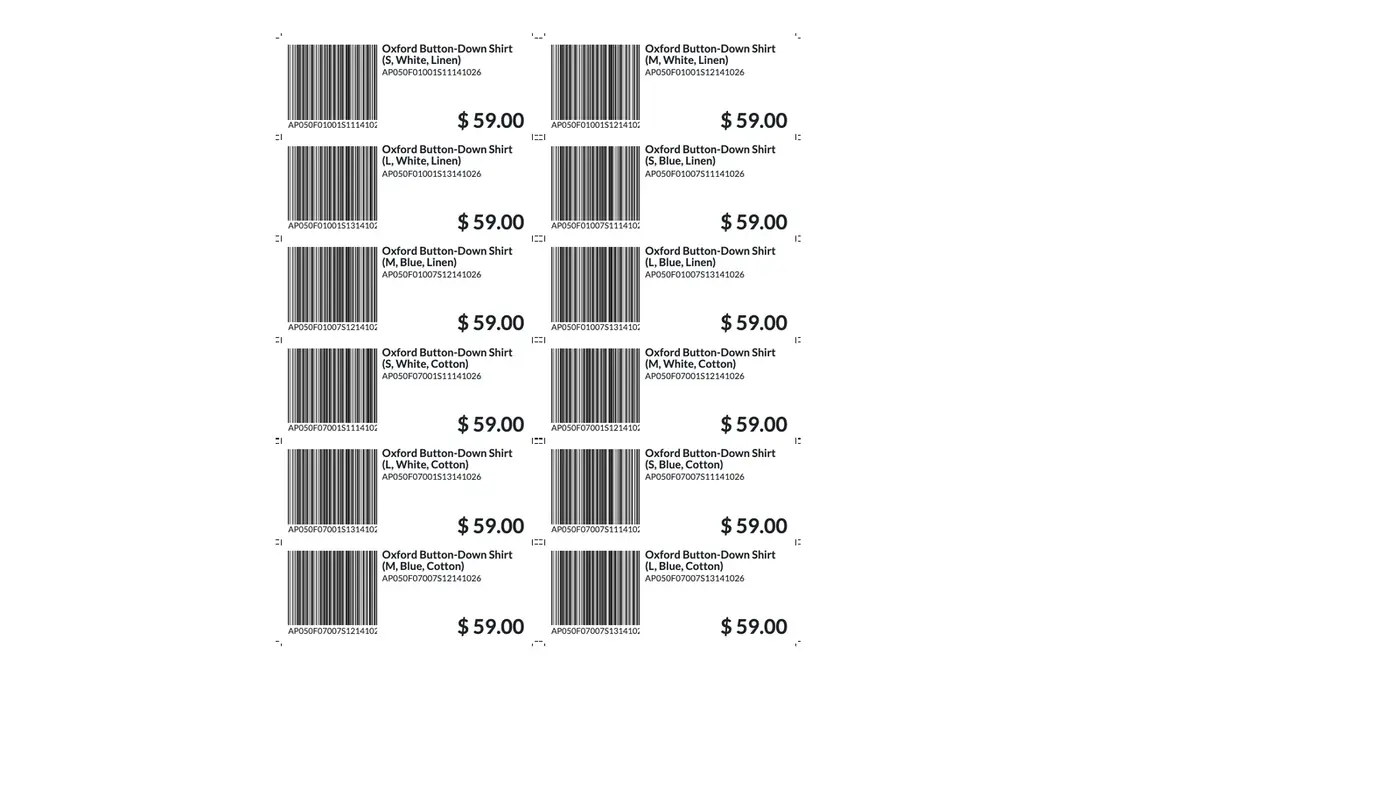
No. Product Barcode Generator creates the codes, and printing stays a separate step in your label setup. If you print on Dymo and want labels without a price, the Dymo Labels Without Price app adds that option.
Print Dymo product labels without the price, next to the standard Dymo label.
Type of pack, dimensions and weight on the packing list and delivery slip.
Stock card report with HTML preview, PDF and XLSX exports.
Restore, reopen or delete a done transfer under control, with a preview of the stock impact.
Make-to-order RFQs automatically go to the vendor with the lowest valid price.
We configure our apps for your process, train your team and build the extra pieces you need.