Clean up an exceptional done picking safely, with a preview, a reason and an audit log
Stock Done/Cancel Permission is an Odoo 19 Enterprise app for the rare case where a done outgoing picking has done returns that net its stock impact to zero. Authorised users preview the impact, give a reason and run a controlled cleanup that is logged, and blocked whenever accounting links exist.
Sometimes a validated transfer has to be cleaned up: a duplicate delivery, a test transfer, or an outgoing picking that came back in full. Cancelling done stock moves in Odoo is risky and cannot be undone. Doing it without a preview, without a reason and without a record of who did it is exactly what an auditor will question later.
What it does
A controlled cleanup for one narrow case
Clean up a done outgoing picking whose done returns net the stock impact to zero.
Check the done state and the done linked returns first; only zero-net-impact cases can proceed.
Use it as a targeted cleanup, not as a general way to cancel transfers.
Restricted and confirmed
Allow the action only for explicitly authorised users.
Confirm every cleanup in a wizard with a mandatory reason and an explicit acknowledgement.
Preview and guardrails
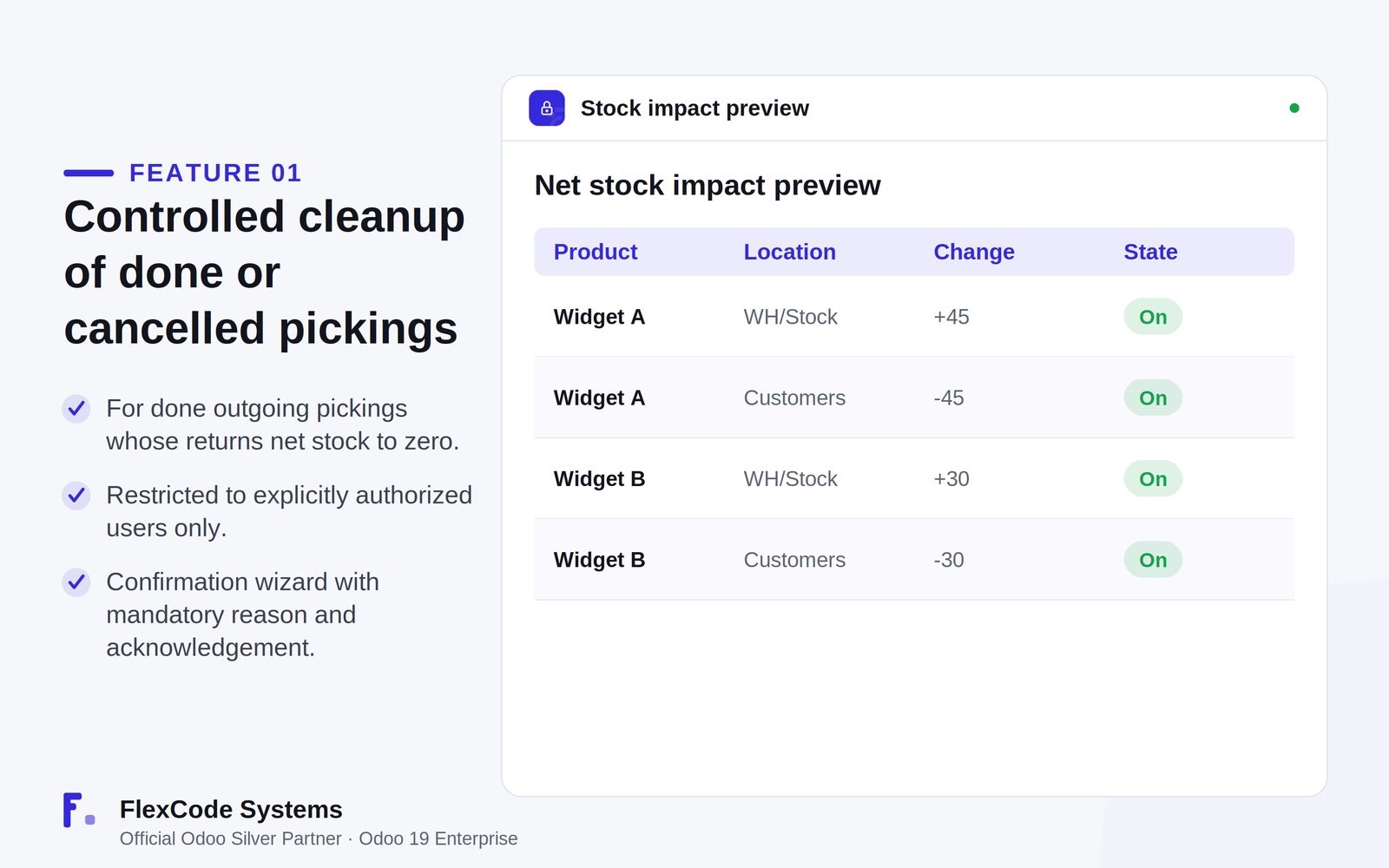
See a live Stock Impact Preview with the quantity change per product and location before anything happens.
Block the cleanup automatically when valuation or accounting links are detected.
Delete only the targeted records, in a controlled and safe order.
Audit trail
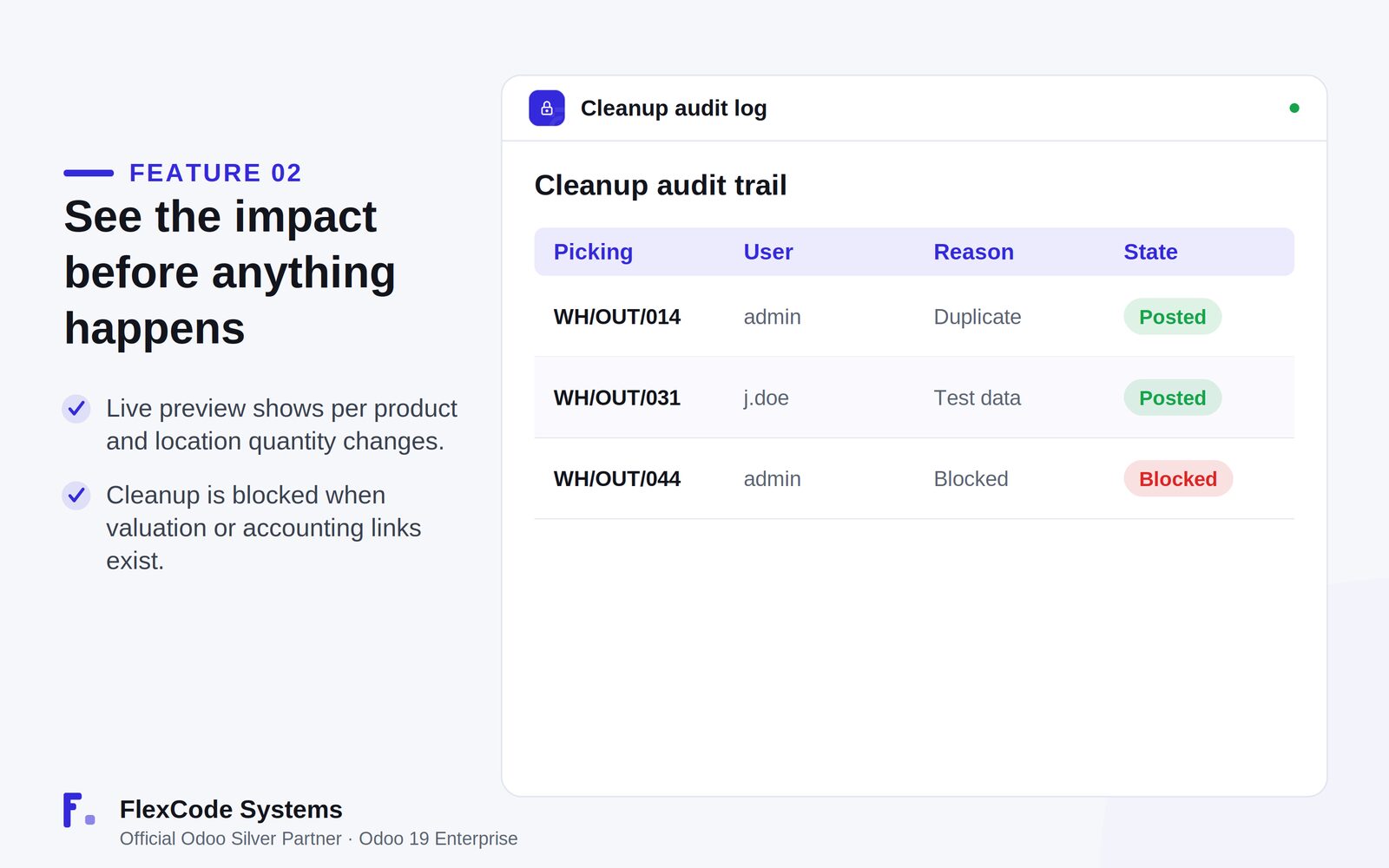
Write a persistent cleanup log for every execution.
Record who cleaned up which picking, and why.
The Stock Impact Preview: quantity changes per product and location before execution. Illustration from the store listing.The audit trail: who cleaned up which picking, why, and which attempts were blocked. Illustration from the store listing.
Add the module to your Odoo.sh project or to the addons path of your on-premise server.
Update the apps list in Odoo and install Stock Done/Cancel Permission. Missing dependencies are installed with it.
Odoo Online (SaaS) does not allow third-party apps, so Stock Done/Cancel Permission cannot be installed there. Use Odoo.sh or an on-premise Odoo 19 Enterprise database.
Configure
Decide which users may run the cleanup and authorise them explicitly. Nobody else can use it.
Agree internally when a cleanup is justified: the app always asks for a written reason, which is stored in the audit log.
Setting
What it does
Authorised users
Only these users can start a cleanup.
Reason and acknowledgement
Mandatory in the confirmation wizard for every cleanup.
Cleanup log
Persistent record of each cleanup, with the user and the reason.
How to use it
Check that the picking is eligible
Select the done outgoing picking you want to clean up.
The app checks that the picking is done and that its done returns net the stock impact to zero. Any other case stops here.
Preview and execute
Review the Stock Impact Preview with the quantity change for each product and location.
Enter the mandatory reason and confirm the acknowledgement.
Execute. The cleanup is written to the audit log, or blocked if valuation or accounting links exist.
Limits
It is not a general cancellation feature. Only done outgoing pickings whose done returns net stock to zero qualify.
Any valuation or accounting link blocks the cleanup.
It cannot be installed on Odoo Online (SaaS). The price covers one Odoo major version.
Frequently asked questions
Can I cancel a done picking in Odoo?
Cancelling done stock moves is risky and irreversible, so Stock Done/Cancel Permission does not add a general cancel button. It allows a controlled cleanup only for a done outgoing picking whose done returns net stock to zero, run by authorised users with an impact preview and an audit log.
Who can run a stock cleanup?
Only explicitly authorised users. Each cleanup also needs a mandatory reason and an explicit acknowledgement in the confirmation wizard.
What happens if the picking has accounting entries?
The cleanup is blocked. Stock Done/Cancel Permission detects valuation and accounting links and refuses to run when they exist.
Can I see the stock impact before anything is deleted?
Yes. A live Stock Impact Preview shows the quantity change per product and location before you execute.
Is there an audit trail of stock cleanups?
Yes. Every cleanup writes a persistent log entry recording who ran it and why.
Which Odoo versions and editions does Stock Done/Cancel Permission support?
It is built and tested for Odoo 19 Enterprise, on-premise and on Odoo.sh. Odoo Online does not allow third-party apps. The price is one-time per Odoo major version.