Every in and out for a product over any period, as a preview, PDF or Excel file
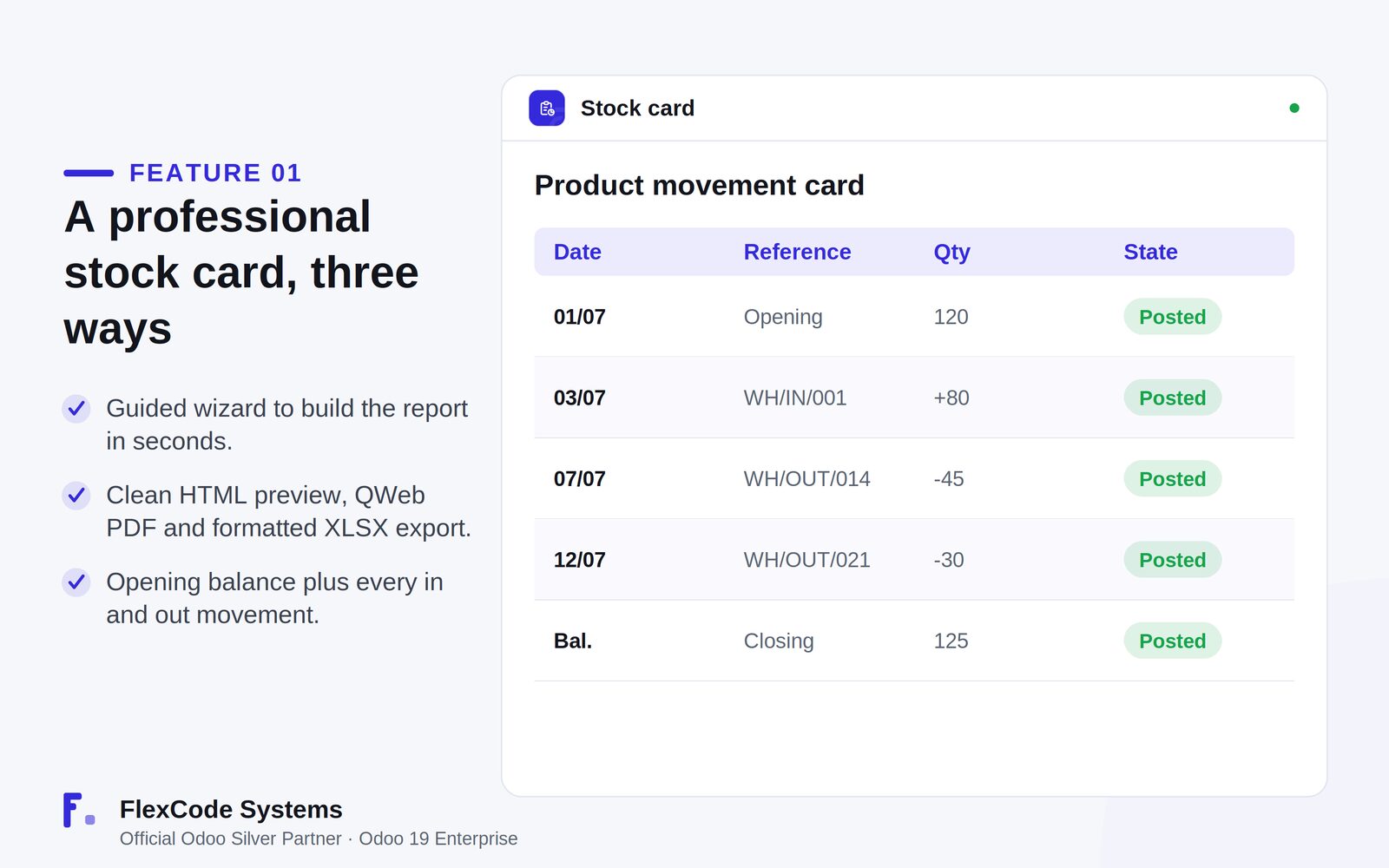
Stock Card Report is an Odoo 19 Enterprise app that builds a product movement card with the opening balance and every incoming and outgoing move in a period. You review it on screen, then export it as a QWeb PDF or a formatted XLSX file.
Answering how stock moved for one product over a month usually means digging through the move history line by line. Auditors and finance ask for a stock card with an opening balance, and someone rebuilds it by hand in a spreadsheet. Narrowing it to one warehouse, location or lot takes even longer, and the result is hard to share in a clean format.
What it does
A stock card in three formats
Build the report in seconds with a guided wizard.
Review a clean HTML preview on screen, without printing.
Export a print-ready QWeb PDF or a formatted XLSX file for further analysis.
Opening balance and every movement
Start the card with the opening balance for the selected period.
List every incoming and outgoing move in that period.
Limit the card to validated moves with the done-only option.
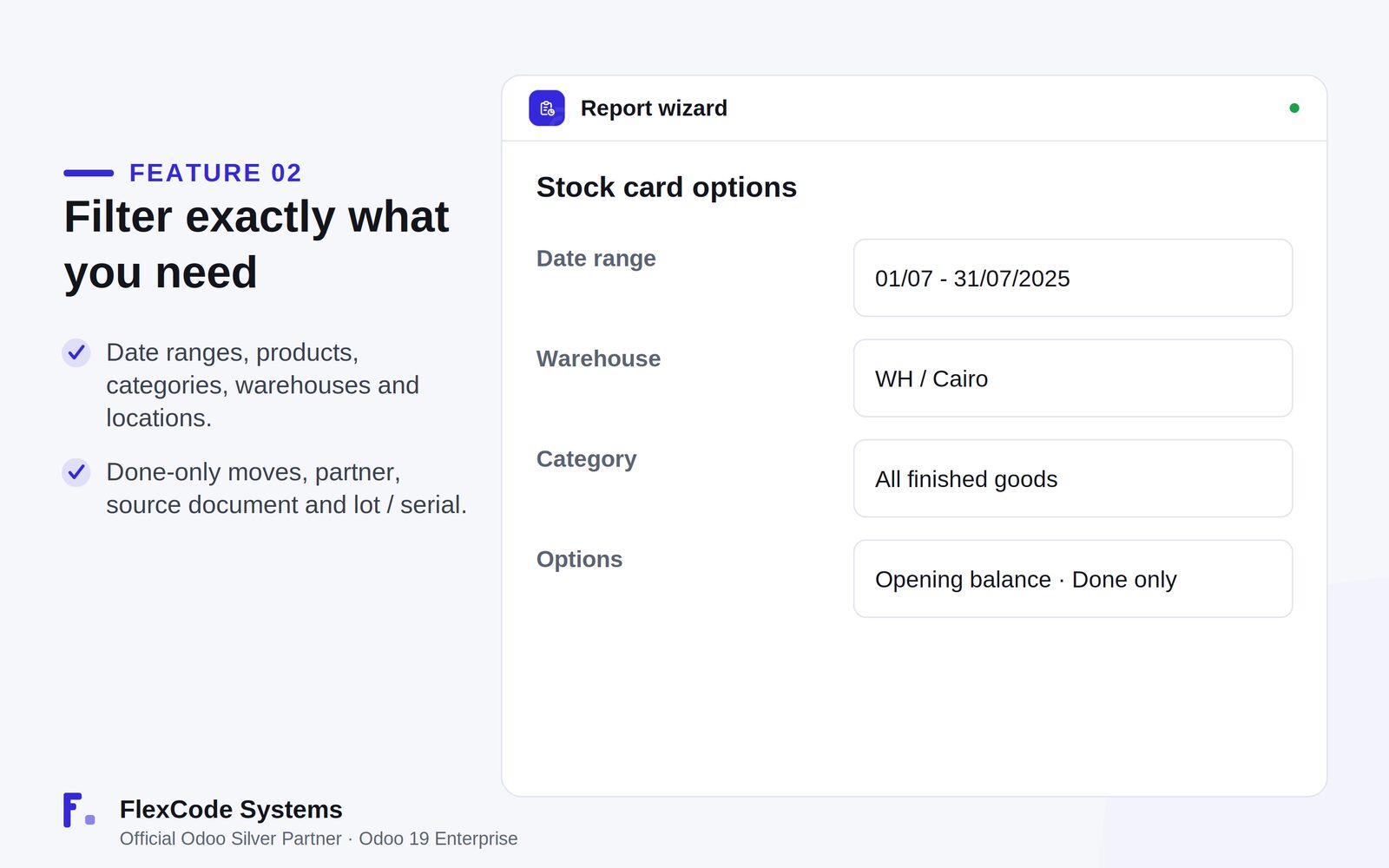
Precise filters
Filter by date range, products and product categories.
Narrow the scope to warehouses, locations and their child locations.
Show the partner, the source document and the lot or serial number on each line.
The stock card: opening balance, every movement and the closing balance. Illustration from the store listing.The wizard: date range, warehouse, category and detail options. Illustration from the store listing.
Who it is for
Inventory managers and auditors reviewing stock movements.
Warehouse teams that need the movement history of a single product.
Finance and audit staff who export stock cards to PDF or Excel.
Businesses that track movements by warehouse, location or lot.
Not a fit when:
Databases on Odoo Online (SaaS), which cannot install third-party apps.
Odoo Community: the app is built and tested for Odoo 19 Enterprise.
Install
Requires: Inventory (stock), Discuss (mail)
Buy the app on the Odoo Apps Store for Odoo 19.0.
Add the module to your Odoo.sh project or to the addons path of your on-premise server.
Update the apps list in Odoo and install Stock Card Report. Missing dependencies are installed with it.
Odoo Online (SaaS) does not allow third-party apps, so Stock Card Report cannot be installed there. Use Odoo.sh or an on-premise Odoo 19 Enterprise database.
Configure
Open the stock card wizard.
Choose the date range and the products or product categories.
Set the scope: warehouses, locations, and whether child locations are included.
Choose the detail options: opening balance, done-only moves, and whether partner, source document and lot or serial numbers are shown.
Setting
What it does
Date range
The period the stock card covers.
Products and categories
Which products, or whole product categories, appear on the card.
Warehouses and locations
Limits the card to selected warehouses and locations, optionally including child locations.
Opening balance
Starts the card with the stock on hand at the beginning of the period.
Done-only moves
Shows only validated moves.
Line details
Adds the partner, the source document and the lot or serial number to each movement.
How to use it
Build and review a stock card
Set the date range, products, categories, warehouses and locations in the wizard.
Open the HTML preview and check the opening balance and every movement in the period.
Adjust the filters and preview again until the card shows exactly what you need.
Export it for reporting and audit
Download the card as a QWeb PDF to print or share it.
Download it as a formatted XLSX file to continue the analysis in a spreadsheet.
Limits
It cannot be installed on Odoo Online (SaaS).
It is built and tested for Odoo 19 Enterprise. The price covers one Odoo major version; each future version is sold separately.
It reports on stock movements. Corrections to the moves themselves still happen in Inventory.
Frequently asked questions
How do I create a stock card report in Odoo?
Install Stock Card Report, open its wizard and choose the date range, products and locations. The app shows a clean HTML preview with the opening balance and every movement, which you can export as a PDF or XLSX file.
Can I export an Odoo stock card to Excel?
Yes. Stock Card Report exports a formatted XLSX file, in addition to the HTML preview and a print-ready QWeb PDF report.
Does the stock card show an opening balance?
Yes. An opening balance option starts the card with the stock at the beginning of the period, and a done-only option limits it to validated moves.
Can I filter a stock card by warehouse, location or lot?
Yes. You can filter by warehouse and location, include child locations, and show the lot or serial number, the partner and the source document on each line.
Which Odoo versions and editions does Stock Card Report support?
It is built and tested for Odoo 19 Enterprise, on-premise and on Odoo.sh. Odoo Online does not allow third-party apps. The price is one-time per Odoo major version.
Does Stock Card Report modify Odoo core?
No. It is clean code with no core monkey-patching and no migration scripts.