Make-to-order purchases go to the vendor with the lowest valid price, automatically
MTO Cheapest Vendor is an Odoo 19 app that picks the vendor with the lowest valid price when a make-to-order sales order creates an RFQ or purchase order. It respects vendor minimum quantities and price validity dates, and there is nothing to configure.
When Odoo creates a purchase from a make-to-order sale, it does not always pick the cheapest supplier. Buyers then compare vendor prices by hand on every generated RFQ, or the company quietly overpays. With several suppliers per product, those small differences add up across a year of orders.
What it does
Cheapest valid vendor on every MTO purchase
Select the lowest valid vendor price automatically when an MTO sales order generates an RFQ or purchase order.
Pick the cheapest valid vendor line with no manual comparison.
Work silently inside the standard MTO procurement flow.
Respects your vendor pricing rules
Consider only genuinely valid vendor lines.
Honour vendor minimum quantities where they apply.
Honour vendor price validity dates where they apply.
Lightweight and focused
Leave manually created purchase orders untouched.
Add no new models or menus.
Work out of the box, with no data or views to set up.
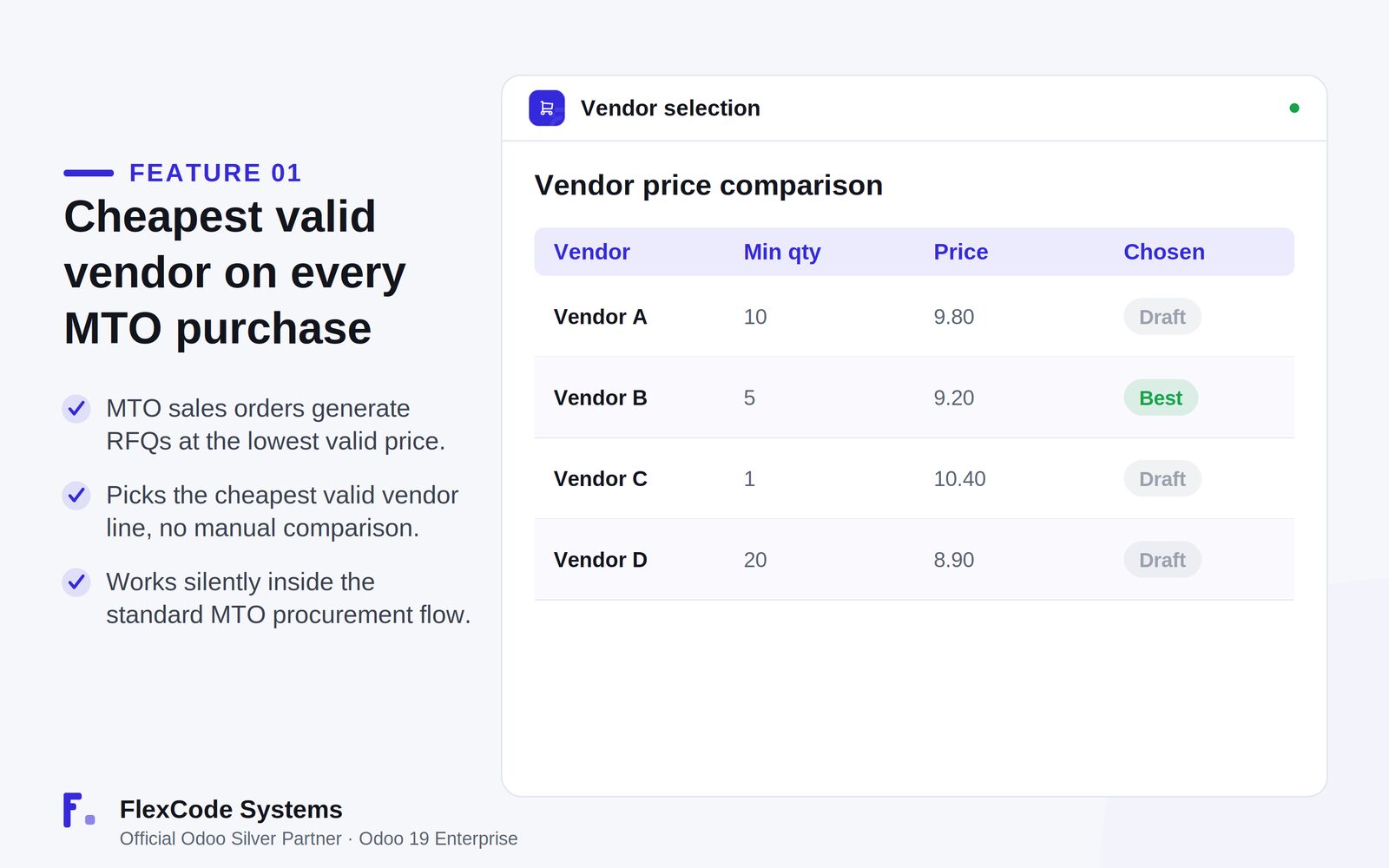
Vendor comparison: the cheapest valid vendor line is chosen. Illustration from the store listing.
Who it is for
Procurement teams running make-to-order flows.
Buyers who want the best vendor price chosen automatically.
Companies with several suppliers per product.
Businesses that want savings without changing their workflow.
Not a fit when:
Manually created purchase orders, which the app leaves untouched.
Databases on Odoo Online (SaaS), which cannot install third-party apps.
Odoo Community: the app is built and tested for Odoo 19 Enterprise.
Add the module to your Odoo.sh project or to the addons path of your on-premise server.
Update the apps list in Odoo and install MTO Cheapest Vendor. Missing dependencies are installed with it.
Odoo Online (SaaS) does not allow third-party apps, so MTO Cheapest Vendor cannot be installed there. Use Odoo.sh or an on-premise Odoo 19 Enterprise database.
Configure
Keep your vendor prices on the products as usual, with minimum quantities and validity dates where you use them.
Sell the products make-to-order as you do today. There are no app settings to change.
Setting
What it does
Vendor price
The price on each vendor line. The lowest valid one wins.
Minimum quantity
A vendor line only counts when the ordered quantity meets its minimum.
Validity dates
A vendor line only counts while its price is valid.
How to use it
Buy from the cheapest vendor on MTO orders
Confirm a make-to-order sales order that generates an RFQ or purchase order.
MTO Cheapest Vendor selects the cheapest valid vendor line for the generated purchase.
Review and confirm the RFQ as usual.
Limits
It only acts on MTO-generated RFQs and purchase orders. Manual purchases are not changed.
It chooses between the vendor lines you maintain. Missing or outdated vendor prices cannot be compared.
It cannot be installed on Odoo Online (SaaS). The price covers one Odoo major version.
Frequently asked questions
How do I make Odoo choose the cheapest vendor for make-to-order?
Install MTO Cheapest Vendor. When a make-to-order sales order generates an RFQ or purchase order, the app selects the vendor line with the lowest valid price automatically.
Does it respect vendor minimum quantities and price validity dates?
Yes. MTO Cheapest Vendor only considers genuinely valid vendor lines, honouring minimum quantities and price validity dates where they apply.
Does it change manually created purchase orders?
No. It targets RFQs and purchase orders generated by make-to-order sales and leaves manual purchases untouched.
Is there anything to configure?
No. MTO Cheapest Vendor works out of the box with your existing vendor prices and adds no new models or menus.
Which Odoo versions and editions does MTO Cheapest Vendor support?
It is built and tested for Odoo 19 Enterprise, on-premise and on Odoo.sh. Odoo Online does not allow third-party apps. The price is one-time per Odoo major version.
Does MTO Cheapest Vendor modify Odoo core?
No. It is clean code with no core monkey-patching and no migration scripts.