Paste a list of references and find them all in one Odoo search
Multi Search lets you search many values at once from any Odoo 19 search bar by wrapping space separated terms in curly braces, for example {SO001 SO002 SO003}. Every term is matched against the field you pick, with the same operator Odoo uses for a single value.
Looking up twenty order references in Odoo normally means twenty separate searches. Support, logistics and finance teams copy a list from a spreadsheet or an email and paste one value at a time. It is slow, it is easy to miss a line, and it happens several times a day.
What it does
One search instead of twenty
Wrap space separated terms in curly braces, for example {SO001 SO002 SO003}, and Odoo searches all of them in one pass.
Use any number of values per search.
Works everywhere
Works in every backend search bar.
Applies to any searchable field you select from the autocomplete.
No per view setup: it patches the web client search model.
Ordinary results
Each term uses exactly the operator Odoo would apply to a single value, so results are predictable.
Without the braces, search behaves exactly as standard Odoo, so nobody has to change how they work.
No footprint
A front end change only: no new models and no stored data.
Nothing to configure. Install it and it works.
Respects the active company and has been tested in multi company databases.
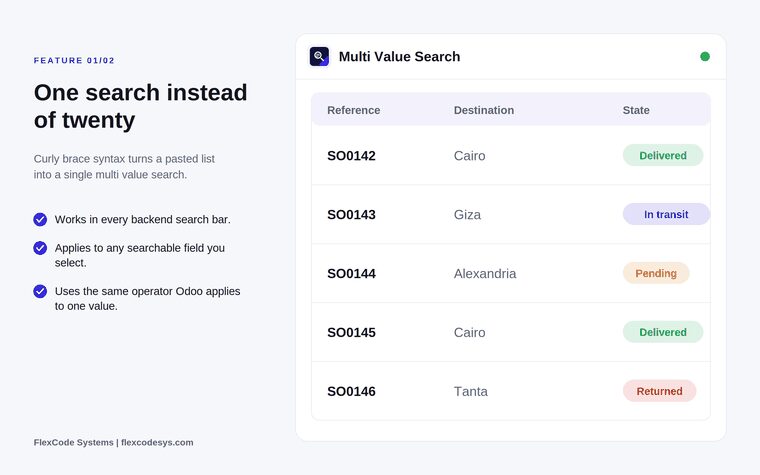
One search returns every listed reference. Illustration from the store listing.
Who it is for
Support teams looking up batches of order references.
Logistics staff checking lists of tracking numbers.
Finance teams reconciling invoice or order numbers.
Anyone who pastes reference lists from a spreadsheet into Odoo.
Not a fit when:
Databases on Odoo Online (SaaS), which cannot install third-party apps.
Searches that need a different operator for each value: every term uses the operator Odoo applies to one value.
Install
Buy the app on the Odoo Apps Store for Odoo 19.0.
Add the module to your Odoo.sh project or to the addons path of your on-premise server.
Update the apps list in Odoo and install Multi Search.
Odoo Online (SaaS) does not allow third-party apps, so this app cannot be installed there. Use an Odoo.sh project or an on-premise Odoo 19 database.
Configure
Nothing to configure. After installation the curly brace syntax works in every backend search bar.
How to use it
Search a list of values
Copy the references you need, for example from a spreadsheet or an email.
Type or paste them into the search bar inside curly braces, separated by spaces: {SO001 SO002}.
Pick the field to search from the autocomplete.
Odoo shows all matching records together.
Search one value as before
Type a value without braces.
Odoo searches exactly as it always did.
Limits
Works in backend search bars; the listing does not cover website or portal search.
Each term uses the operator Odoo applies to a single value.
Built for Odoo 19. Each Odoo series is published as its own version of the app.
Frequently asked questions
How do I search multiple values at once in Odoo?
With Multi Search installed, wrap space separated values in curly braces in any backend search bar, for example {SO001 SO002 SO003}, and pick the field from the autocomplete. Odoo returns every record that matches any of the values in one search.
Which fields and views does Multi Search work with?
Every backend search bar and any searchable field. It patches the web client search model, so no view configuration is needed.
What happens if I search without curly braces?
Search behaves exactly as standard Odoo. The syntax is opt in, so colleagues who do not use it notice no difference.
Does Multi Search slow down the database?
No. It adds no models and stores no data, and each term uses the operator Odoo would already apply to a single value.
Does it work in multi-company databases?
Yes. Multi Search respects the active company and its records and has been tested in multi company databases.
Which Odoo versions and languages does Multi Search support?
This release targets Odoo 19 Enterprise, on Odoo.sh or on-premise. English, German and Arabic translations are included, and other languages can be added on request.