Type of pack, dimensions and weight on delivery orders and on the printed packing list
Packing List Fields is an Odoo 19 app that adds Type of Pack, dimensions and weight to delivery orders under Shipping Information. The values print on the Packing List / Delivery Slip report, so customers and carriers get complete shipping documents.
Delivery slips often miss the packing details that customers and carriers ask for. Is it a pallet or a carton, how big is it, how much does it weigh? Warehouse staff write it on the paperwork by hand or answer the questions by phone and email, and shipping errors creep in.
What it does
Packing details on every delivery order
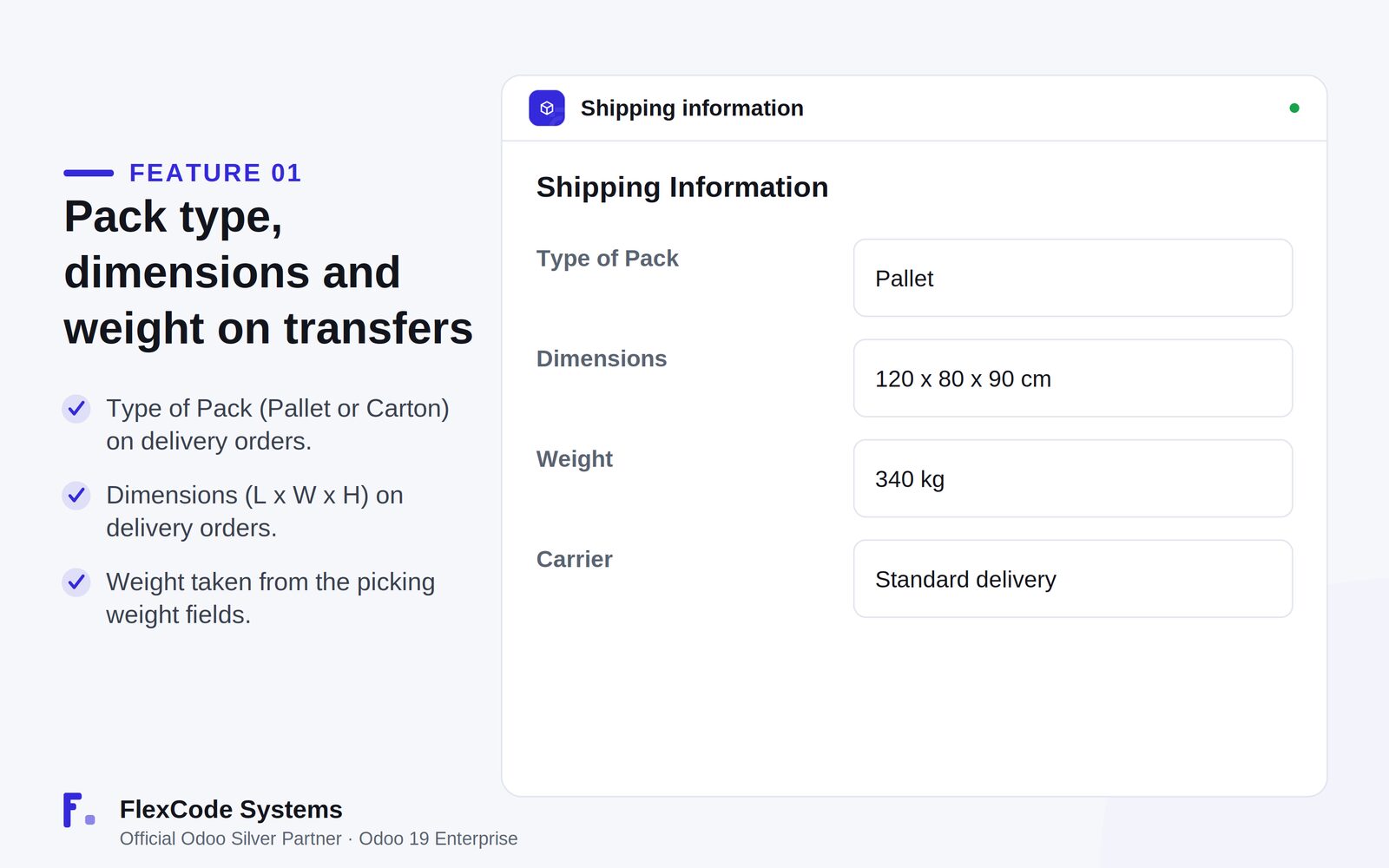
Set the Type of Pack (pallet or carton) on delivery orders.
Enter the dimensions as length x width x height.
Print the weight from the picking weight fields, with no double entry.
Printed where it counts
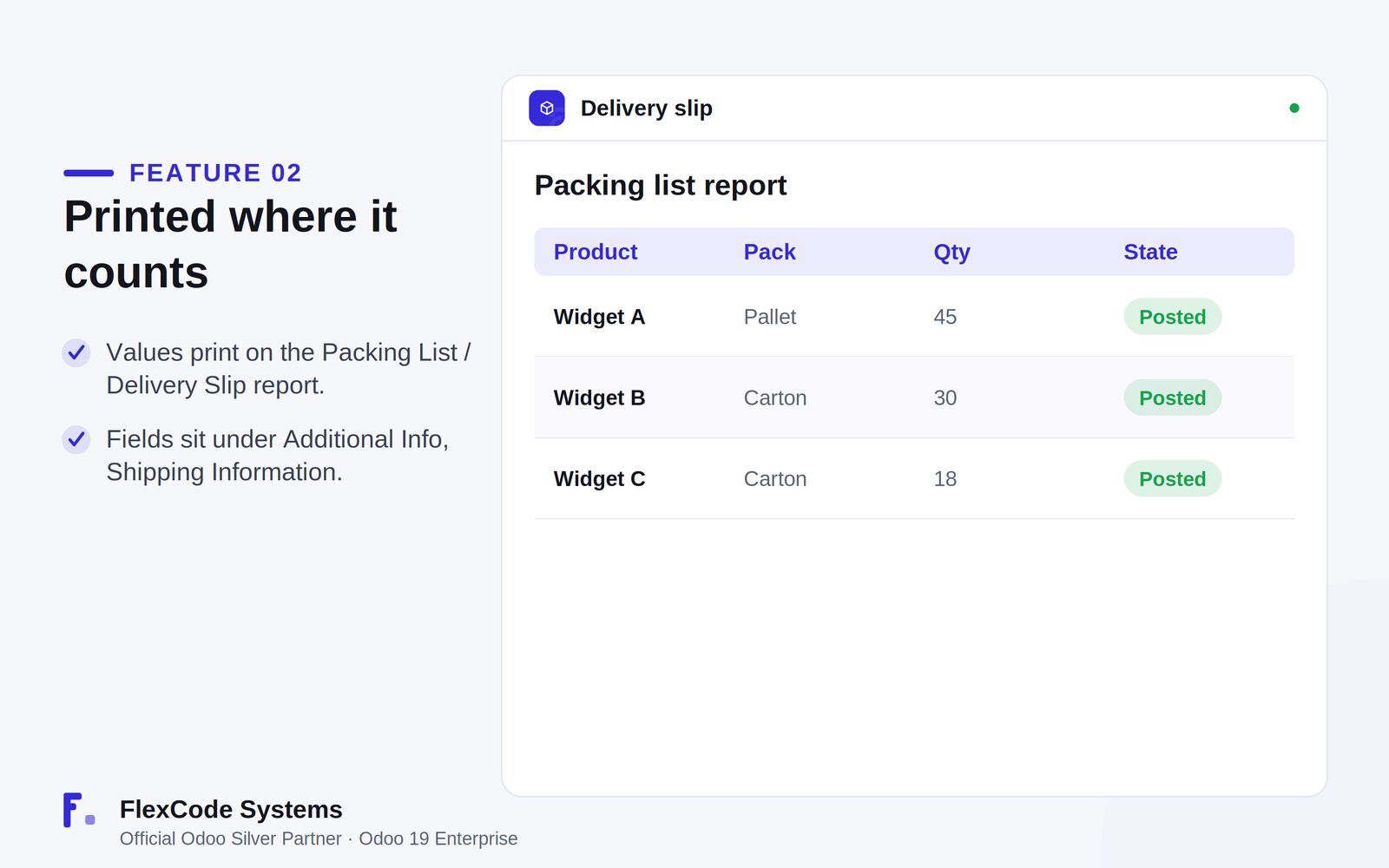
Print type of pack, dimensions and weight on the Packing List / Delivery Slip report.
Find the fields on the transfer under Additional Info, Shipping Information.
Simple setup
Start with nothing to configure.
Use pallet and carton as Type of Pack values out of the box, and configure further values when you need them.
Shipping Information on the delivery order: type of pack, dimensions and weight. Illustration from the store listing.The printed packing list with the pack type per line. Illustration from the store listing.
Who it is for
Warehouse and shipping teams preparing deliveries.
Companies that ship pallets and cartons with size and weight.
Businesses that need complete packing lists for carriers.
Anyone printing delivery slips from Odoo 19.
Not a fit when:
Databases on Odoo Online (SaaS), which cannot install third-party apps.
Odoo Community: the app is built and tested for Odoo 19 Enterprise.
Add the module to your Odoo.sh project or to the addons path of your on-premise server.
Update the apps list in Odoo and install Packing List Fields. Missing dependencies are installed with it.
Odoo Online (SaaS) does not allow third-party apps, so Packing List Fields cannot be installed there. Use Odoo.sh or an on-premise Odoo 19 Enterprise database.
Configure
Install the app. The new fields appear on delivery orders under Additional Info, Shipping Information.
Use pallet and carton as Type of Pack values out of the box, or configure further values if your shipments need them.
Setting
What it does
Type of Pack
How the delivery is packed, for example pallet or carton. The values are configurable.
Dimensions
Length x width x height of the package, entered on the delivery order.
Weight
Printed from the picking weight fields, so it is not entered twice.
How to use it
Record the packing details and print the slip
Open the delivery order and go to Additional Info, Shipping Information.
Set the type of pack and the dimensions. The weight comes from the picking weight fields.
Print the packing list or delivery slip. Type of pack, dimensions and weight appear on the document.
Limits
The printed weight is only as accurate as the weight on the transfer.
It cannot be installed on Odoo Online (SaaS).
It is built and tested for Odoo 19 Enterprise. The price covers one Odoo major version.
Frequently asked questions
How do I add dimensions and weight to the Odoo delivery slip?
Install Packing List Fields. Enter the type of pack and the dimensions on the delivery order under Shipping Information, and the packing list and delivery slip print them together with the weight.
Can I set pallet or carton as the type of pack in Odoo?
Yes. Packing List Fields adds a Type of Pack field with pallet and carton out of the box, and the values are configurable.
Where does the weight on the packing list come from?
From the picking weight fields of the transfer, so there is no double entry.
Where do I enter the packing details?
On the delivery order, under Additional Info, Shipping Information.
Which Odoo versions and editions does Packing List Fields support?
It is built and tested for Odoo 19 Enterprise, on-premise and on Odoo.sh. Odoo Online does not allow third-party apps. The price is one-time per Odoo major version.
Does Packing List Fields modify Odoo core?
No. It is clean code with no core monkey-patching and no migration scripts.