Decide per user what each person can create, edit, delete, see and click in Odoo
Rule Restriction is an Odoo 19 Enterprise app for per-user access control without cloning or editing standard groups. Block create, edit and delete on any model, hide buttons, menus and fields, and limit which warehouses, journals, companies, pricelists and products each user sees.
Standard Odoo access groups work at the level of a whole app. To stop one person from deleting invoices or seeing one warehouse, administrators clone groups or edit master data. Every cloned group is one more thing to maintain, and one mistake can expose data or block a colleague. Over time nobody is sure who can do what.
What it does
Block actions per user
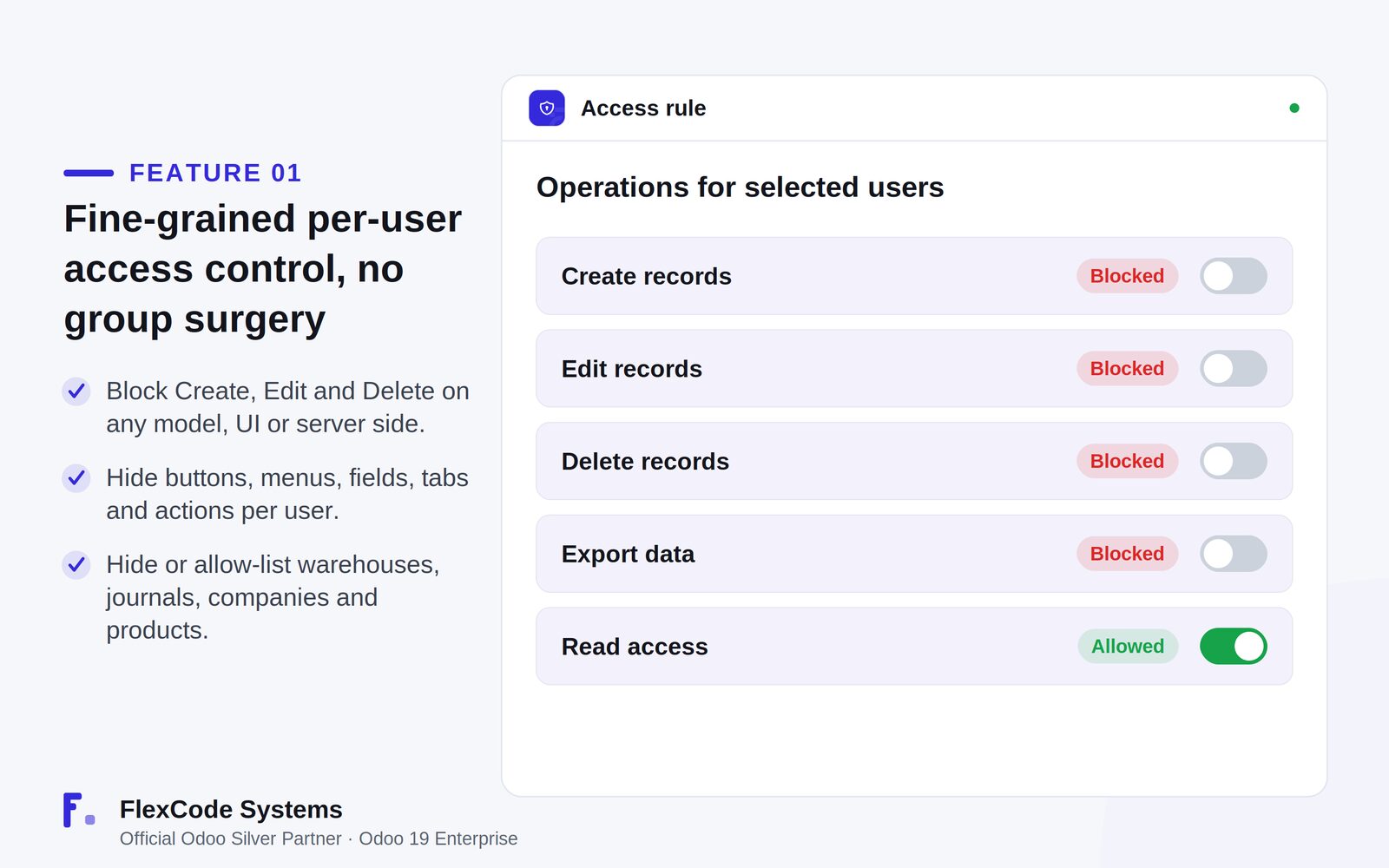
Block Create, Edit and Delete on any model for the users you select.
Apply restrictions in the interface by default, and add optional server-side (RPC) enforcement of create, write and unlink.
Hide parts of the interface
Hide buttons, menus, fields, tabs, groups, statusbar values and actions per user.
Keep Odoo core untouched. Interface hiding needs no core patches.
Limit which records users see
Hide or allow-list specific warehouses, journals, companies, locations and products in dropdowns and dashboards.
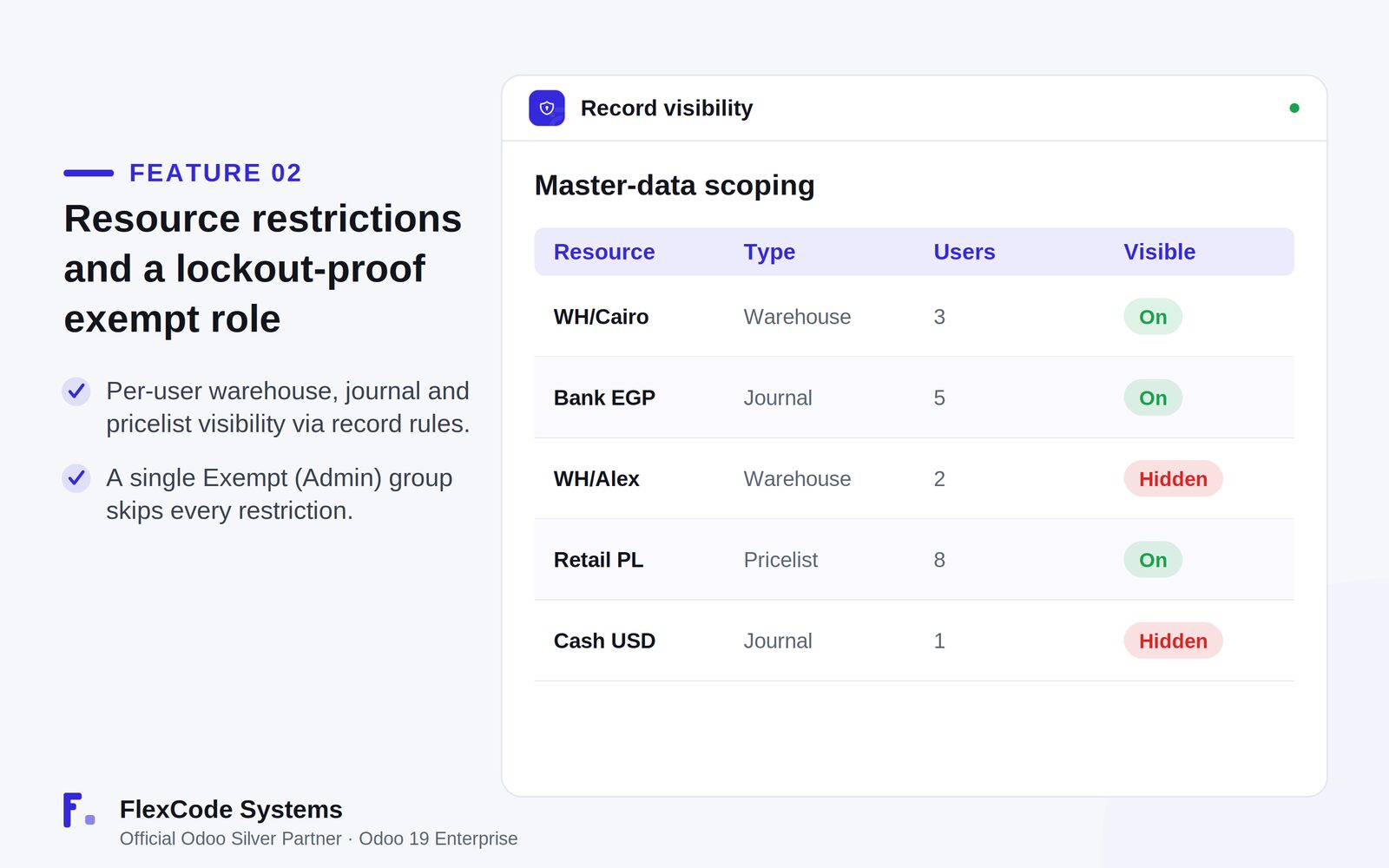
Enforce per-user warehouse, journal and pricelist visibility with record rules. An empty allow-list means the record is available to everyone.
One rule, many users
Combine every restriction layer in one card-based rule form.
Assign one rule to many users at once.
Find all rules in one Restrictions app and menu.
Safe by design
Put administrators in the single Exempt (Admin) group, which skips every restriction, so nobody locks themselves out.
Managers and system administrators are exempt automatically, and superuser, sudo and scheduled code paths are always bypassed.
Old records that reference hidden master data still open, and master data is never modified or deleted.
One access rule decides which operations the selected users can perform. Illustration from the store listing.Show or hide individual warehouses, journals and pricelists per user. Illustration from the store listing.
Who it is for
Odoo administrators who need finer access control than standard groups give.
Companies that must protect sensitive warehouses, journals or price lists.
Teams with temporary staff, contractors or external users who need limited rights.
IT leads who want interface guardrails with optional server-side enforcement.
Not a fit when:
Odoo Online (SaaS) databases, because Odoo Online does not allow third-party apps.
Odoo versions other than 19. The app is sold per Odoo major version.
Buy Rule Restriction on the Odoo Apps Store with the Odoo account linked to your database.
Add the module to your Odoo.sh repository or your on-premise addons path.
Update the apps list and install Rule Restriction. Odoo installs Inventory, Invoicing and Discuss with it if they are missing.
Built and tested for Odoo 19 Enterprise on-premise and on Odoo.sh. Odoo Online does not allow third-party apps, so it cannot be installed there.
Configure
Open the Restrictions app and create a new rule.
Pick the users the rule applies to and the model it controls.
Combine the layers you need in the same rule card: blocked operations, hidden interface elements and record visibility.
Add the people who maintain rules to the Exempt (Admin) group so they are never restricted.
If restricted users could reach Odoo through the API, turn on the optional server-side enforcement.
Setting
What it does
Target users
The users the rule applies to. One rule can cover many users.
Model
The Odoo model whose create, edit and delete actions the rule controls.
Blocked operations
Create, edit and delete can each be blocked for the selected users.
Hidden interface elements
Buttons, menus, fields, tabs, groups, statusbar values and actions to hide from the selected users.
Record visibility
Warehouses, journals, companies, locations, pricelists and products to hide or allow-list. An empty allow-list means available to everyone.
Server-side enforcement
Optional. Also blocks create, write and unlink over RPC, in addition to the interface.
Exempt (Admin) group
Members skip every restriction, which keeps administrators from locking themselves out.
How to use it
Stop a user from deleting records on one model
Create a rule and select the user or users.
Choose the model whose records they must not delete.
Block Delete and save. Those users no longer see the delete option in the interface.
Turn on server-side enforcement if they could also reach the data through the API.
Limit a user to their own warehouse and journals
Create a rule for the user.
In the record visibility layer, allow-list the warehouses, journals or pricelists they should see.
Save. Other warehouses, journals and pricelists disappear from that user's dropdowns and dashboards, and existing records that reference them still open.
Restrict temporary or external staff
Create one rule and add all temporary or external users to it.
Block the operations they should not perform and hide the menus, buttons and actions they do not need.
When someone leaves, remove them from the rule. No groups need rebuilding.
Limits
Interface restrictions apply by default. Blocking create, write and unlink over RPC needs the optional server-side enforcement.
Superuser, sudo and scheduled code paths are always bypassed, and managers and system administrators are exempt automatically.
It hides or allow-lists master data and never modifies or deletes it.
It cannot be installed on Odoo Online.
Frequently asked questions
Can I restrict delete rights for one user in Odoo without new groups?
Yes. With Rule Restriction you create a rule, select the user and the model, and block Delete. The user loses the delete option on that model while the standard groups stay as they are. One rule can also cover many users.
How do I hide a warehouse or journal from a specific Odoo user?
Create a Rule Restriction rule for that user and allow-list only the warehouses, journals or pricelists they should see. The others disappear from their dropdowns and dashboards. Old records that reference hidden data still open.
Can I hide buttons and menus per user in Odoo?
Yes. Rule Restriction hides buttons, menus, fields, tabs, groups, statusbar values and actions for the users you select. The hiding happens in the interface and needs no changes to Odoo core.
Can an administrator lock themselves out with Rule Restriction?
No. Members of the Exempt (Admin) group skip every restriction, managers and system administrators are exempt automatically, and superuser, sudo and scheduled code paths are always bypassed.
Can a restricted user get around the rules through the API?
Interface restrictions apply by default. Turn on the optional server-side enforcement in Rule Restriction to also block create, write and unlink over RPC.
Which Odoo versions does Rule Restriction support?
Odoo 19 Enterprise, on-premise and on Odoo.sh. Odoo Online does not allow third-party apps, so it cannot be installed there. The price is one-time per Odoo major version, and each new version is sold separately.