Inventory & Purchase
Done Transfer Emergency Cleanup
Restore, reopen or delete a done transfer under control, with a preview of the stock impact.
Odoo 20 Odoo 19 Odoo 18€69.30
Inventory & Purchase · Odoo 20, Odoo 19, Odoo 18
Every in and out for a product over any period, as a preview, PDF or Excel file
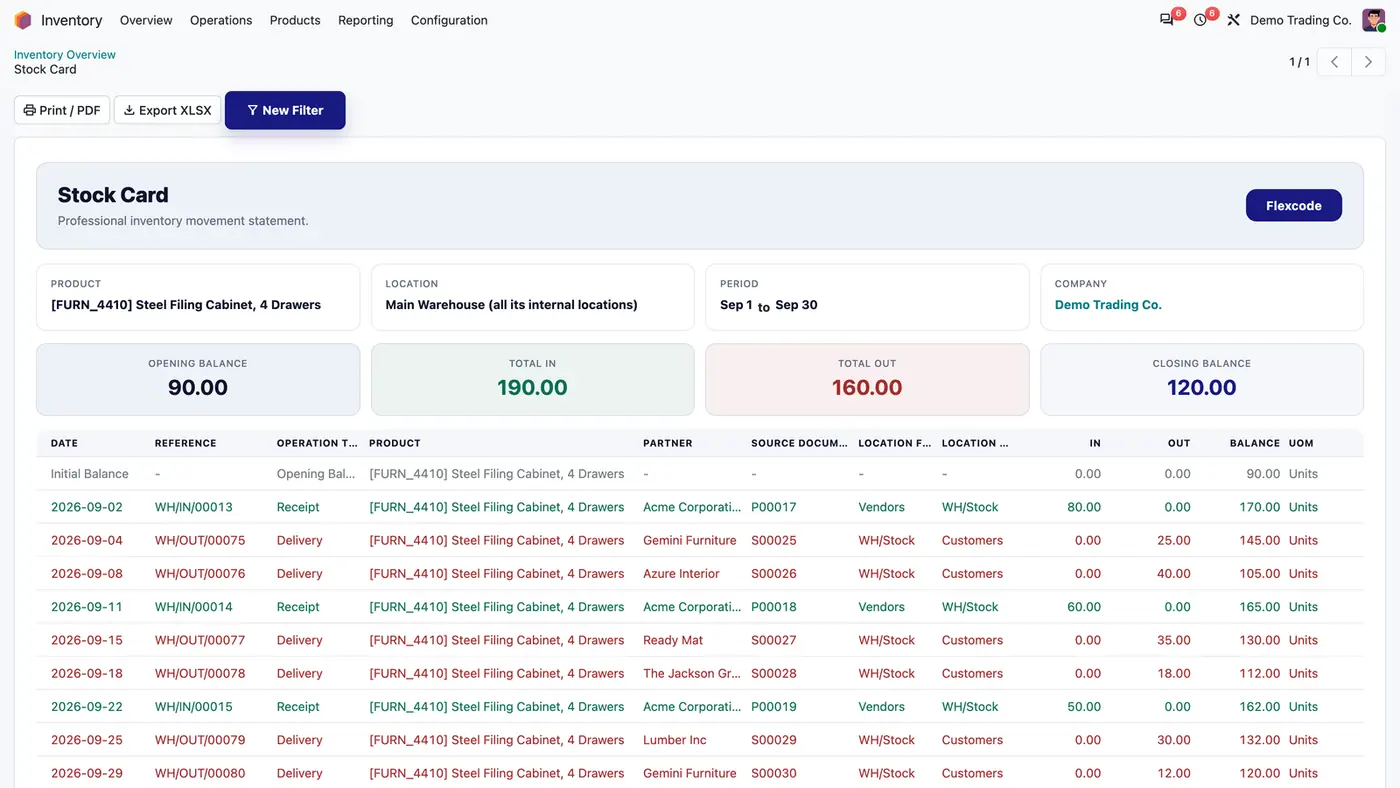
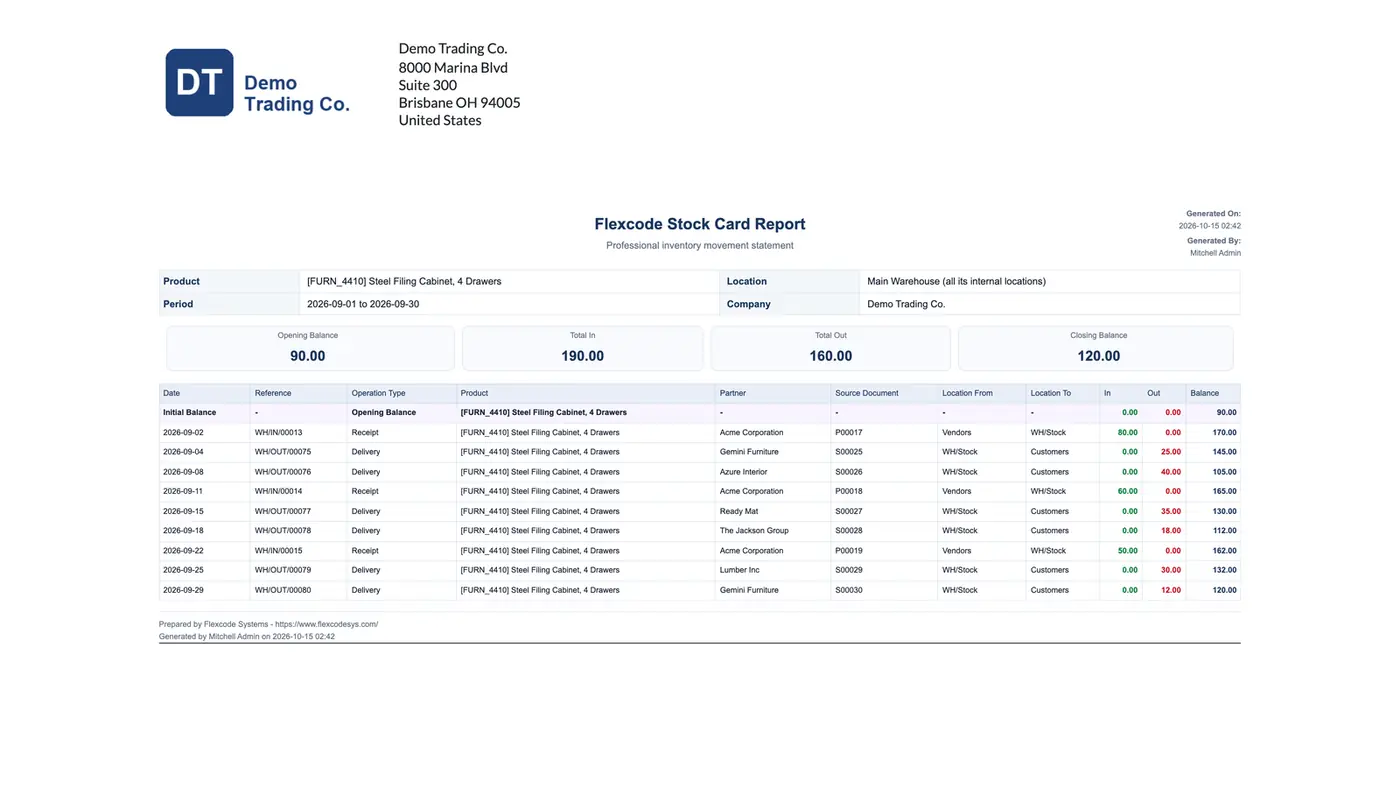
Stock Card Report is an app for Odoo 18, 19 and 20, Community and Enterprise, that builds a product movement card with the opening balance and every incoming and outgoing move in a period. You review it on screen, then export it as a QWeb PDF or a formatted XLSX file.
Key features
Answering how stock moved for one product over a month usually means digging through the move history line by line. Auditors and finance ask for a stock card with an opening balance, and someone rebuilds it by hand in a spreadsheet. Narrowing it to one warehouse, location or lot takes even longer, and the result is hard to share in a clean format.
 Play demo
Requires: Inventory (stock), Discuss (mail)
Odoo Online (SaaS) does not allow third-party apps, so Stock Card Report cannot be installed there. Use Odoo.sh or an on-premise Odoo 18, 19 or 20 database, Community or Enterprise.
Every purchase includes 90 days of free support from FlexCode Systems.
| Setting | What it does |
|---|---|
| Date range | The period the stock card covers. |
| Products and categories | Which products, or whole product categories, appear on the card. |
| Warehouses and locations | Limits the card to selected warehouses and locations, optionally including child locations. |
| Opening balance | Starts the card with the stock on hand at the beginning of the period. |
| Done-only moves | Shows only validated moves. |
| Line details | Adds the partner, the source document and the lot or serial number to each movement. |
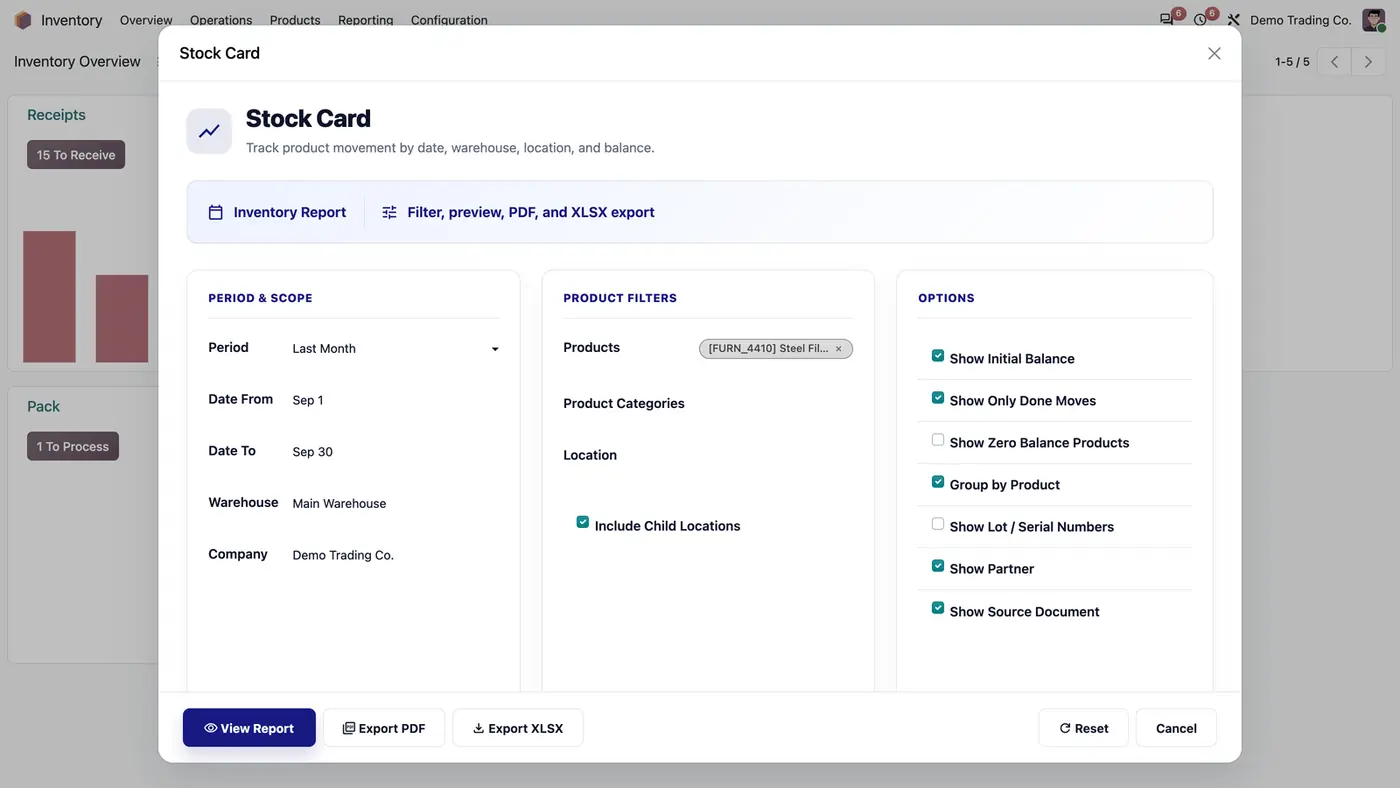
Install Stock Card Report, open its wizard and choose the date range, products and locations. The app shows a clean HTML preview with the opening balance and every movement, which you can export as a PDF or XLSX file.
Yes. Stock Card Report exports a formatted XLSX file, in addition to the HTML preview and a print-ready QWeb PDF report.
Yes. An opening balance option starts the card with the stock at the beginning of the period, and a done-only option limits it to validated moves.
Yes. You can filter by warehouse and location, include child locations, and show the lot or serial number, the partner and the source document on each line.
Odoo 18, 19 and 20, Community and Enterprise, on-premise and on Odoo.sh. Odoo Online does not allow third-party apps.
No. It is clean code with no core monkey-patching and no migration scripts.
Restore, reopen or delete a done transfer under control, with a preview of the stock impact.
Structured product and variant barcodes built from category, attributes and a sequence.
Type of pack, dimensions and weight on the packing list and delivery slip.
Make-to-order RFQs automatically go to the vendor with the lowest valid price.
Print Dymo product labels without the price, next to the standard Dymo label.
Production plans split over 3, 6 or 12 months on the Odoo MPS, with material needs and one-click orders.
We configure our apps for your process, train your team and build the extra pieces you need.