
Inventory & Purchase
Product Barcode Generator
Structured product and variant barcodes built from category, attributes and a sequence.
Odoo 20€69.30
Productivity & Tools · Odoo 19
Paste a list of references and find them all in one Odoo search
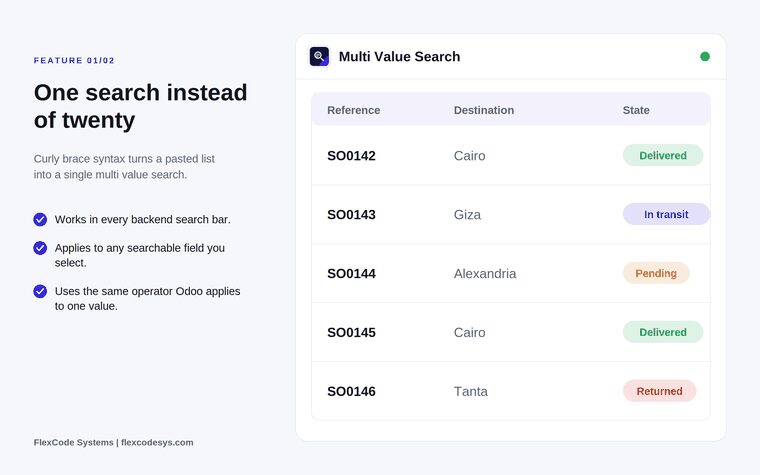
Multi Search lets you search many values at once from any Odoo 19 search bar by wrapping space separated terms in curly braces, for example {SO001 SO002 SO003}. Every term is matched against the field you pick, with the same operator Odoo uses for a single value.
Key features
Looking up twenty order references in Odoo normally means twenty separate searches. Support, logistics and finance teams copy a list from a spreadsheet or an email and paste one value at a time. It is slow, it is easy to miss a line, and it happens several times a day.
Odoo Online (SaaS) does not allow third-party apps, so this app cannot be installed there. Use an Odoo.sh project or an on-premise Odoo 19 database.
With Multi Search installed, wrap space separated values in curly braces in any backend search bar, for example {SO001 SO002 SO003}, and pick the field from the autocomplete. Odoo returns every record that matches any of the values in one search.
Every backend search bar and any searchable field. It patches the web client search model, so no view configuration is needed.
Search behaves exactly as standard Odoo. The syntax is opt in, so colleagues who do not use it notice no difference.
No. It adds no models and stores no data, and each term uses the operator Odoo would already apply to a single value.
Yes. Multi Search respects the active company and its records and has been tested in multi company databases.
This release targets Odoo 19 Enterprise, on Odoo.sh or on-premise. English, German and Arabic translations are included, and other languages can be added on request.
Not on the Odoo Apps Store: installed and set up by FlexCode Systems, price on request.
Structured product and variant barcodes built from category, attributes and a sequence.
Stock card report with HTML preview, PDF and XLSX exports.
See a product's historical sales and purchase prices right on the product form.
Real Cc and Bcc fields in the email composer, for any address.
Upgrade all bundled modules together from one technical controller module.
Staff notices as Odoo-style banners or one-time popups, aimed at chosen users and scheduled.
We configure our apps for your process, train your team and build the extra pieces you need.