Install, upgrade and uninstall the bundled FlexCode modules in one step
Suite Upgrade Controller is a technical module that ties five FlexCode Odoo 19 apps together, so installing, upgrading or uninstalling it acts on the whole bundle in one operation. It keeps interdependent modules on matching versions and refuses an uninstall that would break another app.
Odoo does not upgrade a module's dependencies when you upgrade the module itself. When several modules depend on each other, upgrading them one at a time leaves gaps where their versions disagree. For administrators and partners who maintain the same suite across one or many databases, that means extra steps on every release and a real risk of a mismatched installation.
What it does
One action, the whole suite
Install, upgrade and uninstall are extended to cover every bundled module: Bosta Shipping, Dymo Labels Without Price, Product and Variant Barcode Generator, Sale Returns, Exchanges and Credit Notes, and Shopify Connector.
Upgrading this module upgrades the five bundled modules in the same operation, so the suite stays on matching versions.
Odoo resolves the dependencies as usual during install.
Guarded uninstall
Refuses to uninstall a bundled module that another installed module outside the bundle still needs.
Names the module that blocks the removal in the error.
No footprint
No menus, views or settings, because its only job is orchestration.
No stored configuration, and it acts only on its own install, upgrade and uninstall. Other modules behave normally.
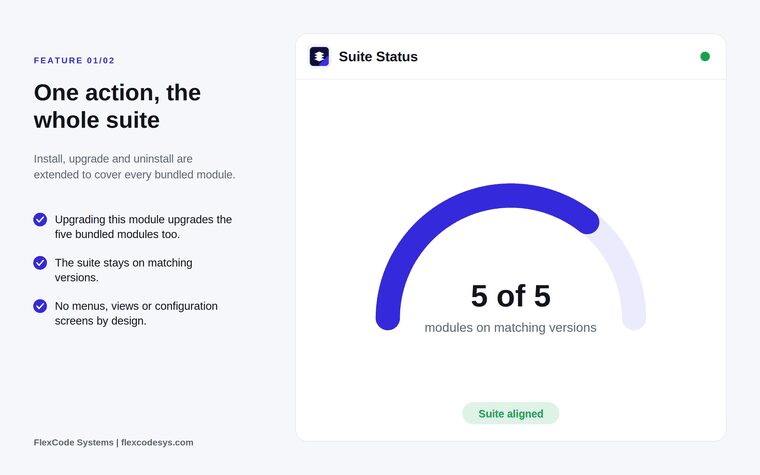
All five bundled modules upgraded together and on matching versions. Illustration from the store listing.
Who it is for
Administrators running several modules from the FlexCode suite.
Odoo partners maintaining the suite for customers across many databases.
Teams who want one predictable upgrade step.
Databases where suite modules depend on each other.
Not a fit when:
Databases that use only one of the bundled modules: a single module upgrades fine on its own.
Databases on Odoo Online (SaaS), which cannot install third-party apps.
Install
Requires: Inventory (stock), Discuss (mail), Invoicing (account), Contacts (contacts), Sales (sale_management), Bosta Shipping, Airway Bills and Tracking, Dymo Labels Without Price for Products, Product and Variant Barcode Generator, Sale Returns, Exchanges and Credit Notes, Shopify Connector, Order and Stock Sync
Buy the app on the Odoo Apps Store for Odoo 19.0.
Add it to your Odoo.sh project or to the addons path of your on-premise server, after the FlexCode modules it bundles.
Update the apps list in Odoo and install Suite Upgrade Controller.
Odoo Online (SaaS) does not allow third-party apps, so this app cannot be installed there. Use an Odoo.sh project or an on-premise Odoo 19 database.
Configure
Nothing to configure. The module has no menus, views or settings.
How to use it
Upgrade the whole suite
When a new suite release is published, open Apps and upgrade Suite Upgrade Controller.
Every linked module is upgraded in the same operation, and the versions stay aligned.
Uninstall the bundle safely
Uninstall Suite Upgrade Controller from Apps.
If a module outside the bundle still depends on a bundled module, the uninstall is refused and the error names the blocking module.
Limits
It only orchestrates install, upgrade and uninstall. It adds no business features of its own.
It acts on the five bundled FlexCode modules; other modules in your database behave normally.
Built for Odoo 19. Each Odoo series is published as its own version of the app.
Frequently asked questions
How do I upgrade several dependent modules at once in Odoo?
Odoo does not upgrade a module's dependencies on its own. Suite Upgrade Controller extends install, upgrade and uninstall so that upgrading it from Apps upgrades all five bundled FlexCode modules in one operation.
Which modules does Suite Upgrade Controller bundle?
Bosta Shipping, Dymo Labels Without Price, Product and Variant Barcode Generator, Sale Returns, Exchanges and Credit Notes, and Shopify Connector. It also depends on the standard Inventory, Discuss, Invoicing, Contacts and Sales apps.
Do I need Suite Upgrade Controller if I use only one FlexCode app?
No. It is only useful if you run several modules from this suite. A single module upgrades fine on its own.
Is it safe to uninstall?
It refuses to uninstall a bundled module that another installed module outside the bundle still depends on, and it names the module that blocks the removal.
Does it add menus or settings to Odoo?
No. Suite Upgrade Controller has no menus, views or configuration screens, and nothing extra appears in the user interface.
Which Odoo versions does Suite Upgrade Controller support?
This release targets Odoo 19 Enterprise, on Odoo.sh or on-premise. English, German and Arabic translations are included. Each Odoo series is published as its own version of the app.