Tell the right staff about changes, right where they work in Odoo
Company Announcements lets chosen managers publish notices that look like Odoo's own: a coloured banner under the top menu bar, a popup shown once, or both. Each announcement is aimed at all internal users or at chosen companies, groups or users, and runs between a start and an end date. It is a free app for Odoo 18, 19 and 20.
A holiday closure, a maintenance window or a new expense policy goes out by e-mail, and half the team never reads it. The people who need the notice spend their day in Odoo, not in their inbox. Without a place in Odoo itself, there is no way to aim a notice at one company or one department, to start and stop it on a date, or to see who closed it.
Screenshots
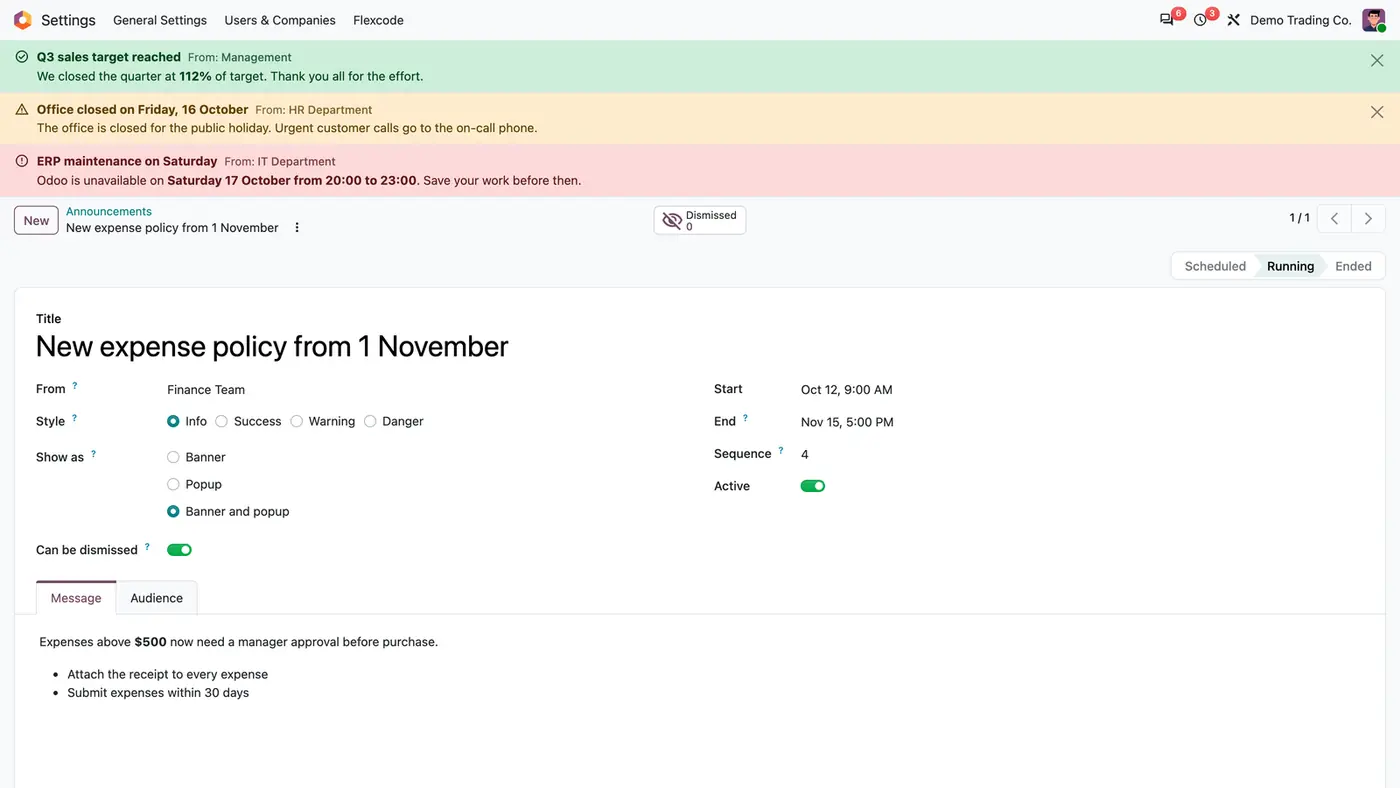
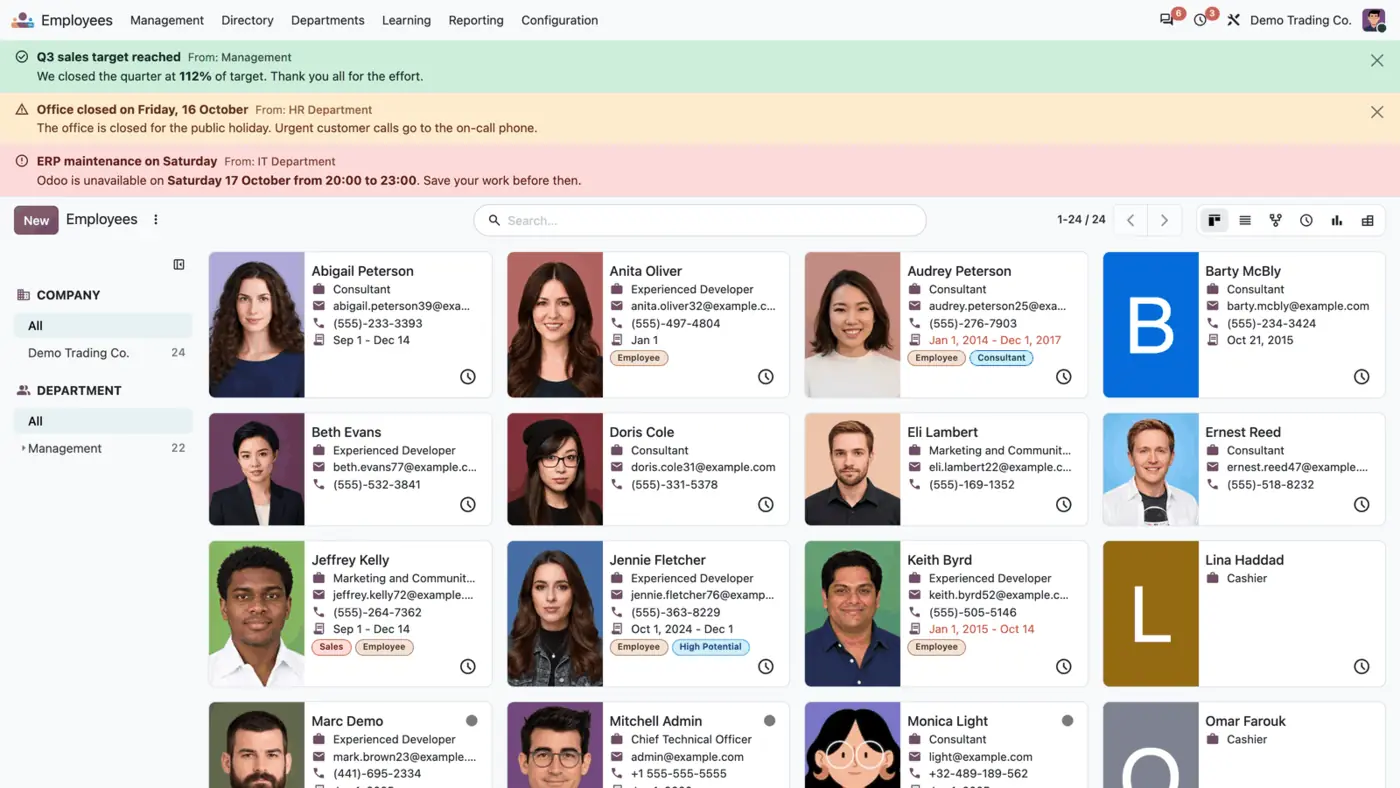
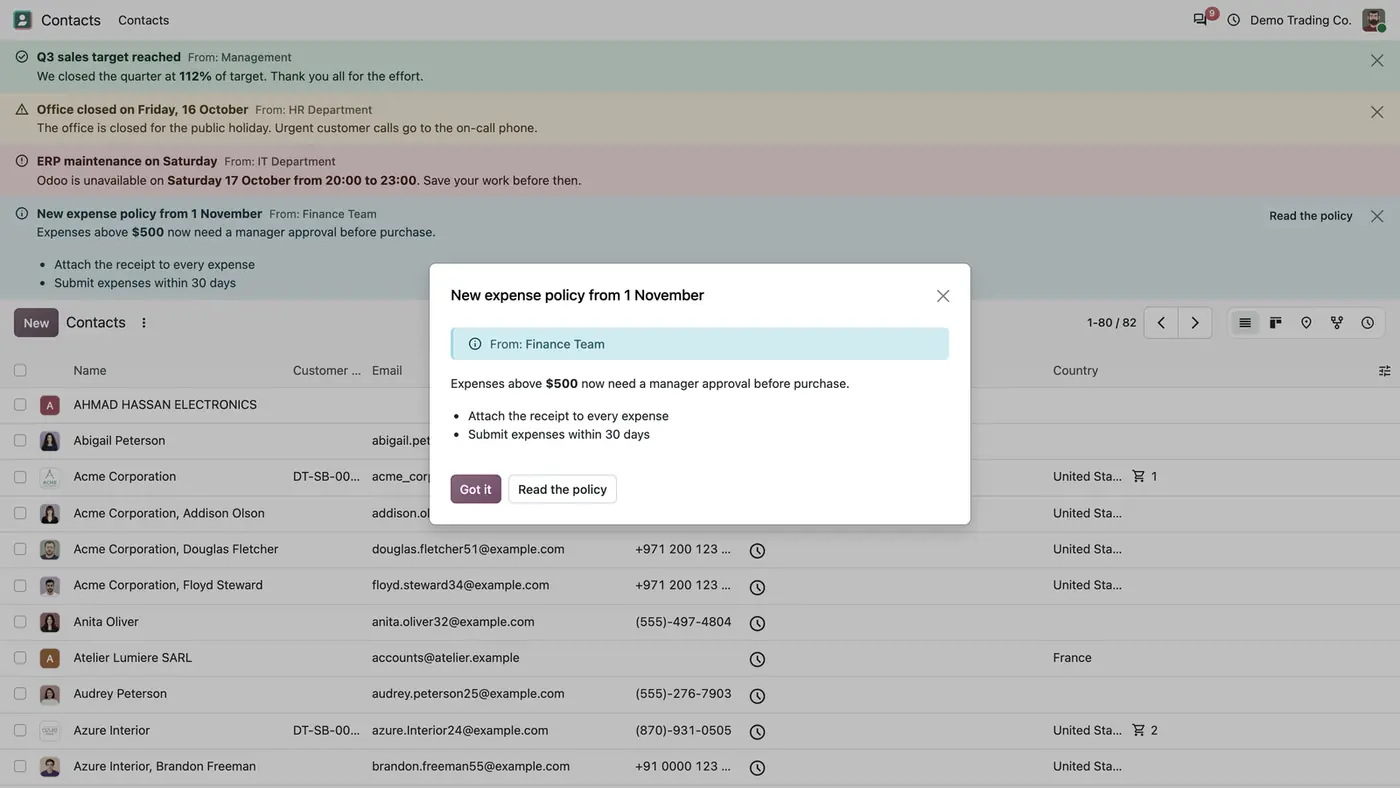
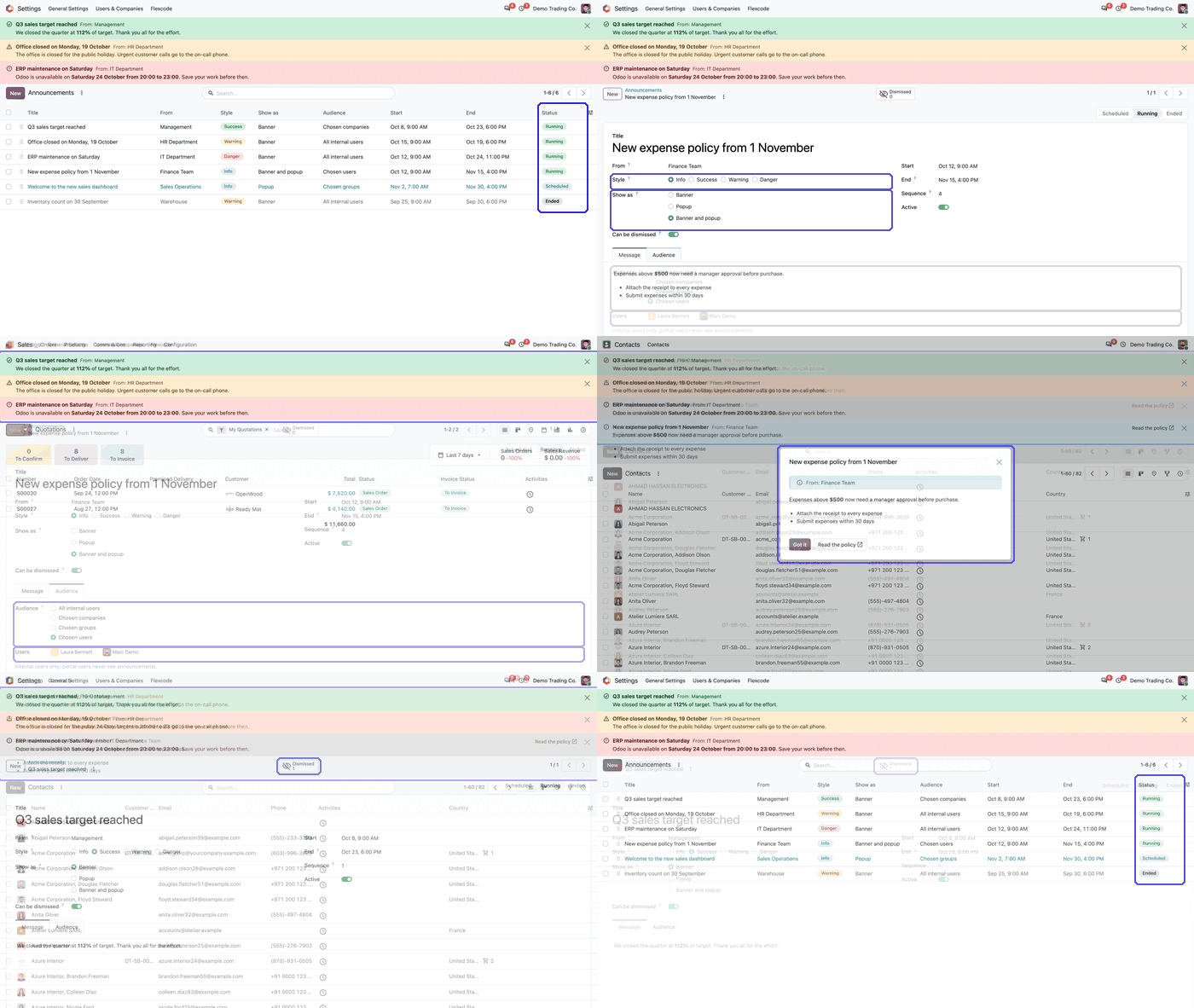
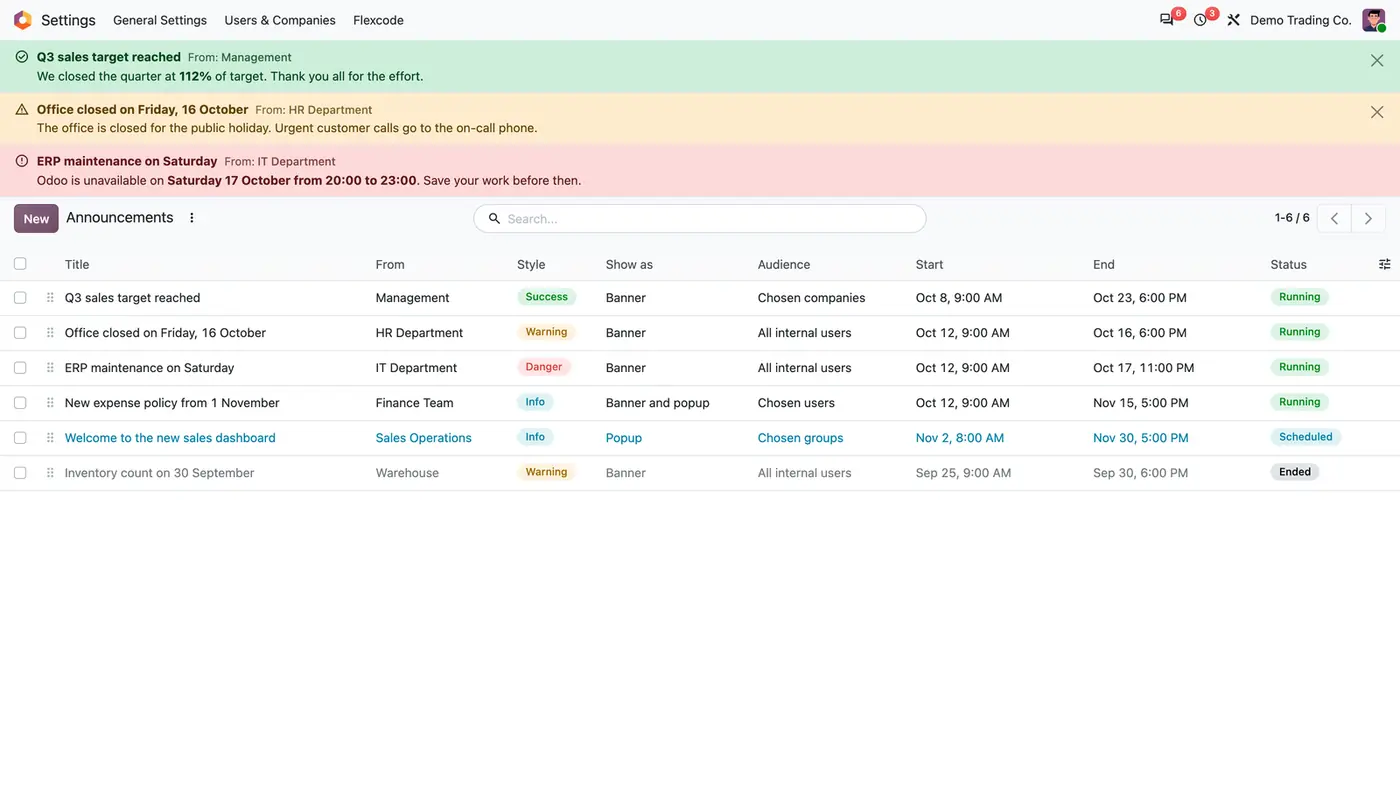
Every announcement in one list, with its audience, schedule and status Running, Scheduled or Ended.Writing an announcement: sender, style, display mode, schedule and a message with bold text and lists.Running banners appear under the top menu bar in every app, here in Employees.A popup the user sees once, with a link button; the banner of the same announcement stays. Play demoAnimated demo of managing announcements and their status.
What it does
Banner, popup or both
Show an announcement as a coloured banner under the top menu bar, in every app.
Show it as a popup that opens once, when the user next opens Odoo. Got it closes the popup for good, while the banner of the same announcement stays.
Pick one of four styles in the colours of Odoo's own notices: Success, Warning, Danger and Info.
Right to left layout and dark mode are supported.
Content
Write a title, a From line and a formatted message that keeps bold text, lists and links.
Add an optional link button, for example to the full policy.
Let users close a banner when it is dismissible. It stays hidden for that user until the announcement is edited.
Audience and schedule
Aim each announcement at all internal users, or at chosen companies, groups or users. Implied groups count.
Run it from a start to an end date and time. With no end, it runs until it is archived.
See the status Scheduled, Running or Ended in the list, and order several announcements by sequence.
Managers and control
Decide who may write announcements by listing their logins in one system parameter. Installation adds the main administrator.
Every change of that list is logged.
The Dismissed button on an announcement counts the users who closed the banner.
Who it is for
A good fit for
Companies that announce closures, maintenance windows or policy changes to staff who work in Odoo.
Multi-company databases that need to reach the staff of one company only.
HR, IT and finance teams that want a notice to start and end on a date without anyone remembering to remove it.
Not a fit for
Sending e-mail: the app sends none.
Blocking users until they confirm a notice: announcements never block work.
Reaching customers or vendors: portal users never see announcements.
Databases on Odoo Online (SaaS), which cannot install third-party apps.
Install
Requires: Web (web), HTML Editor (html_editor), Tours (web_tour)
Download Company Announcements free from the Odoo Apps Store for Odoo 18, 19 or 20.
Add the module to your Odoo.sh project or to the addons path of your on-premise server.
Update the apps list in Odoo and install Company Announcements. A guide opens once after installation and stays available in the app's configuration menu.
Odoo Online (SaaS) does not allow third-party apps, so the app cannot be installed there. Use Odoo.sh or an on-premise database, Community or Enterprise.
Questions: info@flexcodesys.com.
Configure
Switch on developer mode, open Settings > Technical > Parameters > System Parameters and list the logins of the announcement managers, comma-separated, in flexcode_announcements.manager_logins.
Open Settings > Flexcode > Announcements and create the first announcement: choose Banner, Popup or Banner and popup, then the style and the dates.
On the Audience tab, choose all internal users, or chosen companies, groups or users.
Setting
What it does
flexcode_announcements.manager_logins
System parameter with the comma-separated logins of the users who may write announcements. Contains the main administrator after installation.
Show as
Banner, Popup or Banner and popup.
Style
Info, Success, Warning or Danger.
Can be dismissed
Whether users may close the banner.
Start, End and Sequence
When the announcement runs, and its order among several running announcements.
Audience
All internal users, or chosen companies, groups or users.
How to use it
Publish an announcement
Open Settings > Flexcode > Announcements and click New.
Enter the title, the From line and the message, and add a link button if needed.
Set Show as, the style, the start and end, and the audience, then save. The announcement appears when its start time is reached.
Follow running announcements
The list shows every announcement with its style, display mode, audience, schedule and status.
Open an announcement and use the Dismissed button to see how many users closed the banner.
Edit a dismissible announcement to show it again to users who had closed it.
Limits
No e-mail is sent; announcements are shown inside Odoo only.
Announcements never block work.
Portal users never see announcements.
Only users listed in the system parameter can write announcements; a settings administrator who is not listed sees no Announcements menu.
It cannot be installed on Odoo Online (SaaS).
FAQ
Who can write announcements?
The users whose logins are listed in the system parameter flexcode_announcements.manager_logins. At installation it contains the main administrator, and every change of the list is logged.
Do announcements slow Odoo down?
No. Running announcements are cached on the server, and each page load makes one light request.
Can users hide a banner?
Yes, when the announcement is dismissible. It stays hidden for that user until the announcement is edited.
Who sees an announcement?
Internal users in the audience you choose: everybody, the users working in chosen companies, the members of chosen groups (implied groups count) or chosen users. Portal users never see announcements.
Does it work with multi-company databases?
Yes. The module respects the active company and its records, and has been tested in multi-company databases.