Add a one-off Cc or Bcc to any Odoo email without creating a contact
Email Cc and Bcc Fields adds free text Cc and Bcc fields to the Odoo 19 email composer. Copy anyone on a single message without creating a contact or adding a follower, and the copies are actually delivered.
The standard Odoo email composer has no Cc and no Bcc field, so there is nowhere to put a one-off copy. The usual workaround is to add a follower, who then receives every future message on that document, or to create a contact for a single email. Blind copies can leak through the header, and Odoo silently drops outgoing addresses it has not validated, with no error at all.
What it does
Any address, as free text
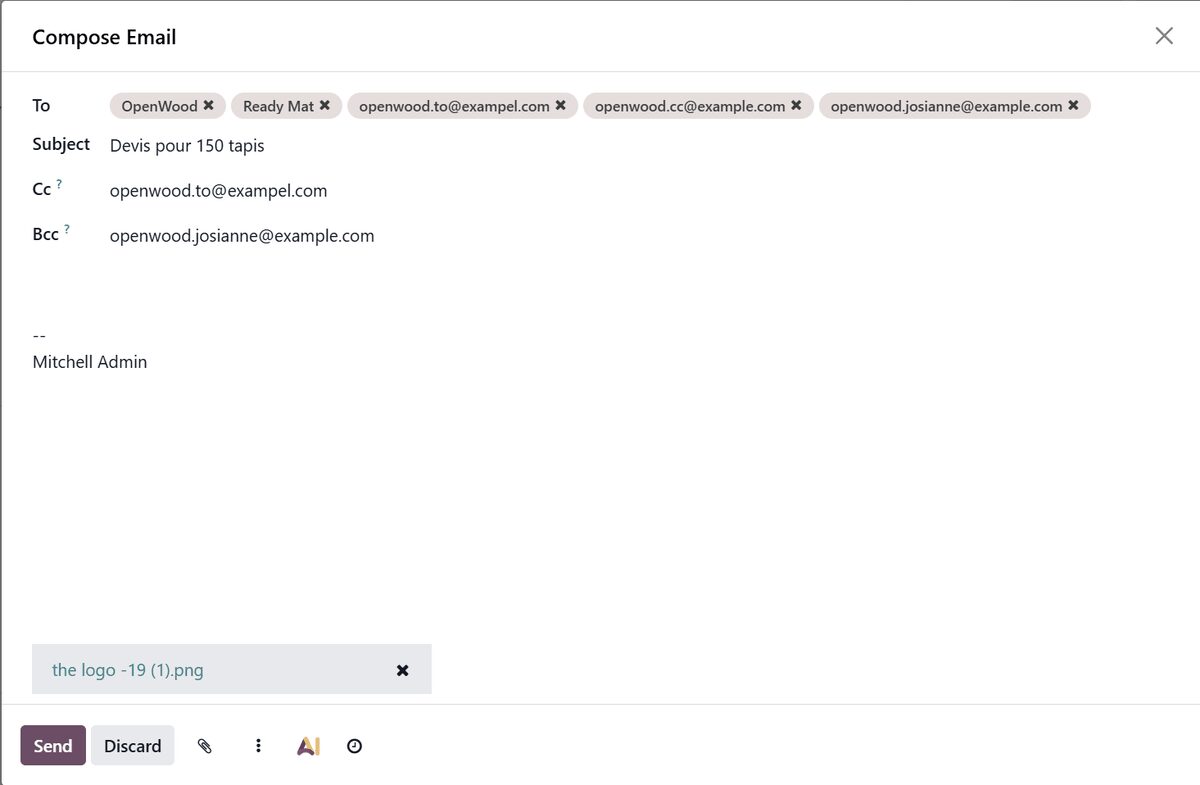
Type comma-separated addresses into Cc and Bcc.
No contact record has to exist, and none is created.
Nobody becomes a follower of the document because you copied them once.
Copies that actually arrive
Odoo only sends to addresses it recognises. Your Cc and Bcc addresses are registered before sending, so the copy goes out instead of disappearing without a word.
Your Cc and Bcc ride on the one email that goes to the real recipient: no duplicate in the same inbox and no empty copy addressed to nobody.
A Bcc that stays blind
The Bcc address travels in the SMTP envelope, and the Bcc header is removed before the message leaves your server.
The hidden recipient gets the mail, and nobody on the To or Cc line sees that they were copied.
Everywhere the composer is
Chatter Send message, Send by Email on quotations, sales orders and invoices, and mass mailing wizards.
Switch to a log note and both fields hide themselves, because a log note is not an email.
No settings page, no scheduled action, no external service and no API key.
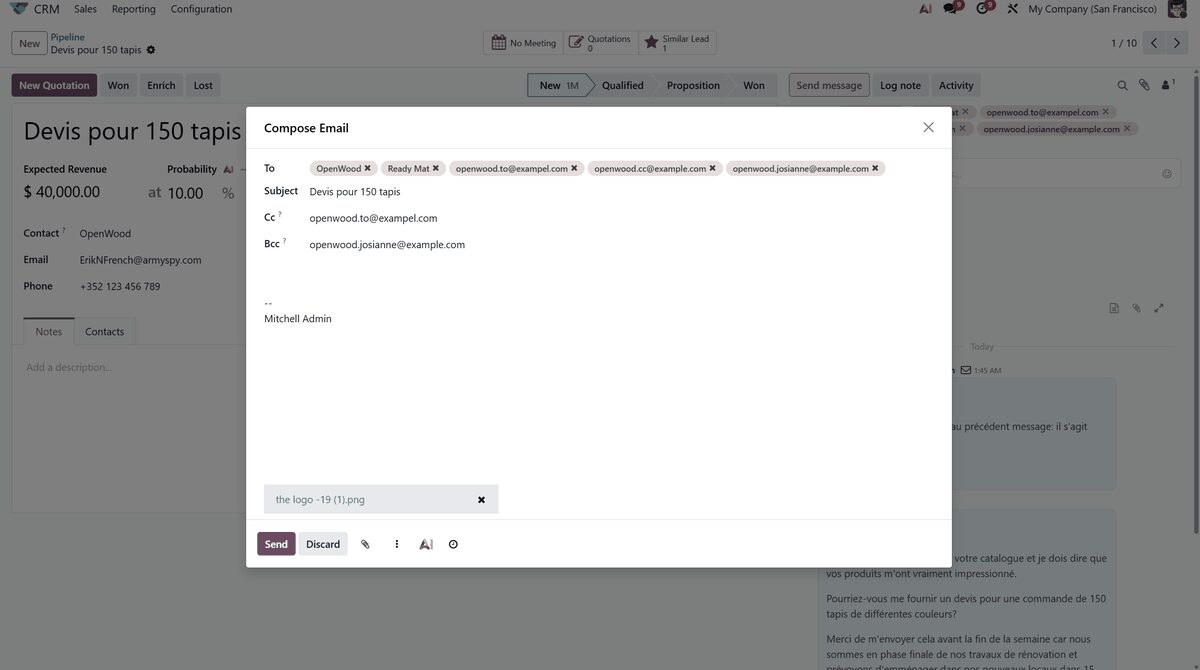
Cc and Bcc sit directly under the subject in the email composer.The same fields when sending from a CRM opportunity.
Who it is for
Sales and finance teams who copy an accountant or manager on one quotation or invoice.
Companies that need a silent archive copy of outbound correspondence.
Anyone sending from the chatter who needs to reach someone outside the followers.
Agencies and consultancies copying a client contact who must not follow the whole record.
Not a fit when:
Teams that want default or automatic Cc and Bcc rules per document type.
Anyone who needs a permanent archive address set once in settings.
Users who expect autocomplete from the address book or new contacts created from typed addresses.
Databases on Odoo Online (SaaS), which cannot install third-party apps.
Install
Requires: Discuss (mail)
Buy the app on the Odoo Apps Store for Odoo 19.0.
Add the module to your Odoo.sh project or to the addons path of your on-premise server.
Update the apps list in Odoo and install Email Cc and Bcc Fields. Discuss is installed with it if it is missing.
Odoo Online (SaaS) does not allow third-party apps, so this app cannot be installed there. Use an Odoo.sh project or an on-premise Odoo 19 database.
Configure
Nothing to configure. After installation the Cc and Bcc fields appear in the email composer, directly under the subject.
How to use it
Copy someone on one email
Open the composer with Send message in the chatter or Send by Email on a quotation, sales order or invoice.
Type one or more addresses, separated by commas, into Cc or Bcc.
Click Send. Everyone receives one email, and the Bcc recipient stays hidden.
Keep a silent archive copy
Type your archive mailbox into Bcc on the message that needs a copy.
Send as usual. The archive receives the email without the other recipients seeing it.
Log a note
Switch the composer to Log note.
The Cc and Bcc fields hide, and nothing is emailed.
Limits
No default or automatic Cc and Bcc rules per document type.
No permanent archive address set once in settings.
Typed addresses do not create contact records and are not autocompleted from the address book.
Inbound mail is not affected.
Frequently asked questions
How do I add Cc and Bcc to emails in Odoo?
Install Email Cc and Bcc Fields. The Odoo 19 email composer then shows Cc and Bcc fields under the subject, in chatter Send message, Send by Email and mass mailing wizards. Type any addresses, separated by commas, and send.
Do Cc and Bcc recipients need to be Odoo contacts?
No. Type any address. No contact is created and nobody is added as a follower of the document.
Can other recipients see the Bcc address in Odoo emails?
No. The Bcc header is stripped before transmission, and only the SMTP envelope carries the address, so the To and Cc recipients cannot see it.
Will a Cc recipient get the email twice?
No. Cc and Bcc are consolidated onto the single outgoing email that carries the real recipient, so there are no duplicates and no empty copies.
Does it work with mass mailing and my mail provider?
Yes. Mass mailing and chatter comments are both handled. The app changes what Odoo hands to the outgoing server, so SMTP and API-based mail servers both work.
Which Odoo versions does the Cc and Bcc app support?
Odoo 19.0, Community and Enterprise, on Odoo.sh or on-premise. It depends only on the standard mail module and contacts no external service. Odoo Online does not allow third-party apps.