Skip to Content

Inventory & Purchase · Odoo 20, Odoo 19, Odoo 18

MTO Cheapest Vendor

Make-to-order purchases go to the vendor with the lowest valid price, automatically

MTO Cheapest Vendor is a free app for Odoo 18, 19 and 20 that picks the vendor with the lowest valid price when a make-to-order sales order creates an RFQ or purchase order. It respects vendor minimum quantities and price validity dates, and there is nothing to configure.

Key features

The problem

When Odoo creates a purchase from a make-to-order sale, it does not always pick the cheapest supplier. Buyers then compare vendor prices by hand on every generated RFQ, or the company quietly overpays. With several suppliers per product, those small differences add up across a year of orders.
Screenshots

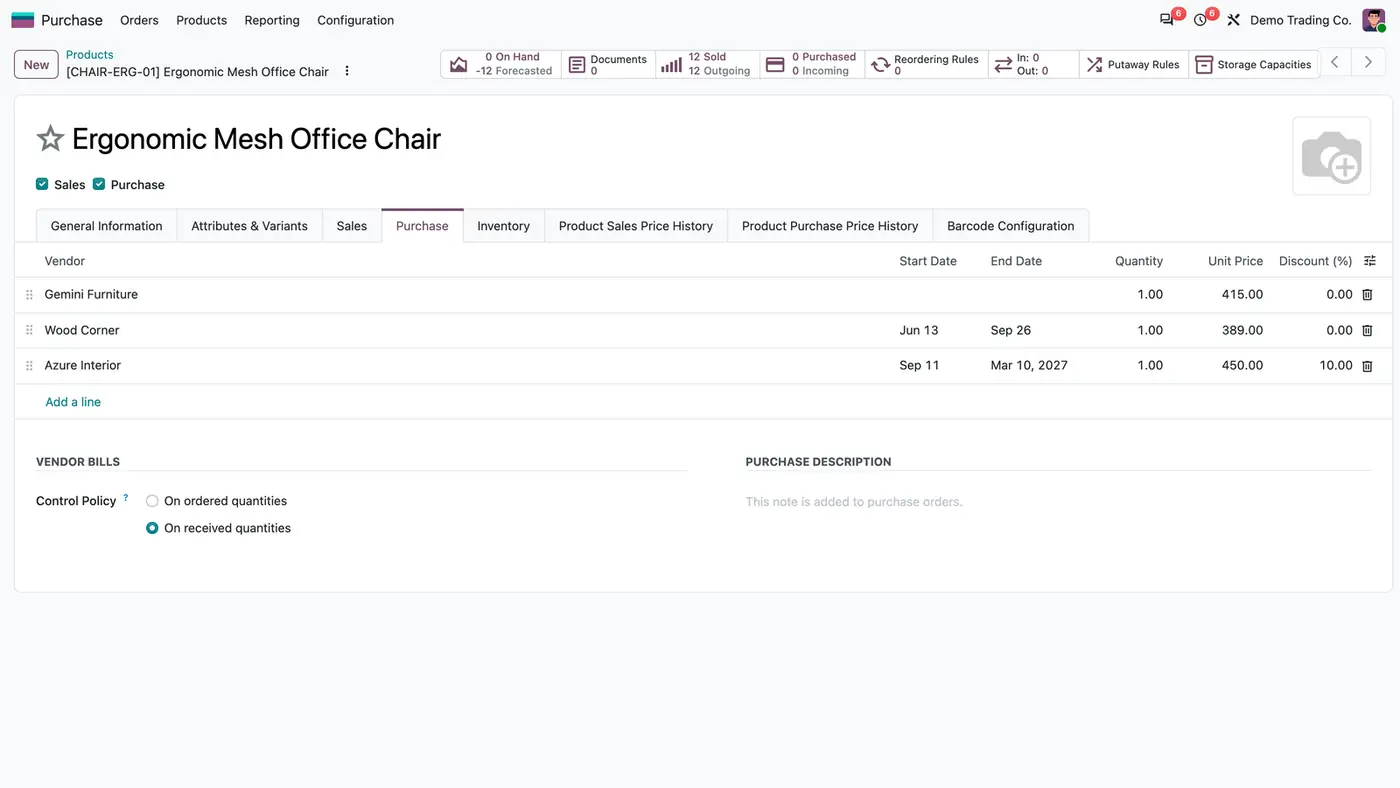
Purchase tab of a product with three vendor lines: price, discount, quantity and validity dates per vendor
Three vendor prices on one product: one has expired, one carries a 10% discount.
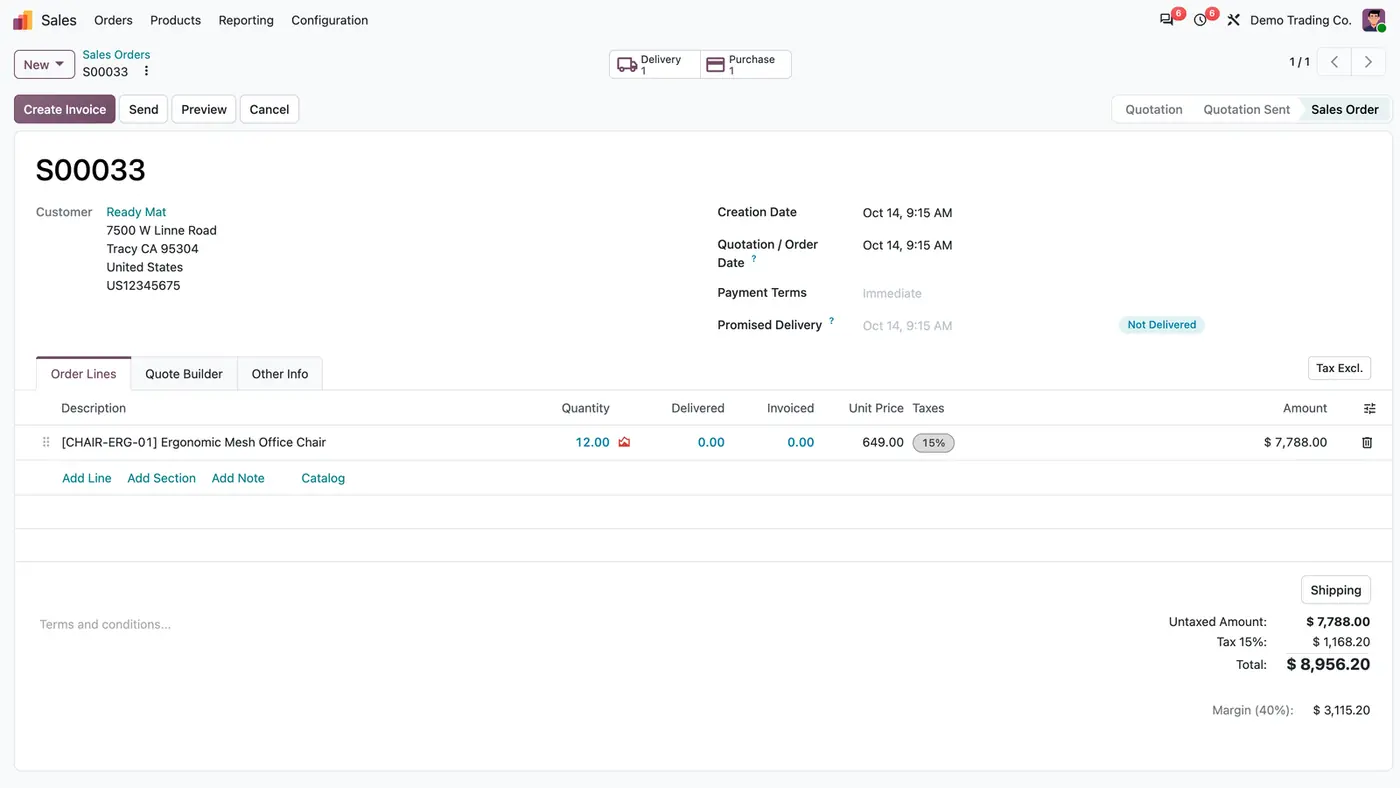
Confirmed sales order S00033 for 12 Ergonomic Mesh Office Chairs with a Purchase smart button showing 1
Confirming a make-to-order sales order creates the request for quotation right away.
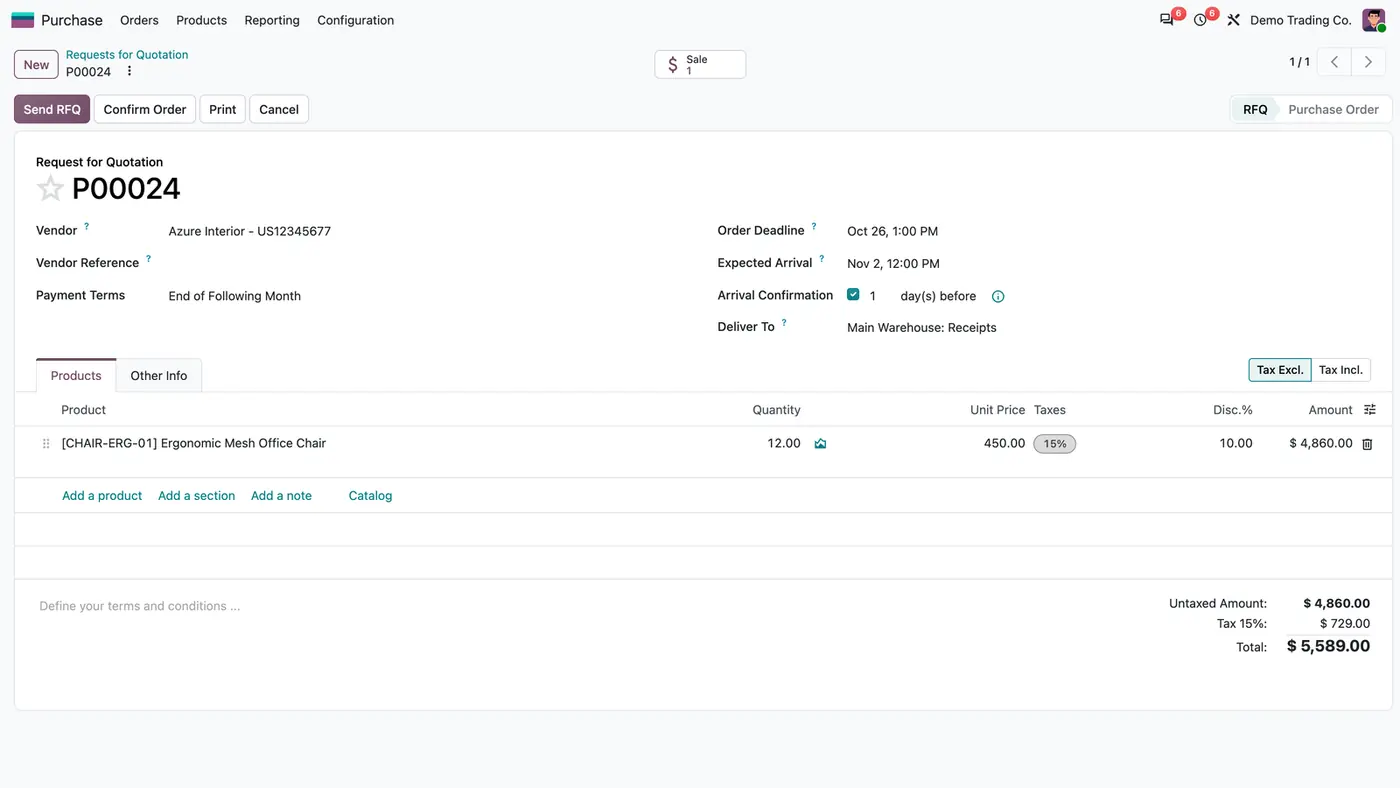
Request for quotation P00024 to Azure Interior: 12 chairs at 450.00 with 10% discount, amount $4,860.00
The RFQ goes to the cheapest valid vendor after discount; the expired price is ignored.
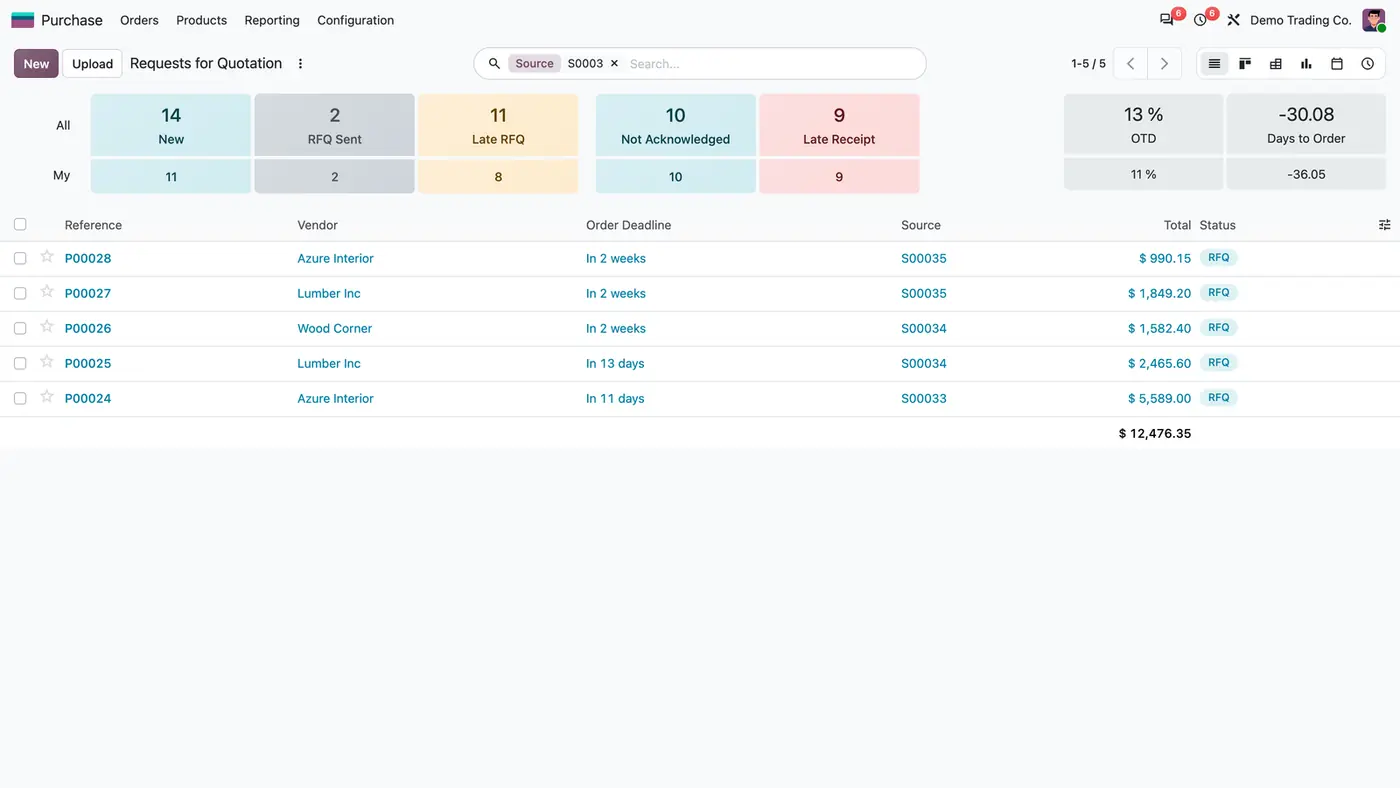
Requests for Quotation list: five RFQs from sales orders S00033 to S00035 to different vendors
When products on one order have different cheapest vendors, each vendor gets its own RFQ.
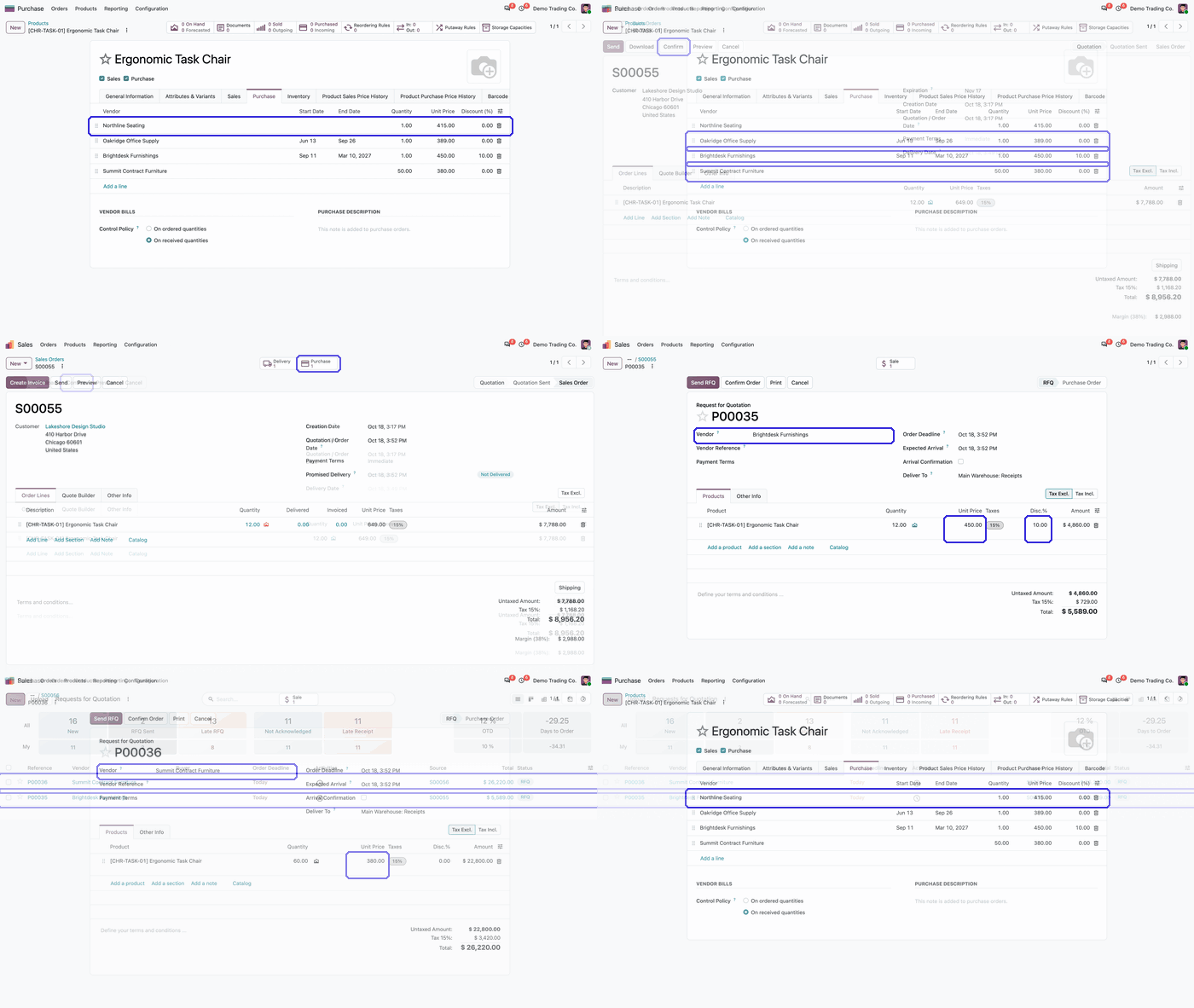
Animated demo: vendor lines on a product's Purchase tab with the chosen vendor line highlighted Play demo
Animated demo of the vendor line the app selects for a make-to-order purchase.

What it does

Cheapest valid vendor on every MTO purchase

  • Select the lowest valid vendor price automatically when an MTO sales order generates an RFQ or purchase order.
  • Pick the cheapest valid vendor line with no manual comparison.
  • Work silently inside the standard MTO procurement flow.

Respects your vendor pricing rules

  • Consider only genuinely valid vendor lines.
  • Honour vendor minimum quantities where they apply.
  • Honour vendor price validity dates where they apply.

Lightweight and focused

  • Leave manually created purchase orders untouched.
  • Leave reordering rules on Odoo's own choice of vendor.
  • Work out of the box, with no data or views to set up.

Who it is for

A good fit for

  • Procurement teams running make-to-order flows.
  • Buyers who want the best vendor price chosen automatically.
  • Companies with several suppliers per product.
  • Businesses that want savings without changing their workflow.

Not a fit for

  • Manually created purchase orders, which the app leaves untouched.
  • Databases on Odoo Online (SaaS), which cannot install third-party apps.
  • Reordering rules, which keep Odoo's own choice of vendor.

Install

Requires: Purchase (purchase), Inventory (stock), Invoicing (account), Discuss (mail)

  1. Download the app free from the Odoo Apps Store for Odoo 18.0, 19.0 or 20.0.
  2. Add the module to your Odoo.sh project or to the addons path of your on-premise server.
  3. Update the apps list in Odoo and install MTO Cheapest Vendor. Missing dependencies are installed with it.

Odoo Online (SaaS) does not allow third-party apps, so MTO Cheapest Vendor cannot be installed there. Use Odoo.sh or an on-premise Odoo 18, 19 or 20 database, Community or Enterprise.

Questions: info@flexcodesys.com.

Configure

  1. Keep your vendor prices on the products as usual, with minimum quantities and validity dates where you use them.
  2. Sell the products make-to-order as you do today. There are no app settings to change.
SettingWhat it does
Vendor priceThe price on each vendor line. The lowest valid one wins.
Minimum quantityA vendor line only counts when the ordered quantity meets its minimum.
Validity datesA vendor line only counts while its price is valid.

How to use it

Buy from the cheapest vendor on MTO orders

  1. Confirm a make-to-order sales order that generates an RFQ or purchase order.
  2. MTO Cheapest Vendor selects the cheapest valid vendor line for the generated purchase.
  3. Review and confirm the RFQ as usual.

Limits

  • It only acts on MTO-generated RFQs and purchase orders. Manual purchases are not changed.
  • It chooses between the vendor lines you maintain. Missing or outdated vendor prices cannot be compared.
  • It cannot be installed on Odoo Online (SaaS).

FAQ

How do I make Odoo choose the cheapest vendor for make-to-order?

Install MTO Cheapest Vendor. When a make-to-order sales order generates an RFQ or purchase order, the app selects the vendor line with the lowest valid price automatically.

Does it respect vendor minimum quantities and price validity dates?

Yes. MTO Cheapest Vendor only considers genuinely valid vendor lines, honouring minimum quantities and price validity dates where they apply.

Does it change manually created purchase orders?

No. It targets RFQs and purchase orders generated by make-to-order sales and leaves manual purchases untouched.

Is there anything to configure?

No app settings. MTO Cheapest Vendor works with your existing vendor prices. The make-to-order route must be switched on in Odoo (Inventory settings, Replenish on Order) and set on the products bought on order.

Which Odoo versions and editions does MTO Cheapest Vendor support?

It is a free app for Odoo 18, 19 and 20, Community and Enterprise, on-premise and on Odoo.sh. Odoo Online does not allow third-party apps.

Does MTO Cheapest Vendor modify Odoo core?

No. It is clean code with no core monkey-patching and no migration scripts.

Need it set up or adapted?

We configure our apps for your process, train your team and build the extra pieces you need.