Connectors
Shopify Connector
Sync Shopify orders, customers, products and stock. Ship in Odoo, the shop follows.
Odoo 20€104.30
Connectors · Odoo 20
Book Bosta shipments from the Odoo delivery order, print the airway bill, track status
Bosta Shipping adds the Bosta courier to Odoo 20 Inventory. Create a Bosta airway bill straight from a delivery order, print the label, and let a scheduled job keep the delivery status in step with Odoo.
Key features
Booking a Bosta courier by hand means copying each address into a portal, pasting the tracking number back into Odoo and checking the status again and again. Cash on delivery amounts get typed twice and do not always match the order. Sales and customer service have no way to see where a parcel is without logging into another system.
Requires: Inventory (stock), Sales (sale_management), Contacts (contacts), Invoicing (account), Discuss (mail), Sales and Warehouse Management (sale_stock)
Odoo Online (SaaS) does not allow third-party apps, so Bosta Shipping cannot be installed there. Use Odoo.sh or an on-premise Odoo 20 database.
Every purchase includes 90 days of free support from FlexCode Systems.
| Setting | What it does |
|---|---|
| Bosta API key | Stored in the system parameters; used for every call to Bosta. |
| Pickup address | The address Bosta collects your parcels from. |
| flexcode_bosta.status_batch_size | Number of shipments per scheduled status run: 100 by default, capped at 250. |
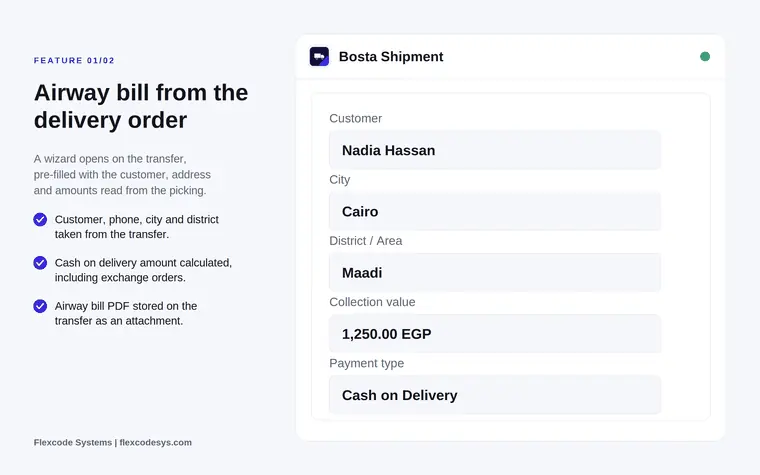
Open the delivery transfer and press Send to Bosta. Bosta Shipping opens a wizard pre-filled from the picking, validates the address and creates the airway bill, which is attached to the transfer as a PDF.
Yes. The cash on delivery amount is sent with the shipment and is recalculated automatically for exchange orders, so it always matches the order.
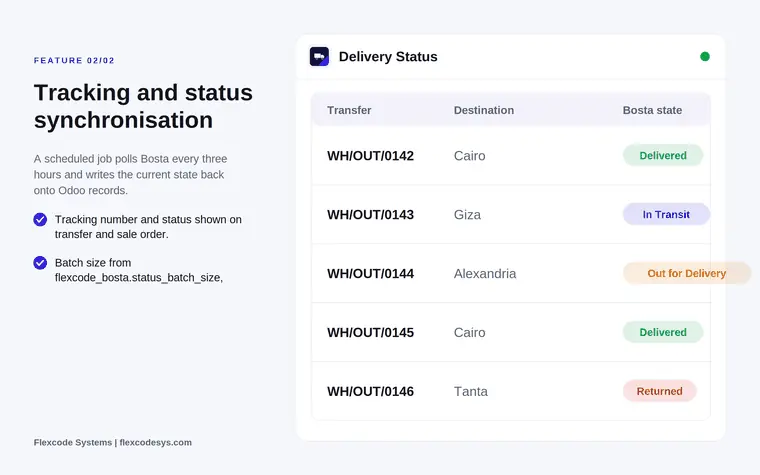
A scheduled job polls Bosta every three hours and writes the status back to the transfer, the sale order and the contact. You can also sync a single shipment on demand.
The wizard validates the district against the Bosta city list and asks you to correct it before the shipment is created.
Yes. The tracking number and status are shown on the transfer, the sale order and the contact, and a chatter note records what was sent to Bosta.
Odoo 20, Community and Enterprise, on-premise or on Odoo.sh. Each Odoo series is published as its own version of the app.
Sync Shopify orders, customers, products and stock. Ship in Odoo, the shop follows.
Sales returns and exchanges with return transfers, fees and automatic credit notes.
Type of pack, dimensions and weight on the packing list and delivery slip.
Sync Etsy listings, orders, stock and payouts through the Etsy Open API v3.
Send Odoo email through the Resend API: delivery tracking, bounces and inbound replies.
Send Odoo email via Loops.so transactional templates, with contact sync and a delivery log.
We configure our apps for your process, train your team and build the extra pieces you need.