Shop payments that close themselves once the invoice exists
PayPal & Shop Payment Auto Reconcile looks every hour at the open incoming statement lines of the bank journals you enable in Odoo 18, 19 and 20 Enterprise. It finds the invoice through the invoice, shop order or sales order number or the PayPal or Mollie transaction id, and reconciles the line when the amount fits. Each journal can run in Simulation first, so results are reviewed before anything is posted.
Shop payments by PayPal, Mollie or bank transfer often arrive before the invoice exists. Someone then has to come back to each bank line, search the order or invoice number in the label, check the amount and reconcile it by hand. Lines that cannot be matched stay open without any note why, and provider cent differences block an otherwise clean match.
Screenshots
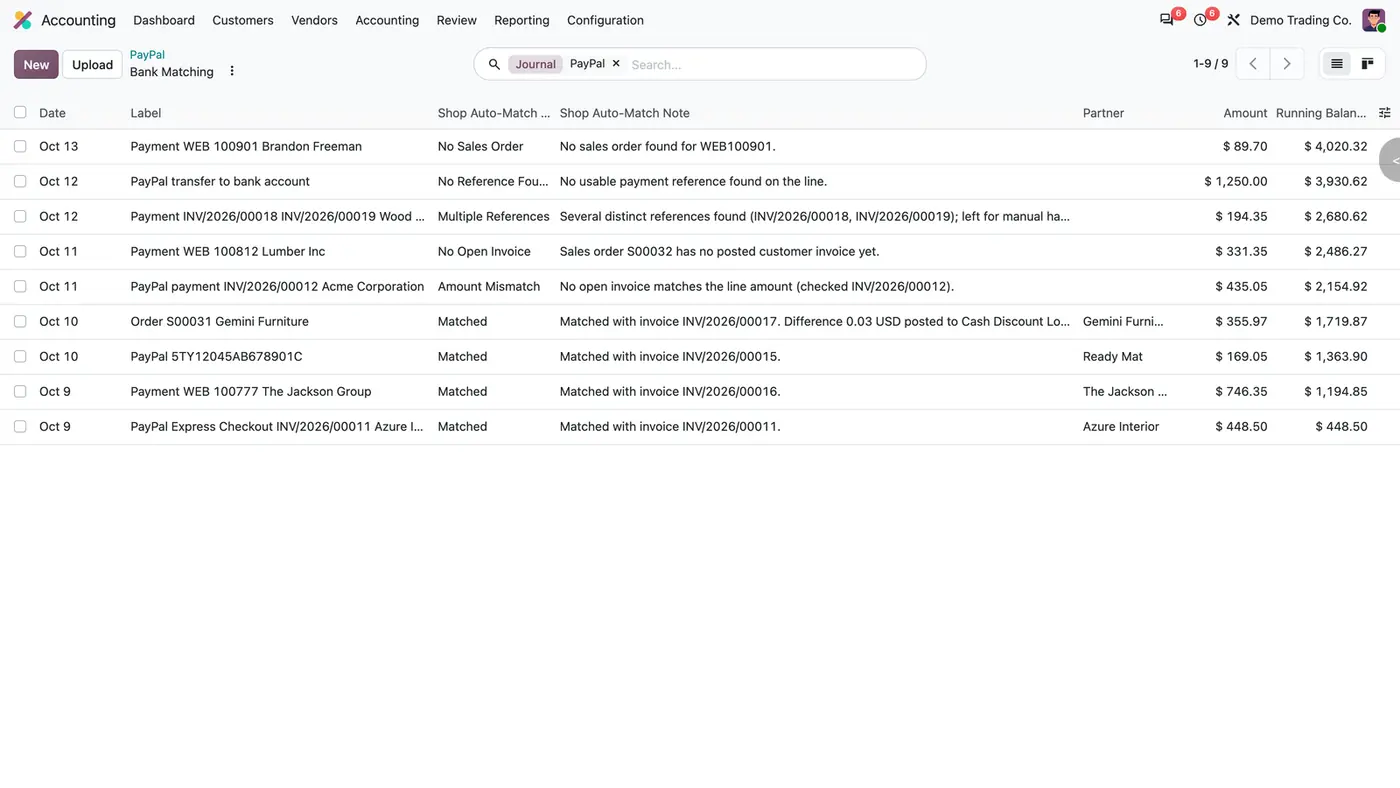
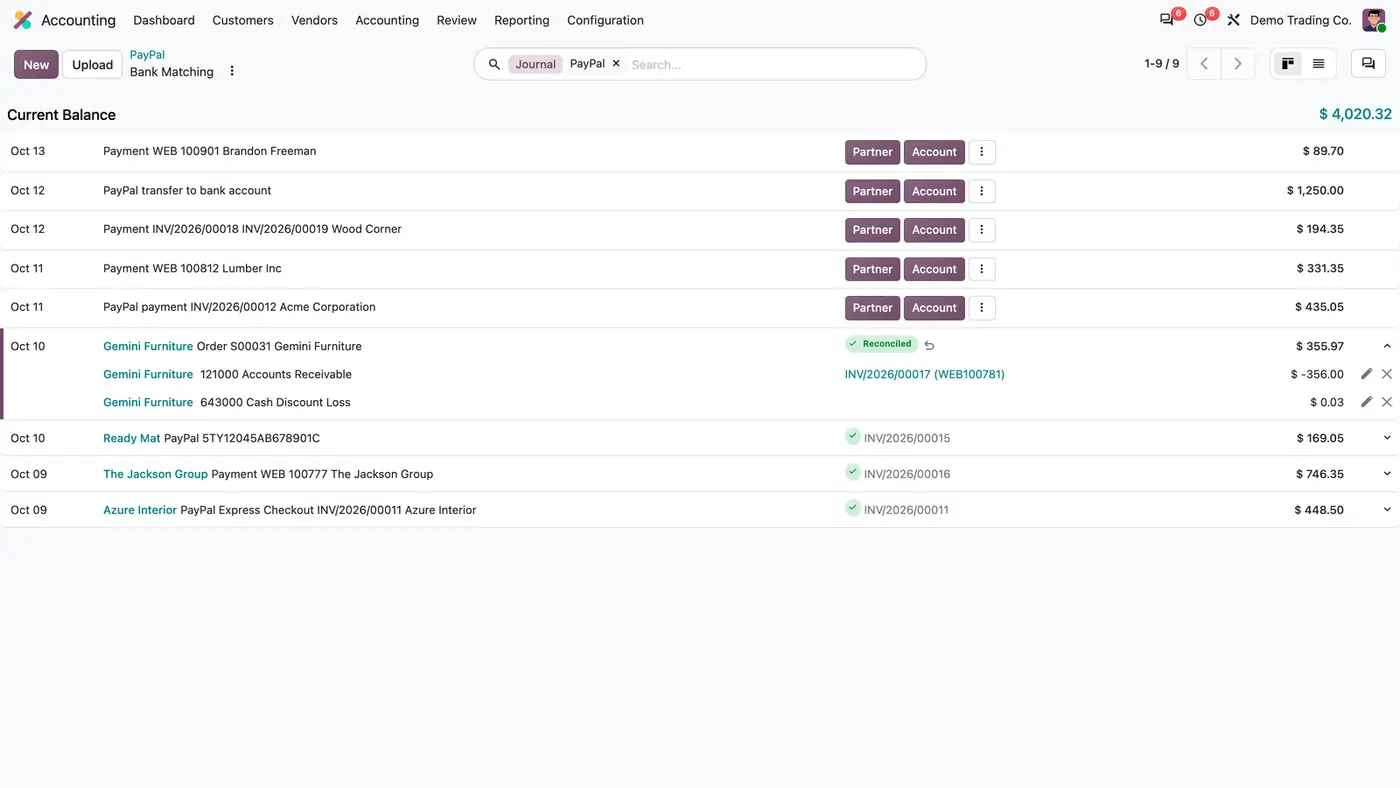
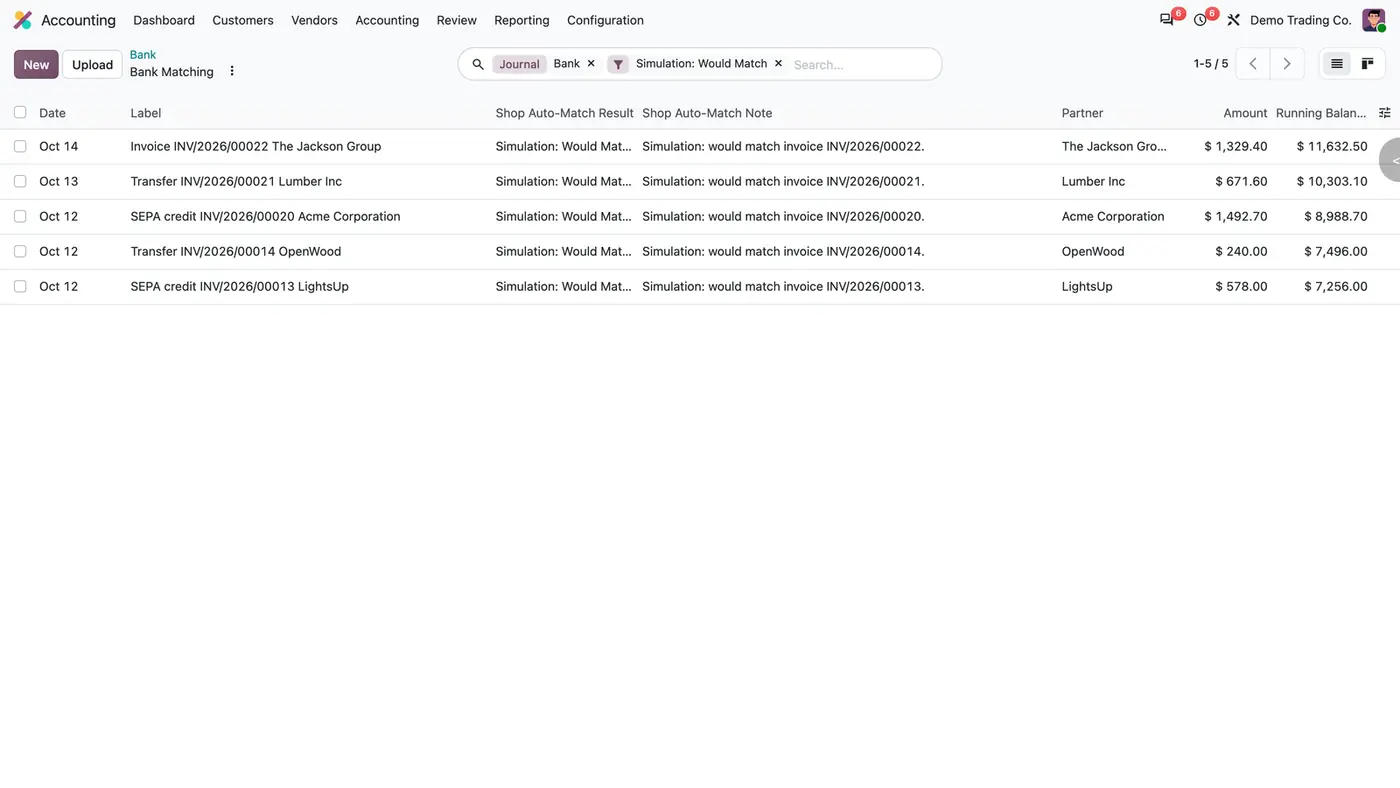
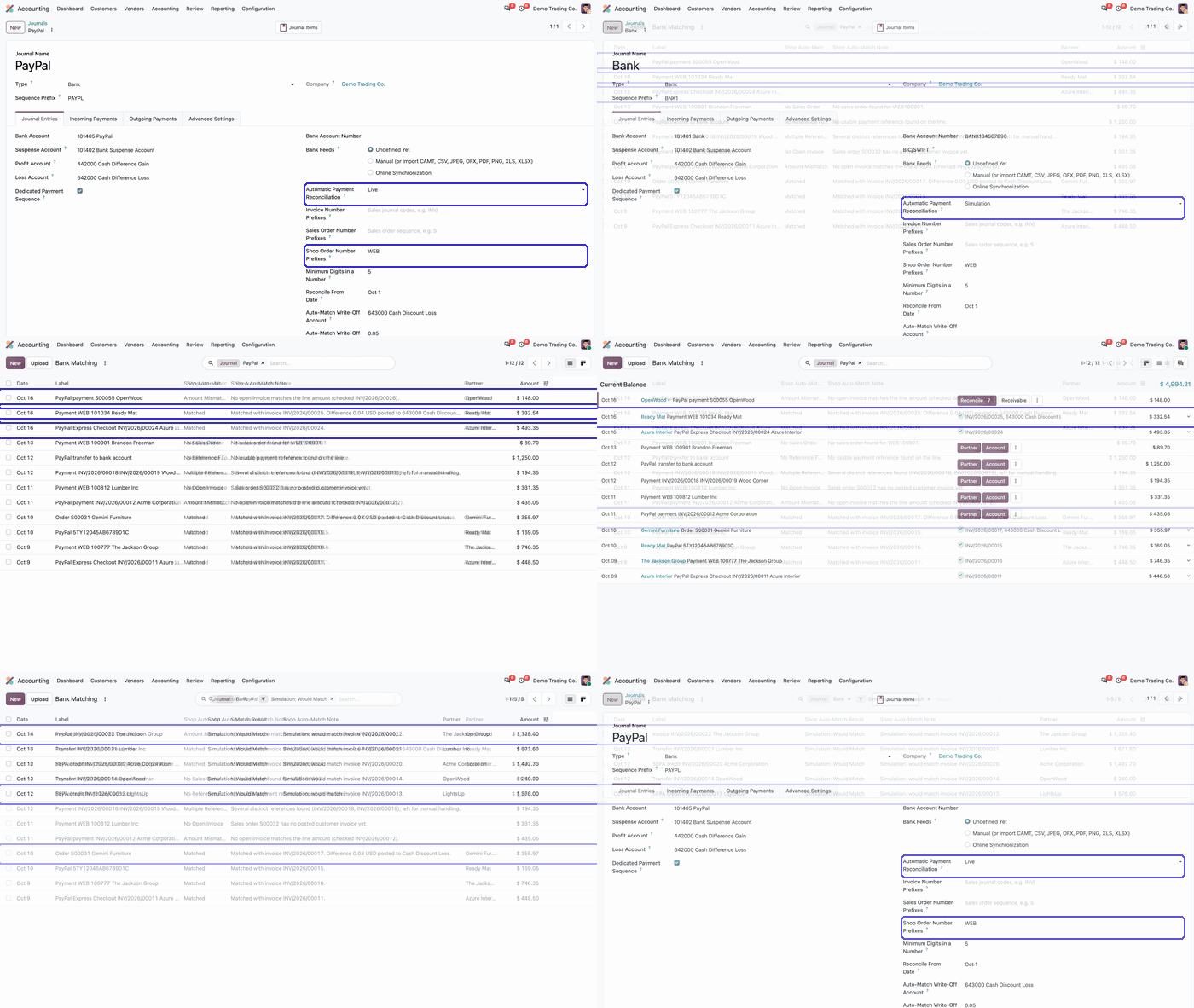
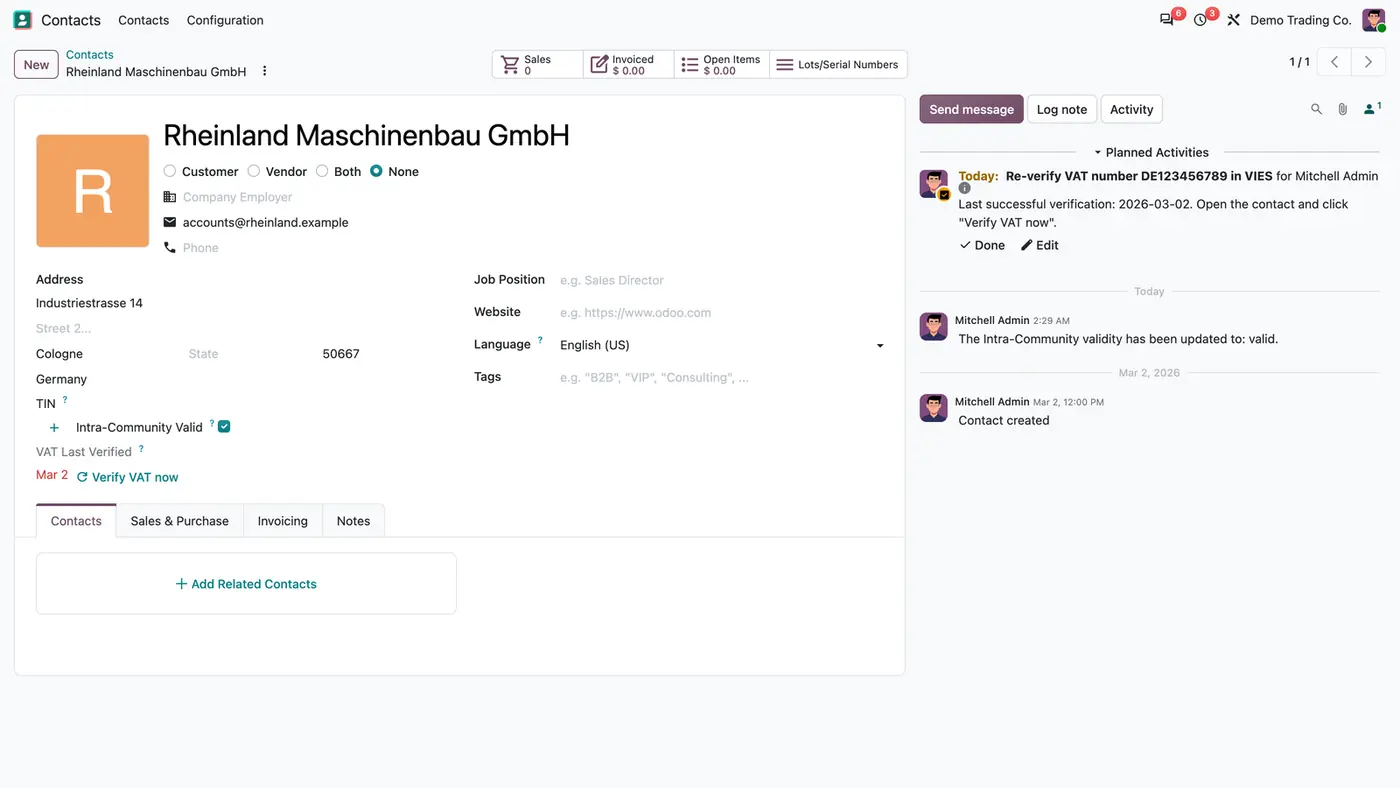
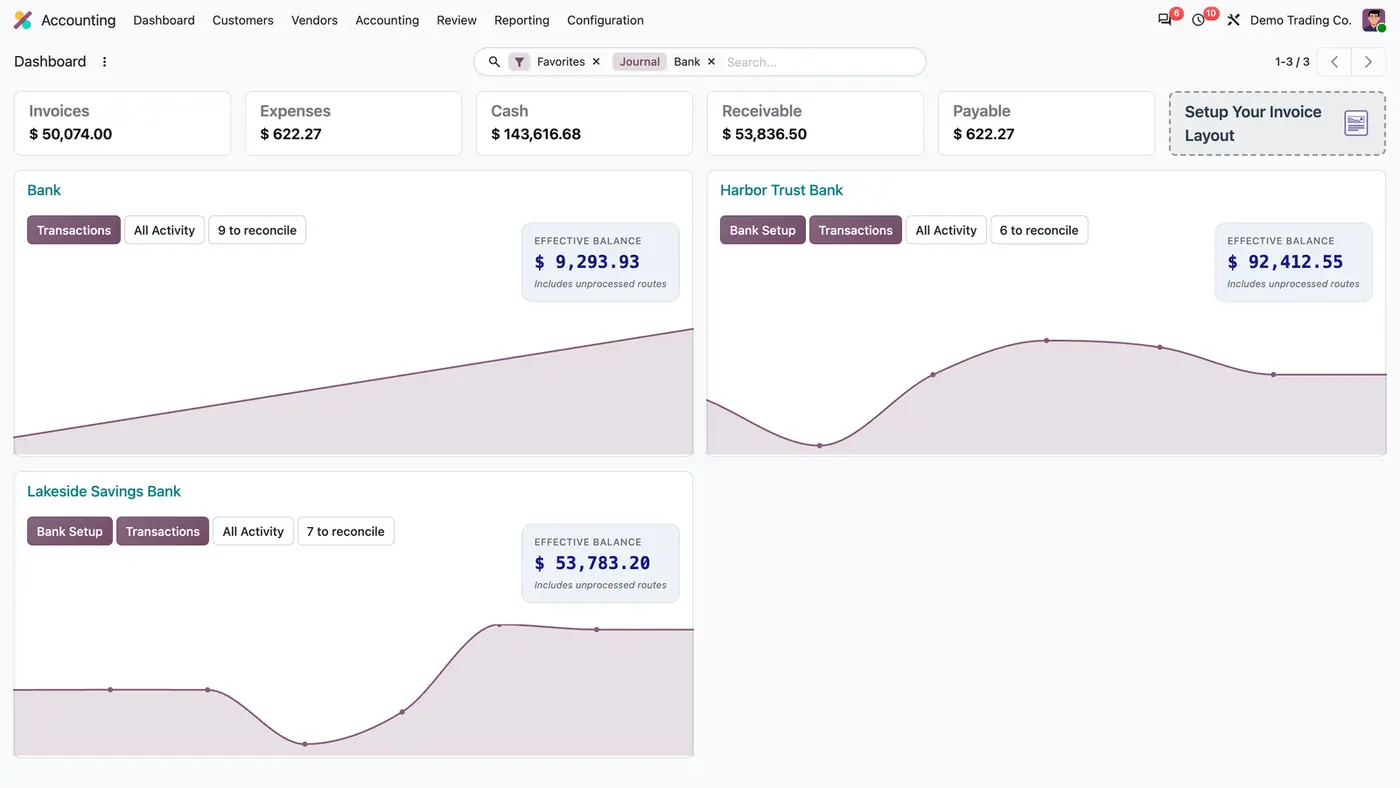
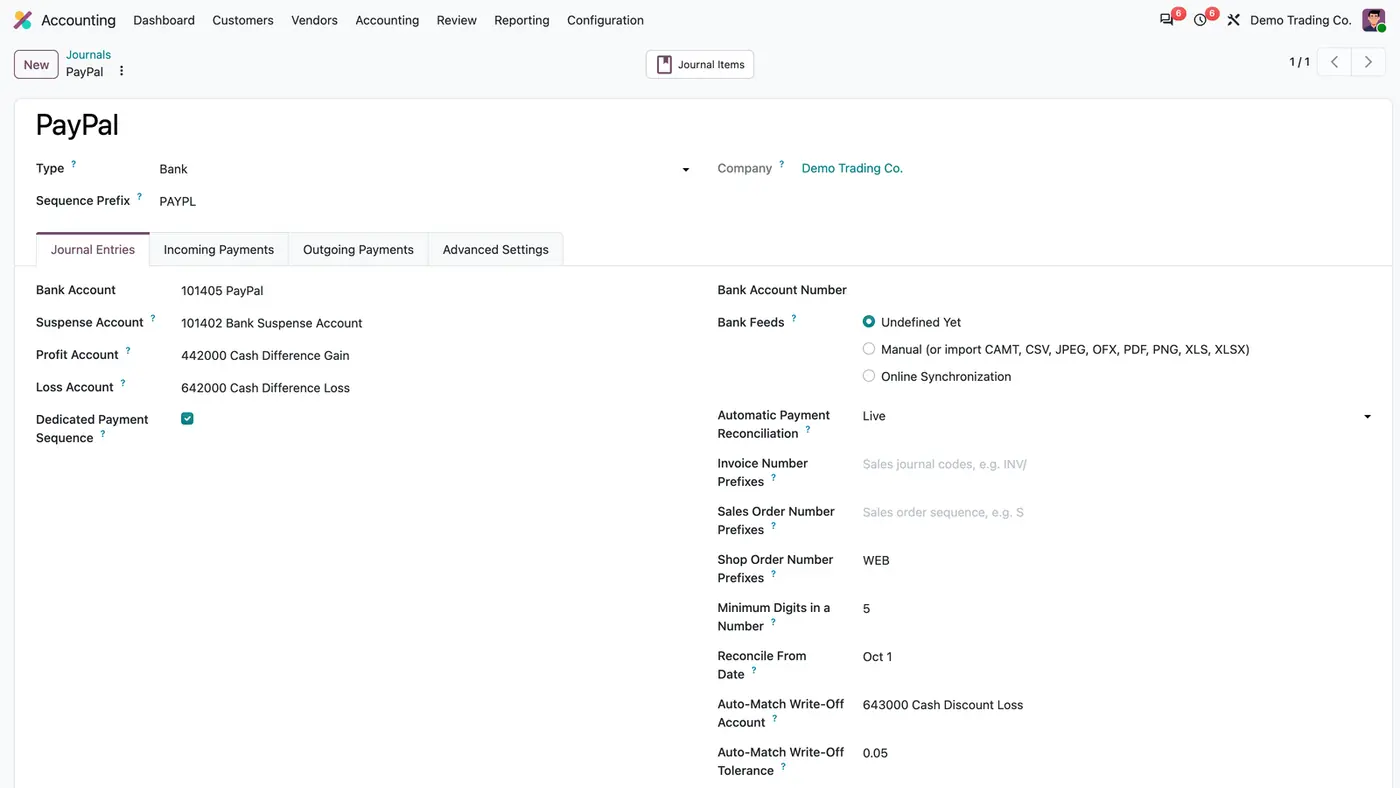
Each bank journal decides whether the hourly job ignores it, simulates or reconciles, and which references it looks for.After the hourly pass every examined bank line carries its result and a note that says why.Matched lines are reconciled with the invoice; a cent difference from the provider goes to the write-off account.In Simulation the job only records what it would match, without writing any entry. Play demoNew shop payments are matched in the hourly run and appear reconciled in Bank Matching.
What it does
Matching by reference
Finds the invoice through the invoice number, the shop order number or the sales order number in the label and transaction details.
Also reads PayPal and Mollie transaction ids from each open line.
Invoice and sales order prefixes follow the database unless you type your own; shop order prefixes such as WEB are set per journal.
A payment that arrived before its invoice is checked again every hour until the invoice exists.
Safety rules
Only exact amounts, the same company and the same currency are matched by default.
Refunds, outgoing lines, foreign currency lines and lines with several different references are left for manual reconciliation.
A line a person unreconciled is never matched again.
Reconcile From Date on the journal keeps older lines out: lines dated before it are never examined.
Simulation per journal
Each bank journal is set to Off, Simulation or Live.
In Simulation the job runs on real data and only records what it would match, without writing any entry.
Switch the journal to Live when the results are right.
Write-off for cent differences
Set an optional write-off account and a small tolerance on the journal.
A provider cent difference within the tolerance is posted to that account when the line is reconciled.
A result on every line
Every examined bank line carries a Shop Auto-Match Result and a note that says why, such as Matched, Amount Mismatch, Multiple References, No Open Invoice or No Sales Order.
Each matched invoice gets a note.
Optional columns and filters are added to the bank transactions list.
Who it is for
A good fit for
Online shops on Odoo Enterprise that receive payments by PayPal, Mollie or bank transfer.
Accounting teams that reconcile many small shop payments by hand today.
Companies whose payments often arrive before the invoice is created.
Not a fit for
Connecting to PayPal or Mollie: the app calls no provider API and works on the statement lines already in Odoo.
Creating invoices: it only matches existing invoices.
Refunds and outgoing payments, which are left for manual reconciliation.
Odoo Community, and databases on Odoo Online (SaaS), which cannot install third-party apps.
Buy PayPal & Shop Payment Auto Reconcile on the Odoo Apps Store for Odoo 18.0, 19.0 or 20.0.
Add the module to your Odoo.sh project or to the addons path of your on-premise server.
Update the apps list in Odoo and install PayPal & Shop Payment Auto Reconcile. The hourly scheduled action is created with it.
Odoo Online (SaaS) does not allow third-party apps, so the app cannot be installed there. Use Odoo.sh or an on-premise Odoo Enterprise database.
Every purchase includes 90 days of free support from FlexCode Systems.
Configure
Open the bank journal under Invoicing / Accounting > Configuration > Accounting > Journals and set Automatic Payment Reconciliation to Simulation on the Journal Entries tab.
Add your shop's order number prefixes in Shop Order Number Prefixes. Leave the invoice and sales order prefixes empty to follow the database.
Optionally set Reconcile From Date, a write-off account and a tolerance.
Review the results, then set the journal to Live.
Setting
What it does
Automatic Payment Reconciliation
Off, Simulation or Live, per bank journal.
Invoice Number Prefixes, Sales Order Number Prefixes
Follow the database when left empty.
Shop Order Number Prefixes
The prefixes of your shop's order numbers, for example WEB.
Minimum Digits in a Number
The minimum length of a number the job accepts as a reference.
Reconcile From Date
Lines dated before it are never examined.
Auto-Match Write-Off Account and Tolerance
Optional. Small differences up to the tolerance are posted to this account.
How to use it
Start in Simulation
Set the journal to Simulation and wait for the next hourly run.
Open the bank transactions and filter on Simulation: Would Match to see which invoice each line would be matched with.
When the results are right, switch the journal to Live.
Daily work in Live
Every hour, matched lines are reconciled with their invoice, and cent differences within the tolerance go to the write-off account.
Check the Shop Auto-Match Result and note on the lines left open, and reconcile them by hand where needed.
Limits
Only posted, open, incoming lines in the company currency, dated on or after the journal start date, are examined.
Refunds, foreign currency lines and lines with several different references are not matched.
No connection to PayPal or Mollie; the statement lines must already be in Odoo from a bank or PayPal synchronisation.
Requires Odoo Enterprise and cannot be installed on Odoo Online (SaaS).
FAQ
Which payments are matched?
Posted, open, incoming statement lines in the company currency of journals set to Simulation or Live, dated on or after the journal start date. Refunds, foreign currency lines and lines with several different references are left for manual reconciliation.
What if the amount differs by a few cents?
By default only exact amounts are matched. Set a write-off account and a small tolerance on the journal and the difference is posted to that account.
Does it call the PayPal API?
No. It works on the bank statement lines already in Odoo, from any bank or PayPal synchronisation, and reads the references they carry.
What happens to a line a person unreconciled?
The app never matches it again. Once a person undoes an automatic match, that line is theirs.
Can older statement lines be left alone?
Yes. Set Reconcile From Date on the journal: lines dated before it are never examined.