Internal transfers that ask for the destination journal, and a true balance per journal
Bank Dashboard Enhancer is an Odoo 19 Enterprise app that makes internal transfers in bank matching ask for the destination bank or cash journal and reconcile both sides automatically. The accounting dashboard adds an effective balance and an All Bank Activity view, so each journal shows what is really in the account.
Bank reconciliation in Odoo does not ask where an internal transfer is going. Accountants then create the other side by hand, and the transfer account fills up with open items. On top of that, the dashboard balance can hide miscellaneous movements, so the figure on the journal card is not what is really in the account. Month end turns into chasing transfers between bank and cash journals.
What it does
Destination journal for internal transfers
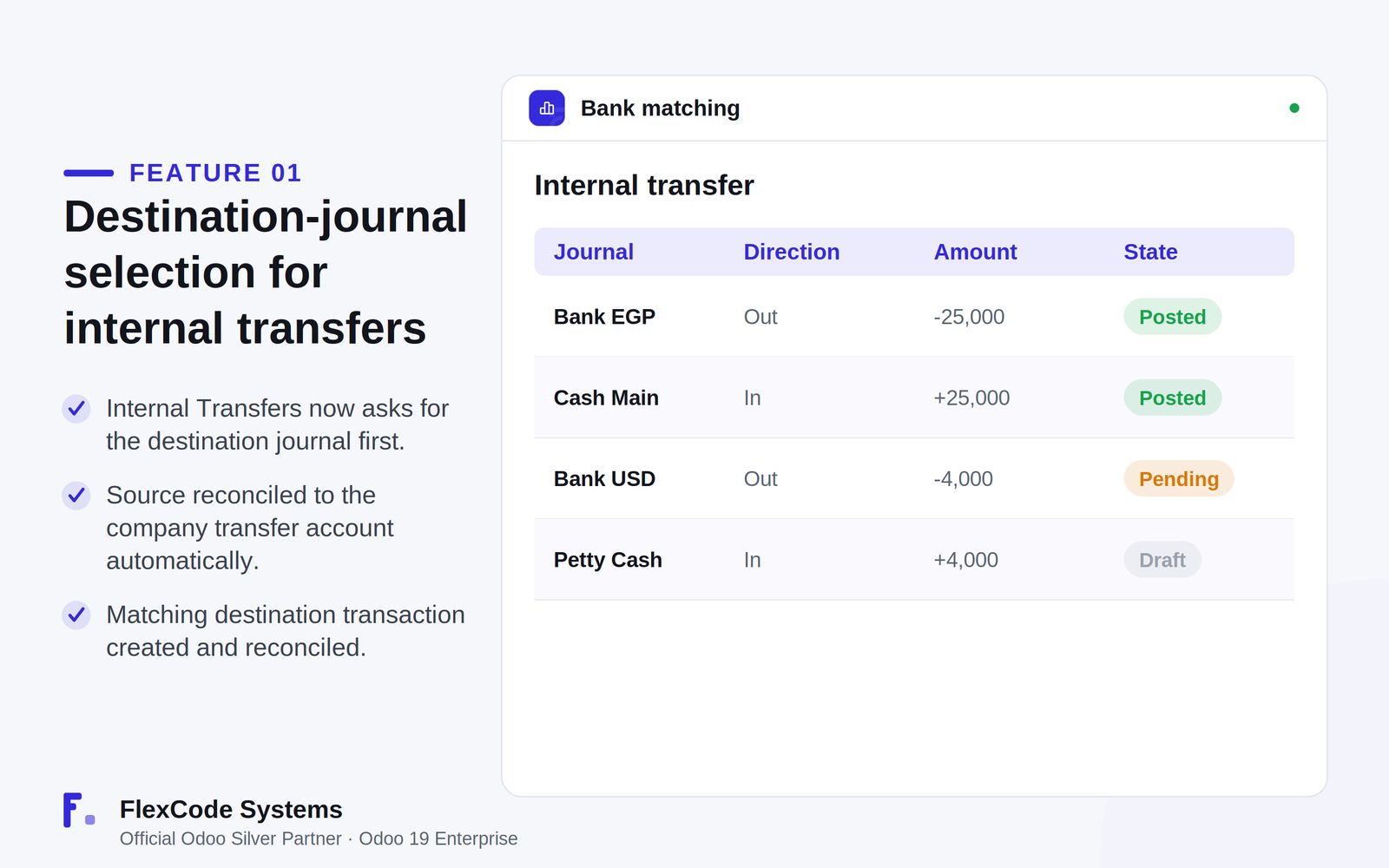
Choose the destination bank or cash journal first when you use Internal Transfers in bank matching.
Reconcile the source transaction to the company transfer account automatically.
Get a matching destination transaction created, with its transfer lines reconciled automatically.
A true balance for every journal
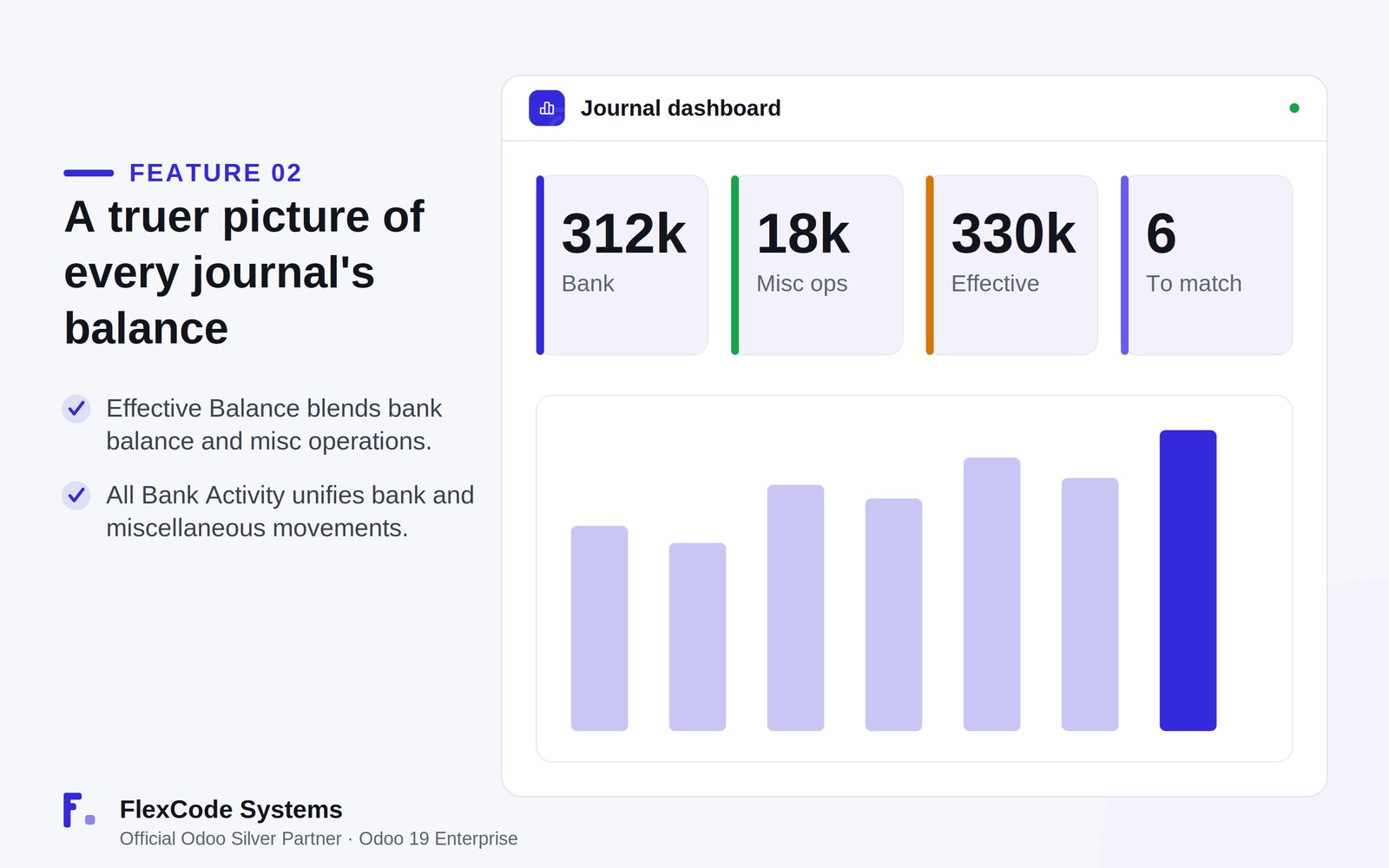
See an Effective Balance line on the dashboard card that combines the bank balance and miscellaneous operations when the currencies match.
Review bank transactions and miscellaneous operations on the journal account together in the All Bank Activity view.
Cleaner journal entry lines
Use a journal column on bank and cash journal entry lines that fills in the default account and locks the field.
Get line labels updated with the entry number after posting, for clear traceability on general ledger lines.
Manual operations, safely
Use a manual operations button on bank, cash and credit journals.
Review posted general ledger moves without forcing bank matching.
Standard accounting, kept
Work with the company transfer account and each journal's default account.
Keep standard Odoo logic without creating fake bank transactions.
Internal transfers with a destination journal and automatic reconciliation. Illustration from the store listing.The effective balance next to the bank balance and miscellaneous operations. Illustration from the store listing.
Who it is for
Accountants who reconcile bank and cash journals every day.
Finance teams that move money between bank and cash journals often.
Companies that want a realistic dashboard balance for each journal.
Odoo 19 Enterprise Accounting users.
Not a fit when:
Databases on Odoo Online (SaaS), which cannot install third-party apps.
Odoo Community: the app builds on the Enterprise Accounting app (account_accountant).
Buy Bank Dashboard Enhancer on the Odoo Apps Store for Odoo 19.0.
Add the module to your Odoo.sh project or to the addons path of your on-premise server.
Update the apps list in Odoo and install Bank Dashboard Enhancer.
Odoo Online (SaaS) does not allow third-party apps, so Bank Dashboard Enhancer cannot be installed there. Use Odoo.sh or an on-premise Odoo 19 database.
Configure
Check that your bank and cash journals each have their default account set; the app uses it for the matching entry.
Check that the company transfer account is set in your accounting configuration; internal transfers are reconciled through it.
Setting
What it does
Company transfer account
Standard Odoo account that both sides of an internal transfer are reconciled against.
Journal default account
Standard account of each bank or cash journal, filled in automatically on journal entry lines.
How to use it
Book an internal transfer from bank matching
Open the standard Bank Matching screen and start an internal transfer on a bank transaction.
Choose the destination bank or cash journal. The current journal is not offered as a destination.
Confirm. The app reconciles the source to the transfer account, creates the matching destination entry and reconciles its transfer lines.
Read the real balance of a journal
Open the accounting dashboard and look at the journal card.
Read the Effective Balance line, which includes miscellaneous operations when currencies match.
Open All Bank Activity to see bank transactions and miscellaneous operations in one list.
Limits
It needs Odoo 19 Enterprise with the Accounting app (account_accountant).
It supports bank and cash journals.
The Effective Balance line combines bank balance and miscellaneous operations only when their currencies match.
It cannot be installed on Odoo Online (SaaS).
Frequently asked questions
How do I record an internal transfer between bank journals in Odoo?
With Bank Dashboard Enhancer, start the internal transfer from Bank Matching and pick the destination bank or cash journal. The app reconciles the source to the company transfer account, creates the matching destination transaction and reconciles its transfer lines automatically.
Why does my Odoo bank dashboard balance not match the account?
The standard card shows the bank balance and can leave out miscellaneous operations. Bank Dashboard Enhancer adds an Effective Balance line that combines both when the currencies match, and an All Bank Activity view that lists them together.
Does Bank Dashboard Enhancer change standard Odoo accounting?
No. It uses the company transfer account and each journal's default account, keeps standard logic and does not create fake bank transactions. It also does not modify Odoo core.
Which journals does it support?
Bank and cash journals. When you choose a destination for an internal transfer, the current journal is excluded from the list.
Does Bank Dashboard Enhancer need Odoo Enterprise?
Yes. It builds on the Odoo Enterprise Accounting app (account_accountant) and is built and tested for Odoo 19 Enterprise on-premise and on Odoo.sh. Odoo Online cannot install third-party apps.
Is the price one-time?
Yes. You pay once per Odoo major version, and each future Odoo version is sold separately. Every purchase includes 90 days of free support.