Track every cheque from receipt to clearance, with journal entries on the real date
Cheque Management is an Odoo 19 Enterprise app that runs the full life of incoming and outgoing cheques inside Odoo. Every step posts the right journal entry on the date it happened, and dashboards show what is due, overdue or bounced.
Many finance teams still track cheques in a spreadsheet next to Odoo. Due dates get missed, journal entries are posted on the wrong day, and bank reconciliation turns into detective work. Nobody can say at a glance which cheques are due, deposited, cleared or bounced. Each of those gaps costs time at month end and puts the audit trail at risk.
What it does
Full cheque lifecycle with audit-correct accounting
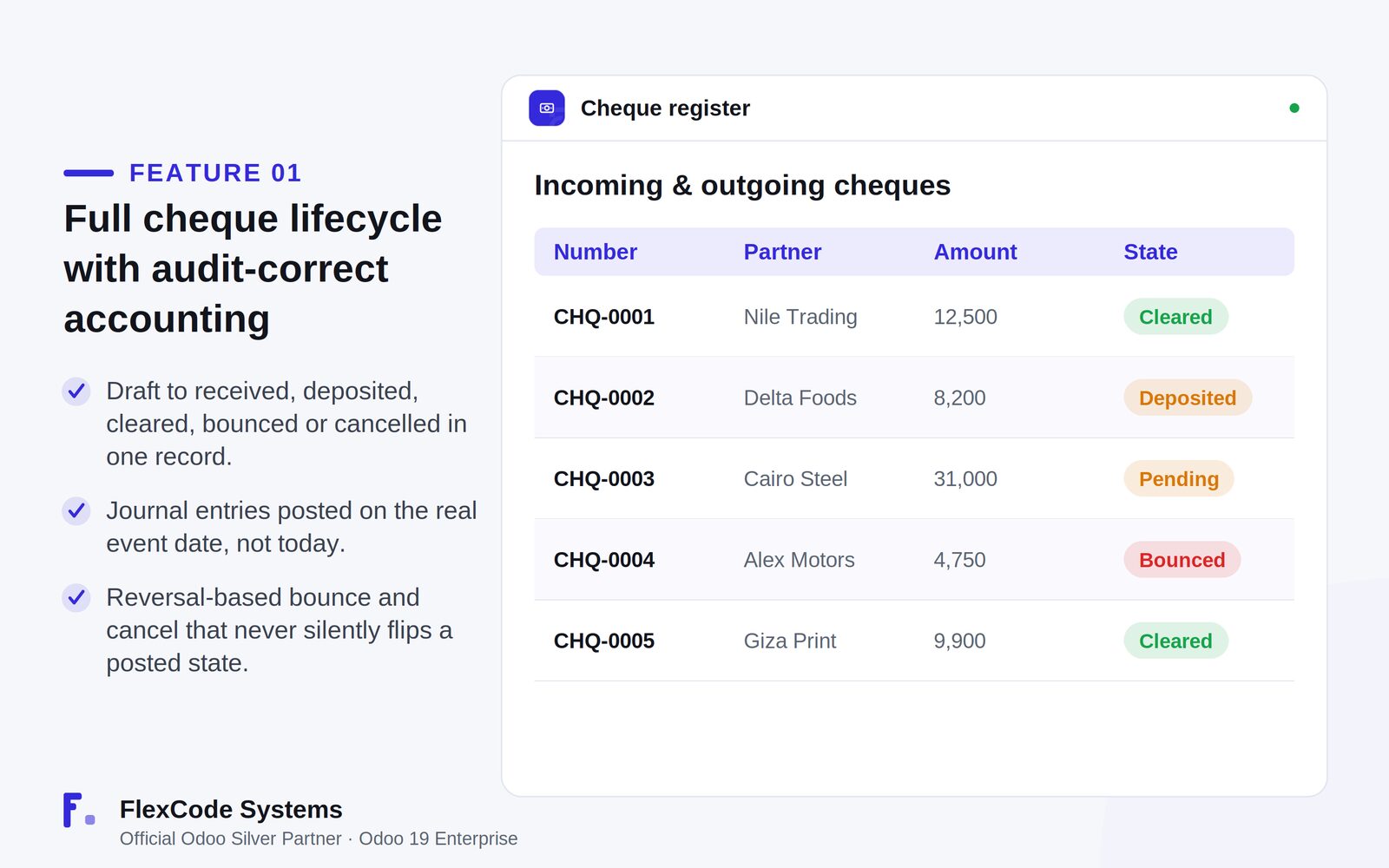
Track incoming and outgoing cheques from draft to received or issued, deposited, and then cleared, bounced, returned or cancelled, all in one record.
Post every journal entry on the actual event date instead of today, so the books match what happened.
Handle bounces and cancellations with reversal entries, so a posted state is never silently changed.
Cheque-book numbering
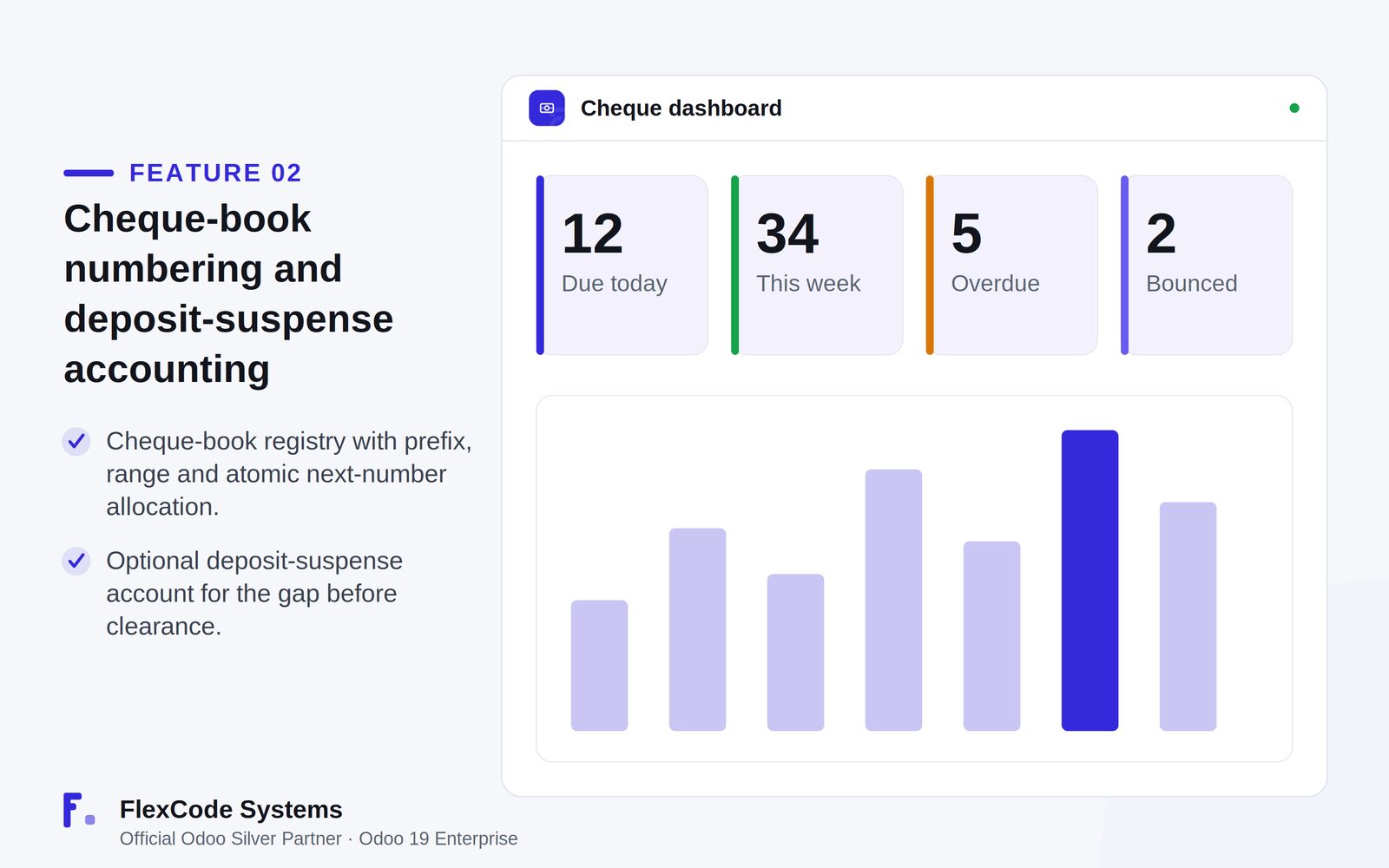
Keep a registry of cheque books with a prefix and number range.
Hand out the next number atomically, so two users never get the same cheque number.
See the used and remaining count for each cheque book.
Deposit-suspense accounting
Use an optional Cheques Deposit Suspense account to hold deposited cheques until the bank clears them, as is common in Egyptian and MENA banking.
Accounting integration
Work with Odoo's own payments and payment register.
Reconcile partner lines automatically against the linked invoices.
Multi-currency
Keep the original cheque amount in its own currency.
Compute company-currency debit and credit at the exchange rate of the event date.
Dashboards and views
See cheques due today, this week and this month, overdue cheques and cheques bounced this month on one dashboard.
Analyse cheques by type, state and bank in a graph overview.
Switch between kanban, calendar, list, pivot and graph views, with search filters and group-by.
Automation and multi-company
Refresh due buckets and dashboard flags every day with a scheduled action.
Set accounts, journals, sequences and cheque books per company.
Use the app in English, German or Arabic, with right-to-left support.
The cheque register: every cheque in one list with its current state. Illustration from the store listing.The cheque dashboard shows what is due today, this week, overdue and bounced. Illustration from the store listing.
Lifecycle
Draft → Received / Issued → Deposited → Cleared → Bounced → Returned → Cancelled
Each step posts its journal entry automatically, dated on the day the event happened. A bounce or cancellation reverses the earlier entry instead of editing it, so the audit trail stays complete.
Who it is for
Accountants and finance managers who handle many customer and vendor cheques.
Companies in Egypt, the wider MENA region and other markets where post-dated cheques are normal.
Businesses whose auditors expect journal entries dated on the real event.
Groups that run several companies, banks and cheque books in one Odoo database.
Not a fit when:
Databases on Odoo Online (SaaS), which cannot install third-party apps.
Odoo Community. The app is built and tested for Odoo 19 Enterprise.
Install
Requires: Discuss (mail), Invoicing (account)
Buy Cheque Management on the Odoo Apps Store for Odoo 19.0.
Add the module to your Odoo.sh project or to the addons path of your on-premise server.
Update the apps list in Odoo and install Cheque Management. Odoo installs Discuss and Invoicing with it if they are missing.
Odoo Online (SaaS) does not allow third-party apps, so Cheque Management cannot be installed there. Use Odoo.sh or an on-premise Odoo 19 Enterprise database.
Configure
Create a cheque book for each bank account you write cheques from, with its prefix and number range. The app then hands out the next number and counts used and remaining cheques.
If you deposit cheques before the bank clears them, set up the optional Cheques Deposit Suspense account.
In a multi-company database, set the accounts, journals, sequences and cheque books for each company.
Setting
What it does
Cheque book
Prefix and number range for issued cheques, with atomic next-number allocation and used and remaining counters.
Cheques Deposit Suspense account
Optional account that holds deposited cheques between the bank deposit and clearance.
Company accounts and journals
Accounts, journals, sequences and cheque books are set per company in a multi-company database.
How to use it
Register a cheque
Create an incoming or outgoing cheque, or generate it from a payment.
Enter the bank, the dates and the amount. Each cheque has its own due date, so post-dated cheques are tracked one by one.
Move a cheque through its lifecycle
Deposit, clear, bounce, return or cancel the cheque as each event happens.
Let the app post the matching journal entry, dated on the real event date.
For a bounce or cancellation, the app posts a reversal entry and leaves the original entry in place.
Monitor and reconcile
Check the dashboard for cheques due today, this week and this month, overdue cheques and cheques bounced this month.
Use the graph overview by type, state and bank, or the kanban, calendar, list and pivot views, to analyse your cheques.
Partner lines reconcile automatically against the linked invoices.
Limits
It cannot be installed on Odoo Online (SaaS).
It is built and tested for Odoo 19 Enterprise. The price covers one Odoo major version, and each new version is sold separately.
It works inside Odoo. The listing describes no direct connection to banks or bank feeds.
Frequently asked questions
How do I manage post-dated cheques in Odoo?
With Cheque Management, each incoming or outgoing cheque is its own record with its own due date, and the dashboard shows what falls due today, this week and this month. Each step from deposit to clearance posts its journal entry on the real date.
How are bounced cheques handled in Odoo with this app?
When you mark a cheque as bounced, Cheque Management posts a reversal entry on the bounce date. The original entry stays in place, so the audit trail shows exactly what happened and when. Cancellations work the same way.
What is a cheque deposit suspense account?
It is an account that holds a cheque between the day you deposit it and the day the bank clears it. Cheque Management lets you use an optional Cheques Deposit Suspense account for this, which matches common banking practice in Egypt and the MENA region.
Can I number cheques from a cheque book in Odoo?
Yes. Cheque Management keeps a registry of cheque books with a prefix and number range. It hands out the next number atomically, so two users never get the same number, and it counts used and remaining cheques per book.
Does Cheque Management support several companies and currencies?
Yes. Accounts, journals, sequences and cheque books are set per company. The cheque keeps its original currency amount, and the company-currency amounts use the exchange rate of the event date.
Which Odoo versions and editions does Cheque Management support?
It is built and tested for Odoo 19 Enterprise, on-premise and on Odoo.sh. Odoo Online does not allow third-party apps, so it cannot be installed there. The price is one-time per Odoo major version.