Accounting & Finance
Bank Dashboard Enhancer
Destination journal selection for bank-matched internal transfers and auto-accounting on journal entry lines.
Odoo 20 Odoo 19 Odoo 18€69.30
Accounting & Finance · Odoo 20, Odoo 19, Odoo 18
Stop tagging every invoice line by hand for each branch or activity
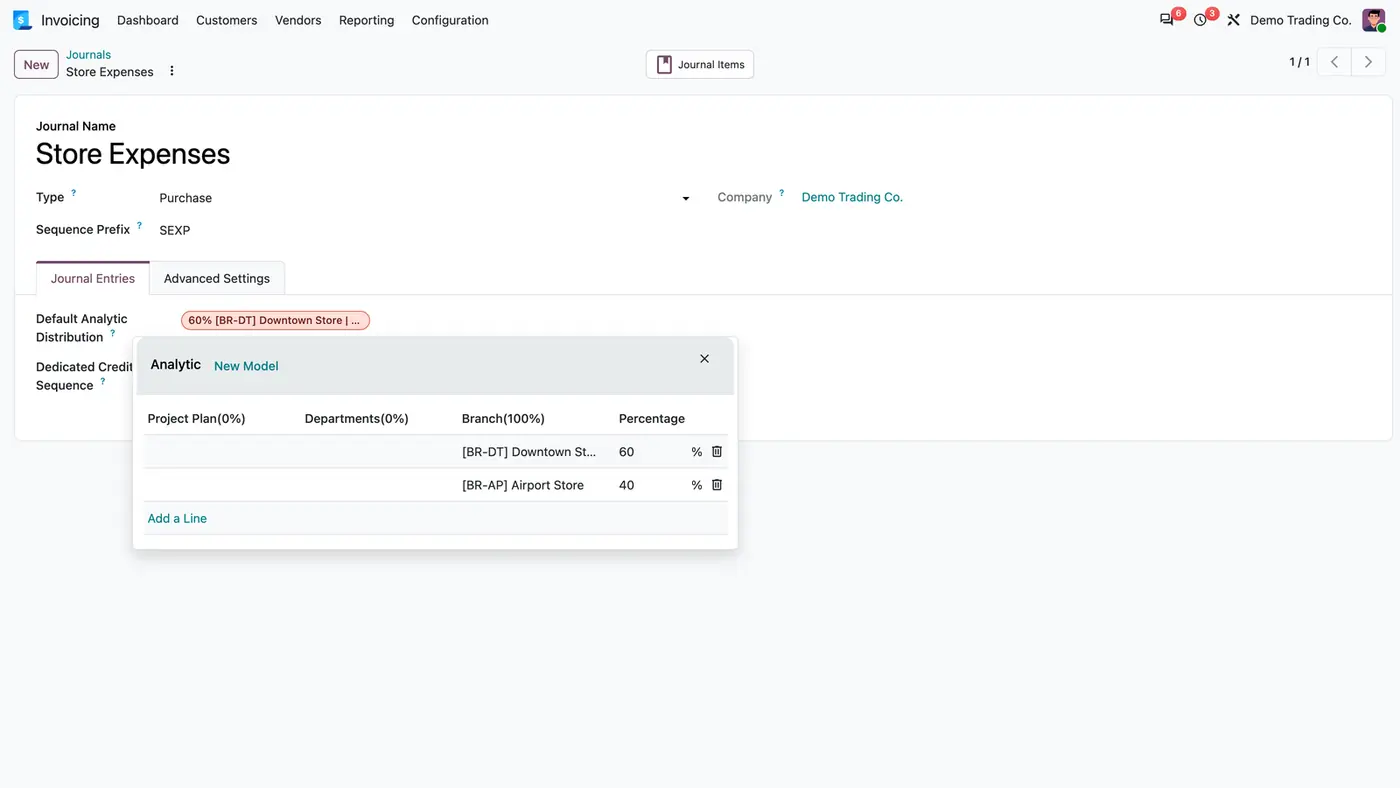
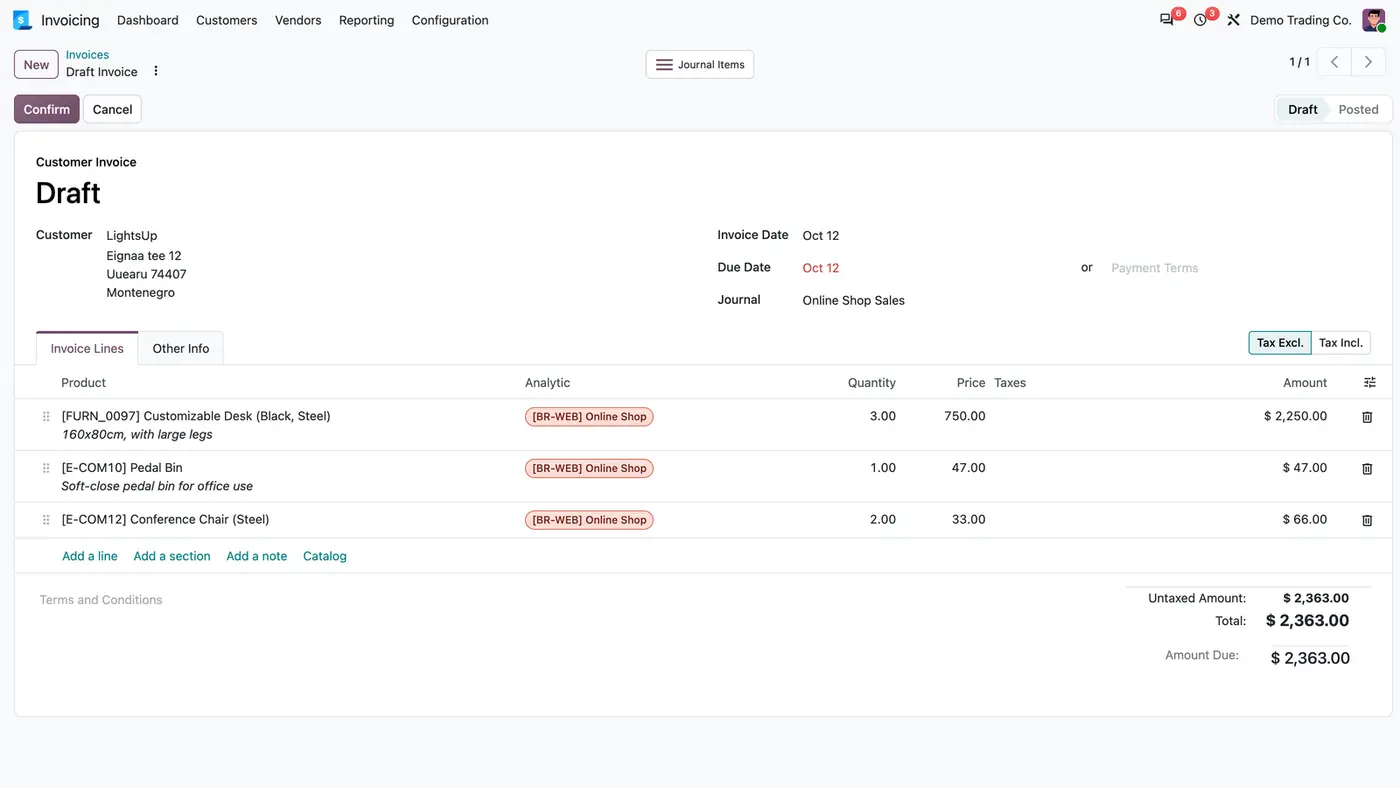
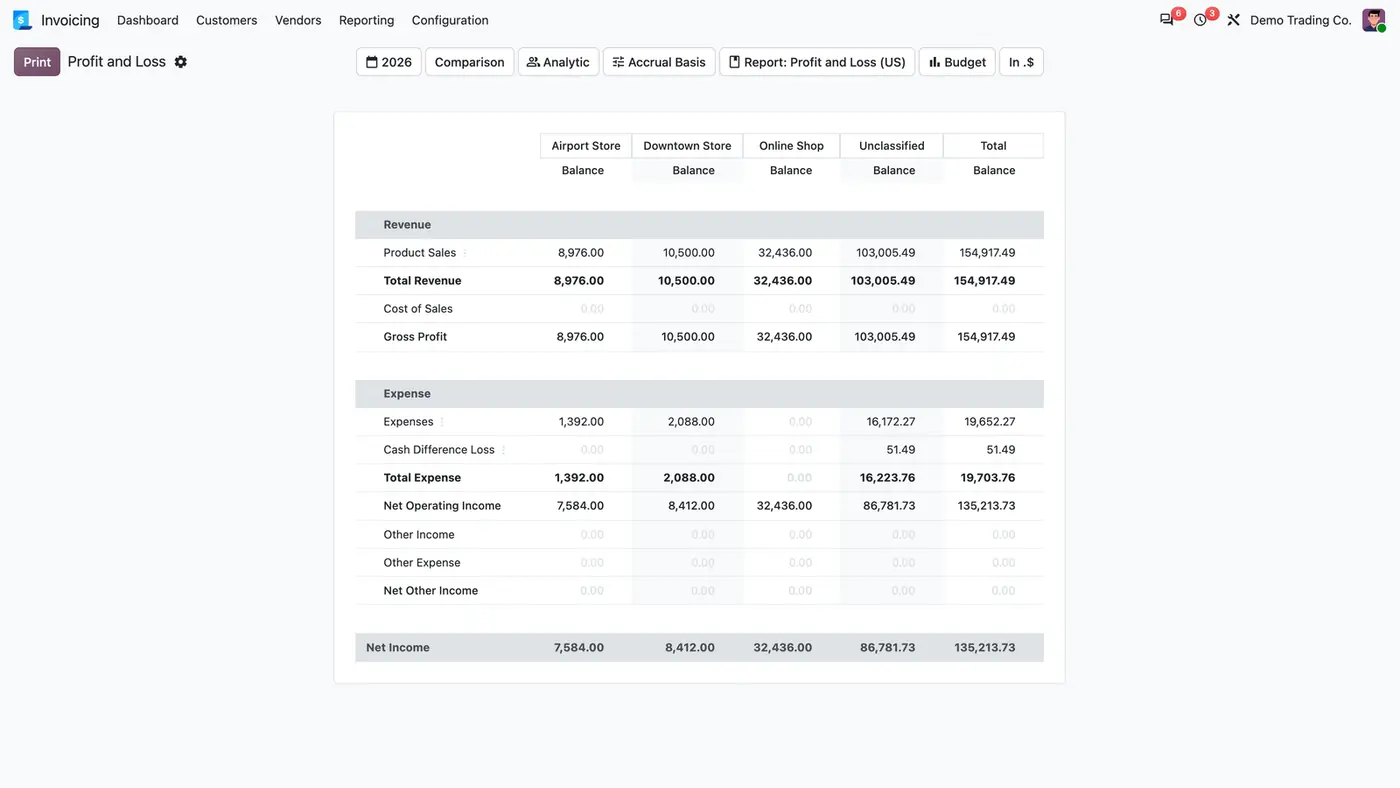
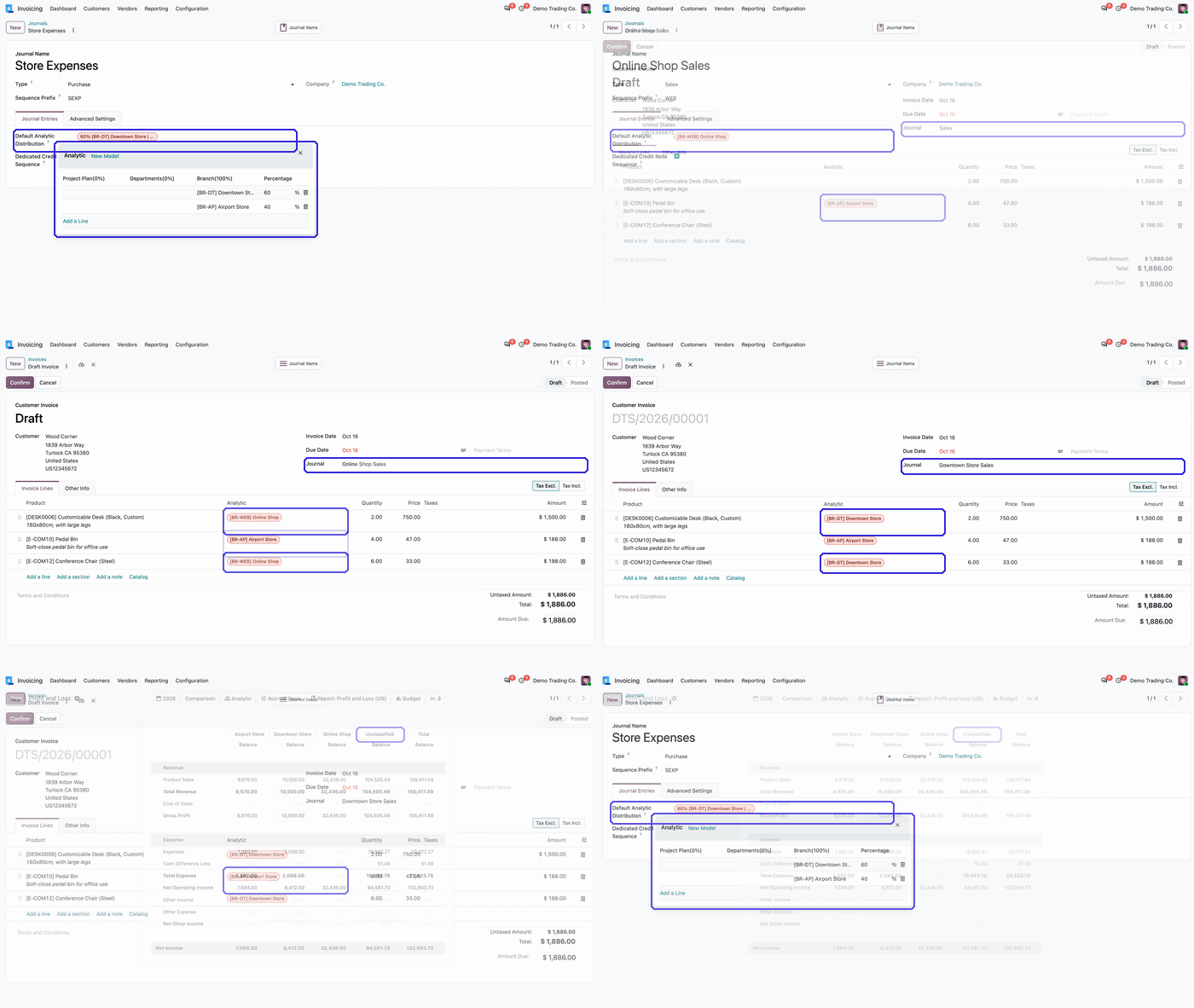
Journal Default Analytic Distribution puts a default analytic distribution on each journal. When the journal is chosen on an invoice, bill or journal entry, every income and expense line without a distribution is filled, and a value set by hand is never overwritten. In the Profit and Loss and the Balance Sheet, an Unclassified column shows what no analytic column covers.
Key features
When each branch or activity has its own journal, the analytic account is already obvious from the journal, yet someone still tags every invoice line by hand. Lines get missed, and the analytic columns of the Profit and Loss no longer add up to the total. Nobody can see at a glance how much of the result sits outside any analytic account.
 Play demo
Requires: Invoicing (account), Accounting Reports (account_reports, Enterprise), Discuss (mail)
Odoo Online (SaaS) does not allow third-party apps, so the app cannot be installed there. Use Odoo.sh or an on-premise Enterprise database.
Questions: info@flexcodesys.com.
| Setting | What it does |
|---|---|
| Default Analytic Distribution | On the Journal Entries tab of each journal. Filled into new income and expense lines without a distribution. |
Real lines on income and expense accounts that have no analytic distribution yet. Tax, receivable, payable, bank and other balance sheet lines are left alone.
A distribution the previous journal applied is replaced by the new journal's, or cleared when the new journal has none. A distribution you set by hand stays as it is.
Only new lines without a distribution. A new income or expense line created by an import, the API or another app is filled from its journal. A distribution that app passes in, or one an analytic distribution model sets, is kept, and existing lines are never changed.
Yes. The field uses Odoo's own analytic distribution widget: one account at 100 % or percentages across several accounts and plans.
Yes. Billing users get the journal's distribution on new lines too, and switching the journal on their invoice replaces the distribution the previous journal applied.
Destination journal selection for bank-matched internal transfers and auto-accounting on journal entry lines.
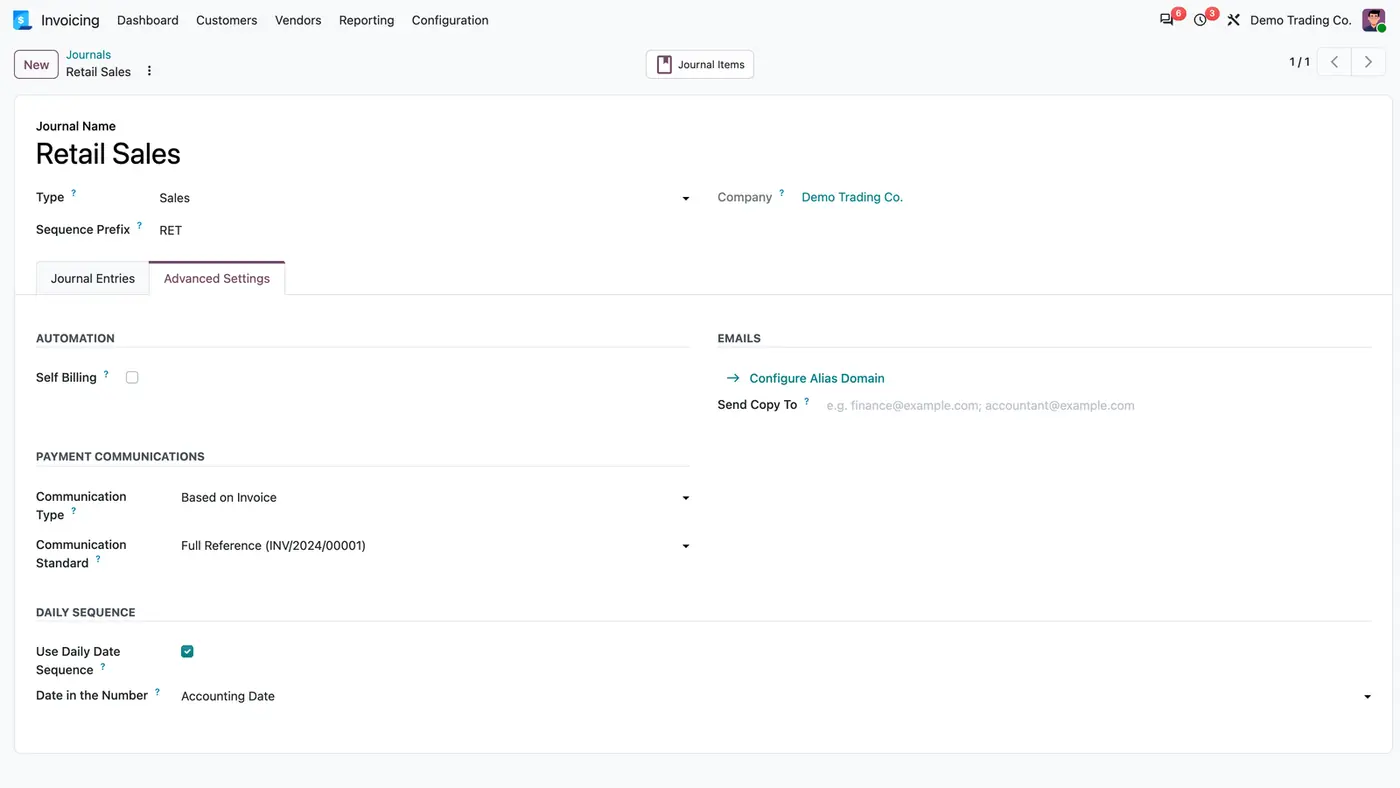
Invoice numbers as YYYYMMDDXXX per journal, with a counter that restarts at 001 every day.
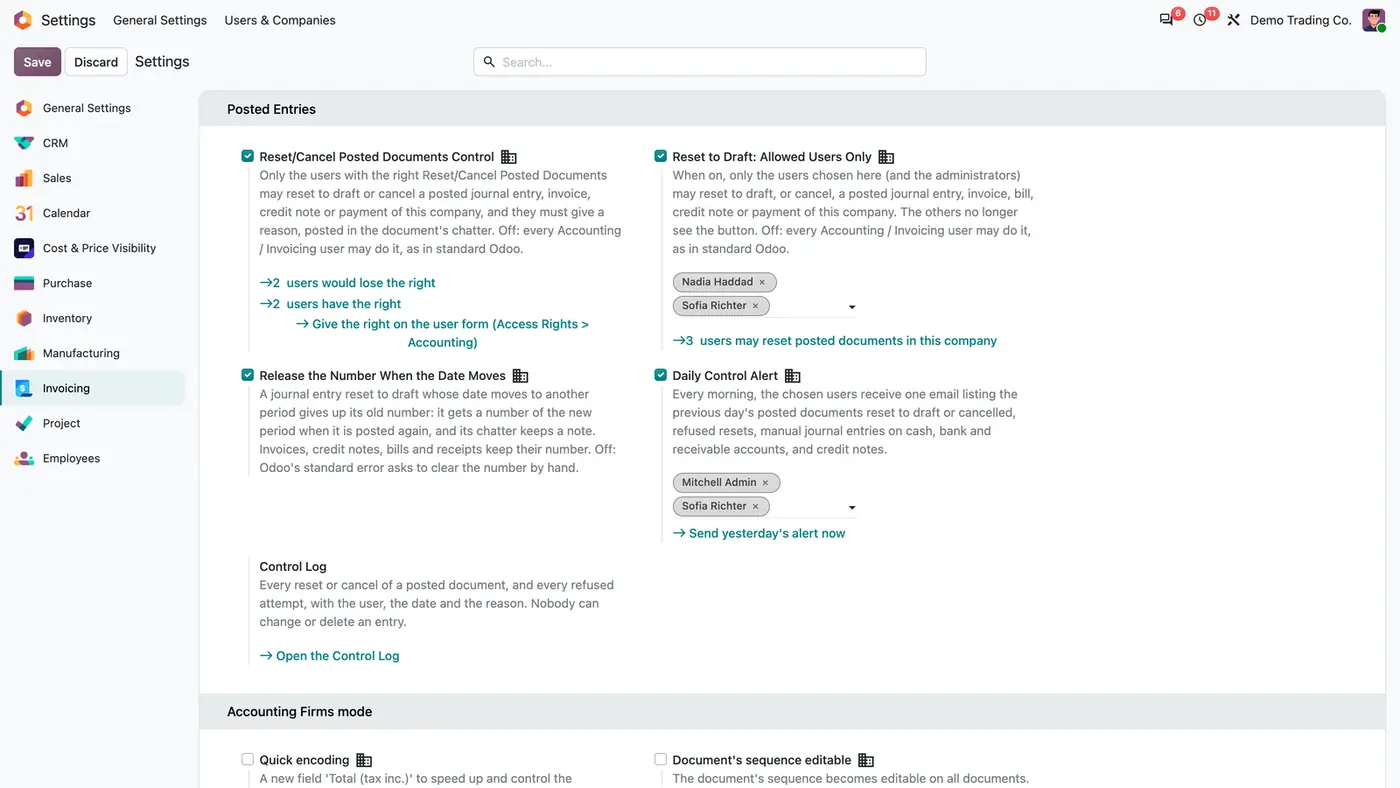
Control who may reset posted invoices, entries and payments to draft, with a reason, a log and a daily alert.
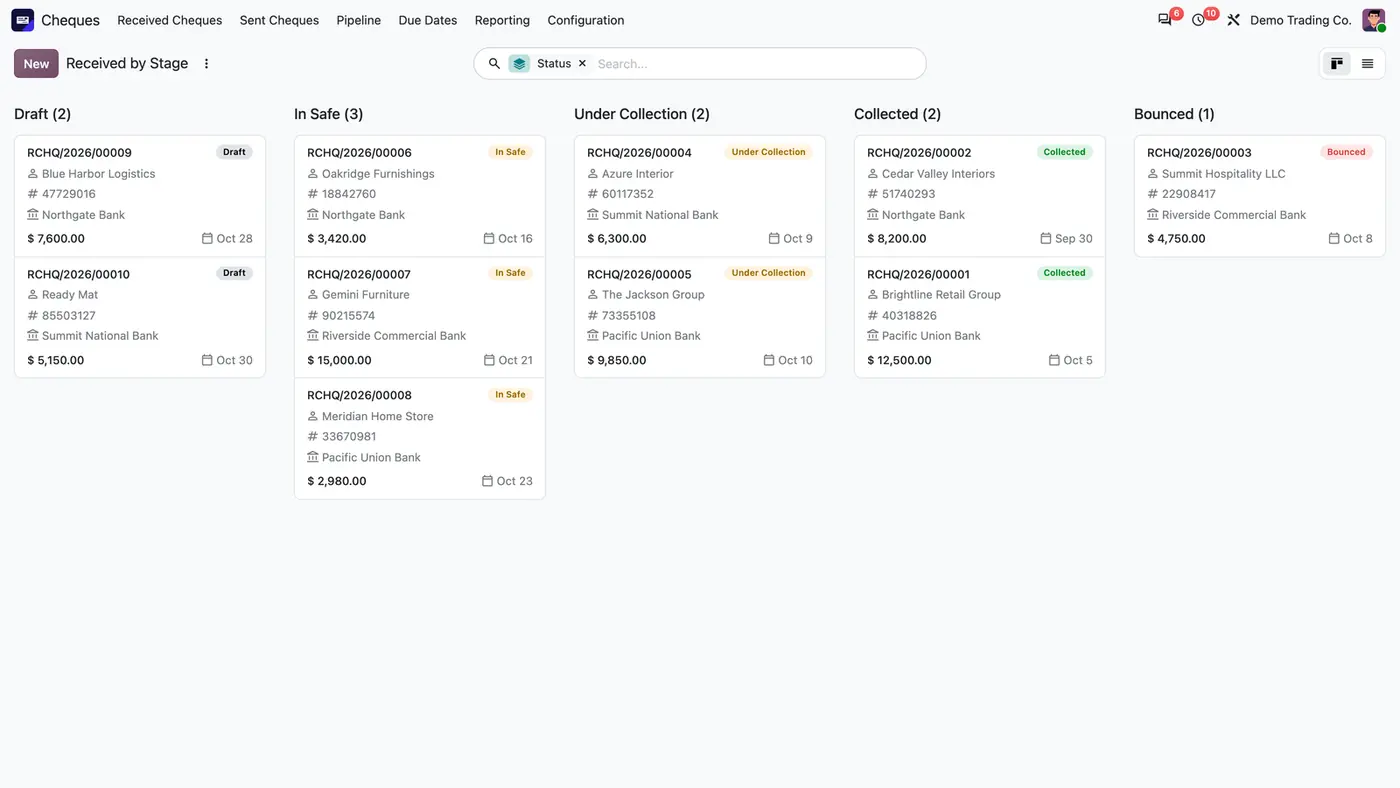
Received and issued cheques from safe to collection, with cheque books, due dates and automatic journal entries.
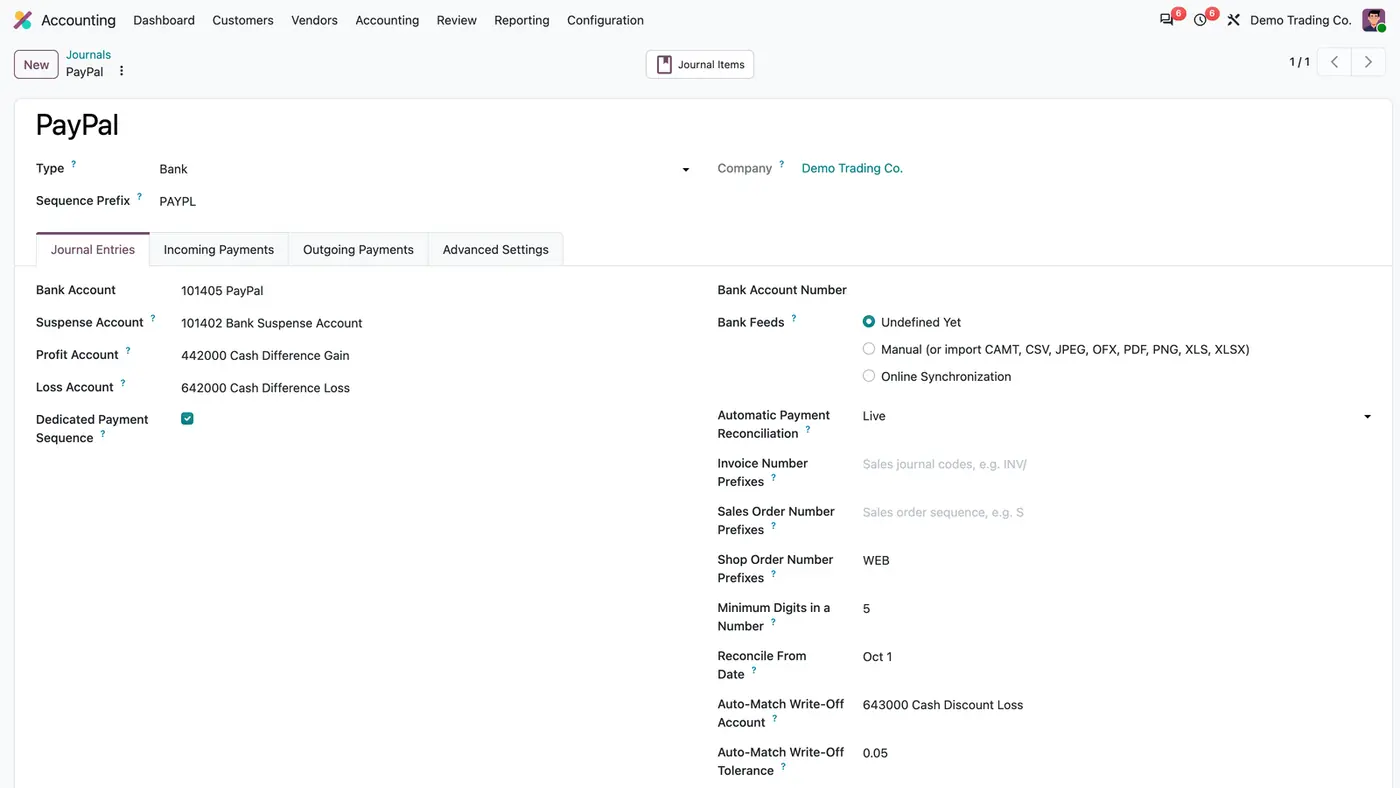
Hourly matching of PayPal, Mollie and bank transfer shop payments with their invoices, with a simulation mode.
Date of the last successful VIES check on every EU customer, a Verify VAT now button and due reminders.
We configure our apps for your process, train your team and build the extra pieces you need.