Hide Odoo menus for one user without creating a new security group
Menu Visibility Control per User is an Odoo 19 app that hides menu items for individual users through a Hidden Menus field on the user record. Navigation stays separate from permissions: access rights and record rules are untouched, and the system administrator can never be locked out.
Simplifying Odoo for one role usually means inventing another security group. Every new group has to be designed, tested and maintained, and over time the groups multiply until nobody knows which one hides what. All you wanted was a cleaner sidebar for the warehouse or the cashier.
What it does
Menu visibility per user
Pick the menus to hide in a Hidden Menus field on the user record.
Manage it from the user, or from the menu item through its Restricted Users field; the restriction is visible from both sides.
See the change straight away: the affected user's browser reloads over the Odoo bus when you save.
Navigation, not permissions
Create no new security groups.
Keep access rights and record rules as the source of truth; only the sidebar navigation changes.
Safety
Keep the system administrator exempt; the restriction field is hidden on that record, so you cannot lock yourself out.
Rely on restricted menu ids cached per transaction, not globally.
Languages
Use the app in English, German or Arabic; field labels follow the user's language.
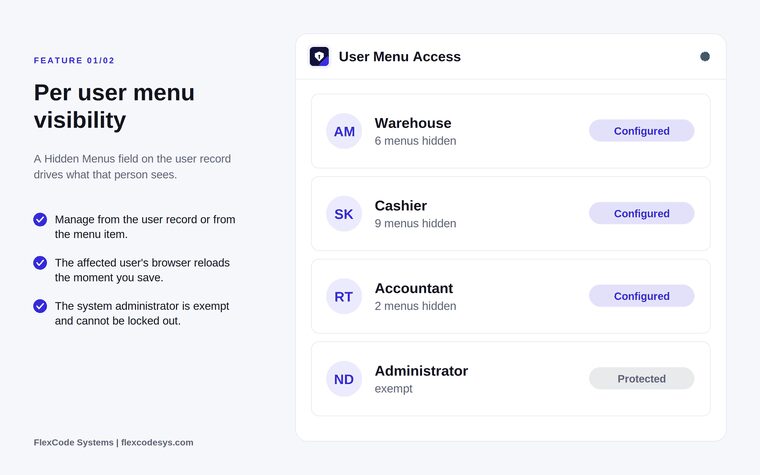
Hidden menus per user, with the administrator protected. Illustration from the store listing.
Who it is for
Administrators simplifying Odoo for specific roles.
Large deployments that want to avoid security group sprawl.
Odoo partners tidying the interface during onboarding.
Teams rolling Odoo out to shop floor or field staff.
Not a fit when:
Databases on Odoo Online (SaaS), which cannot install third-party apps.
Restricting access to data: hidden menus are not a security measure, so use groups and record rules for anything that must be enforced.
Install
Buy Menu Visibility Control per User on the Odoo Apps Store for Odoo 19.0.
Add the module to your Odoo.sh project or to the addons path of your on-premise server.
Update the apps list in Odoo and install the app.
Odoo Online (SaaS) does not allow third-party apps, so Menu Visibility Control per User cannot be installed there. Use Odoo.sh or an on-premise Odoo 19 database.
Configure
Go to Settings, Users, and open the user you want to tailor.
Add the menus to hide in the Hidden Menus field and save.
Setting
What it does
Hidden Menus (user)
Menus hidden from this user's navigation.
Restricted Users (menu)
The same restriction seen from the menu item: the users it is hidden for.
How to use it
Hide a menu for one user
Go to Settings, Users, and open the user.
Add the menus to hide in the Hidden Menus field and save.
The user's browser reloads and the sidebar no longer shows those menus.
Check who a menu is hidden for
Open the menu item.
Read or edit its Restricted Users field.
Limits
It hides sidebar navigation only. It does not change access rights, and users may still reach records through other paths that their rights allow.
The system administrator is always exempt.
It cannot be installed on Odoo Online (SaaS).
Frequently asked questions
How do I hide an Odoo menu for a single user?
With Menu Visibility Control per User, go to Settings, Users, open the user and add the menus to hide in the Hidden Menus field. When you save, that user's browser reloads and the menus are gone from the sidebar.
Can I hide Odoo menus without creating a new security group?
Yes. The app keeps navigation separate from permissions, so you hide menus per user and create no new groups. Access rights and record rules stay as they are.
Is hiding a menu a replacement for access rights?
No. Menu Visibility Control hides navigation entries to simplify the interface. Use groups and record rules for anything that must be enforced at the data level.
Do changes need a server restart?
No. Saving the user record pushes a reload over the Odoo bus, so that user's browser refreshes and the hidden menus are gone. Nobody else is interrupted.
Can I lock myself out of Odoo?
No. The main system administrator is exempt, and the restriction field is hidden on that record.
Which Odoo versions, editions and languages are supported?
This release targets Odoo 19 Enterprise, on-premise and on Odoo.sh, and ships with English, German and Arabic. It works in multi-company databases. Odoo Online cannot install third-party apps.