Skip to Content

Access & Controls · Odoo 20, Odoo 19, Odoo 18

New Contact Creation Permission

Stop duplicate customers at the source: only chosen users create contacts

Contact Creation Permission makes the Contact: Creation permission on the user form the only way to create a contact in Odoo 18, 19 and 20. Users without it can still find, pick and edit existing contacts, but cannot create new ones from a form, a customer or vendor field, an import, the Point of Sale or the API. Each company can optionally name its own contact creators.

Key features

The problem

In standard Odoo many users can create a contact on the side: a sales user types a new name into the customer field of a quotation, a warehouse administrator adds a vendor, someone imports a list. Each of these paths can create a second record for a customer who already exists, and the customer and vendor list slowly fills with duplicates that someone has to clean up later.
Screenshots

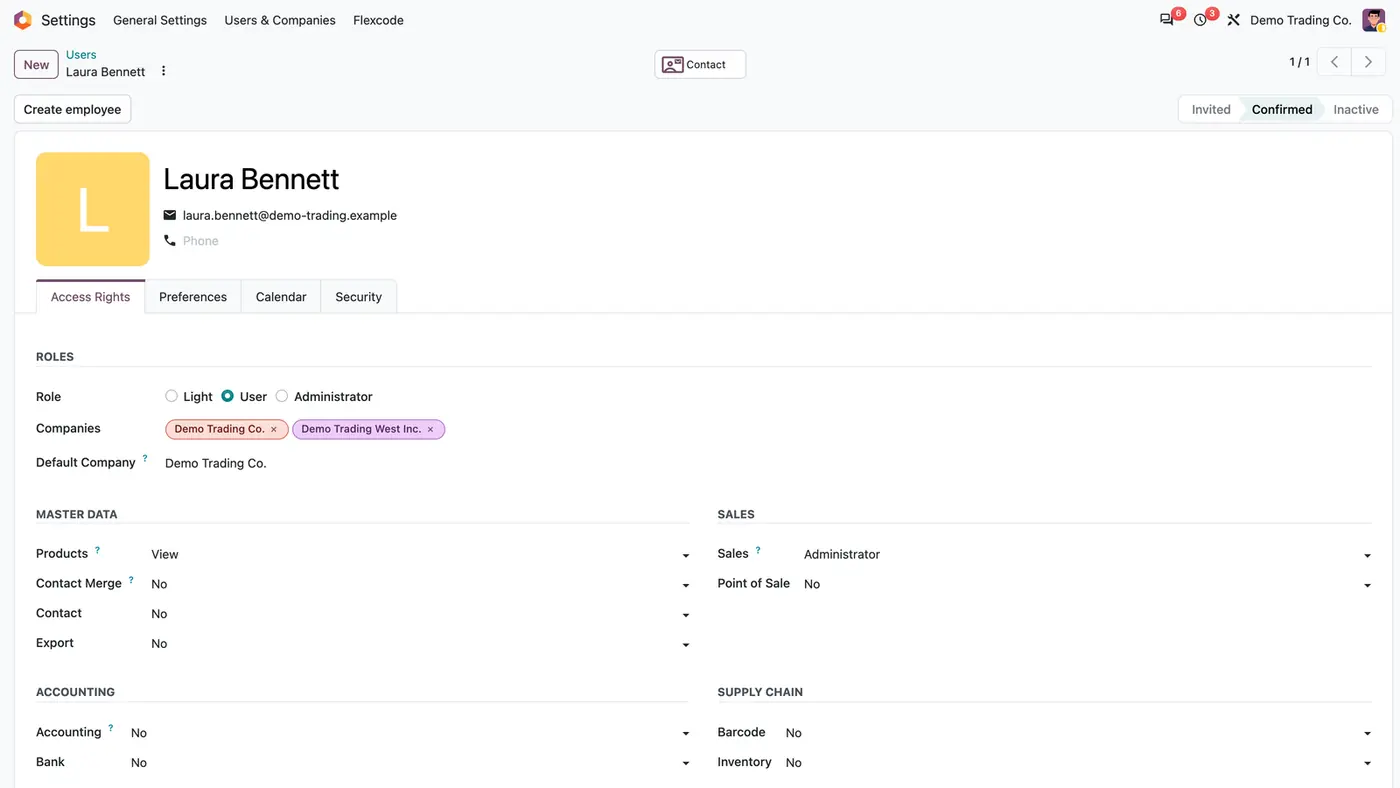
Odoo user form of Laura Bennett: Sales set to Administrator, Contact set to No, two companies assigned
A Sales administrator without Contact: Creation: with the app, this permission alone decides whether she creates contacts.
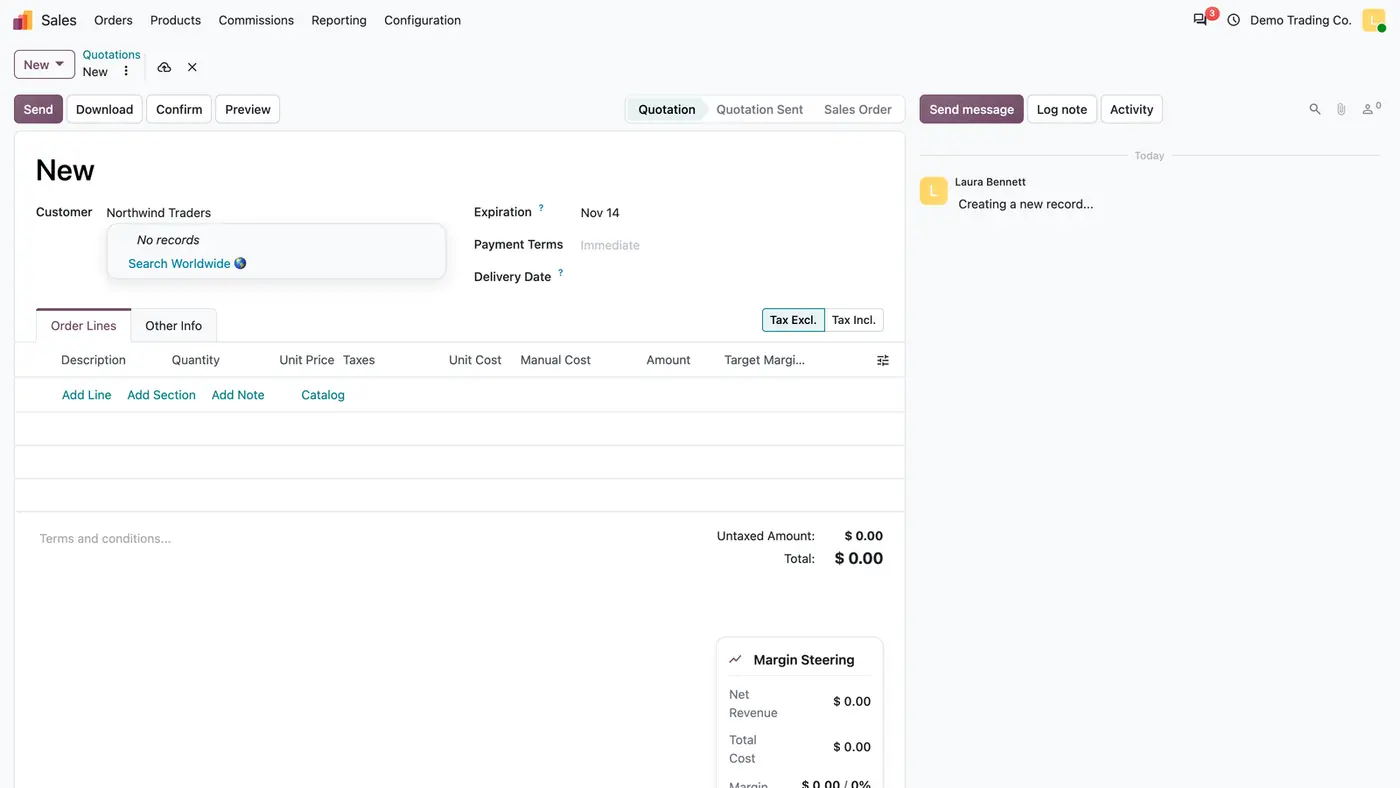
New quotation with Northwind Traders typed in the customer field; dropdown shows No records and no Create option
On a quotation, an unknown customer name offers no Create or Create and edit, so no contact is created on the side.
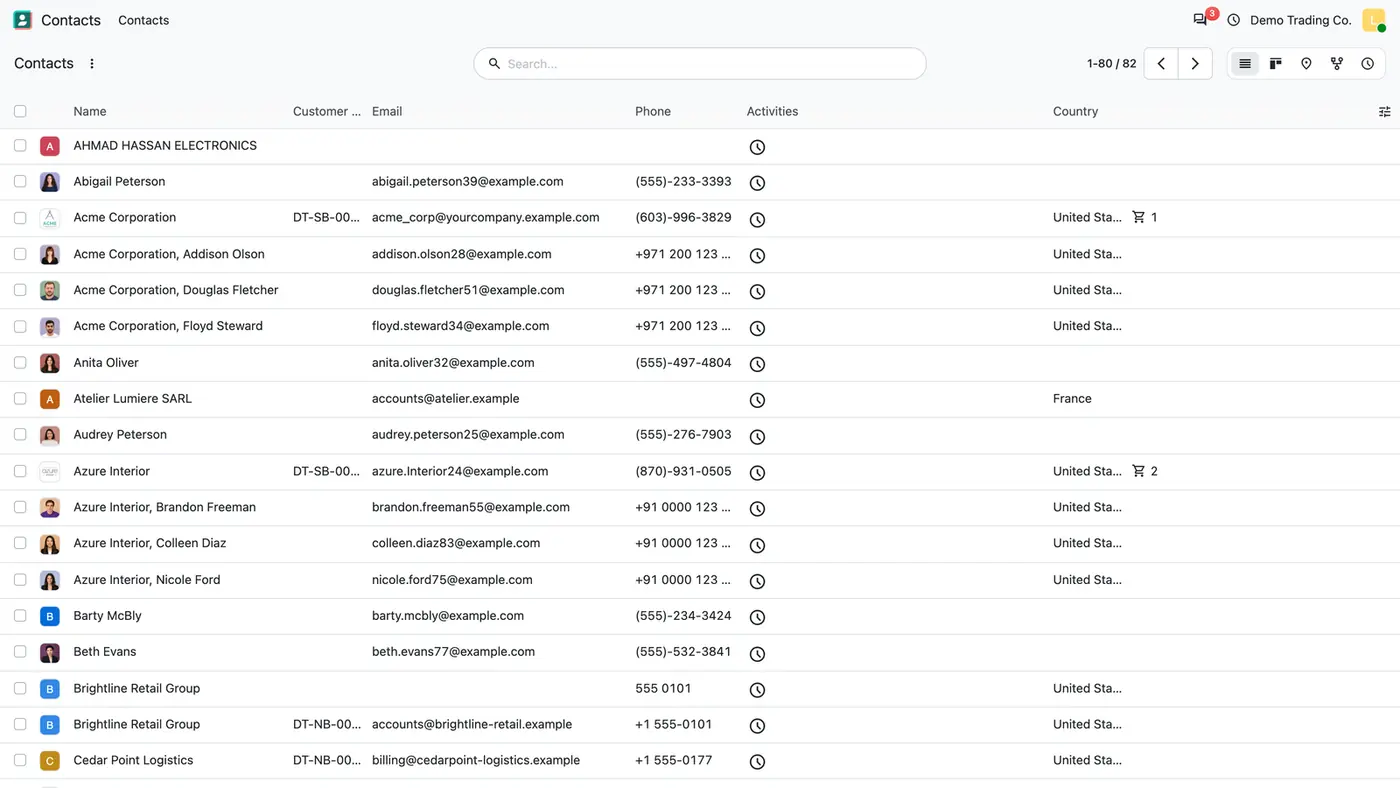
Odoo Contacts list view with names, e-mails and phones, and no New button above the list
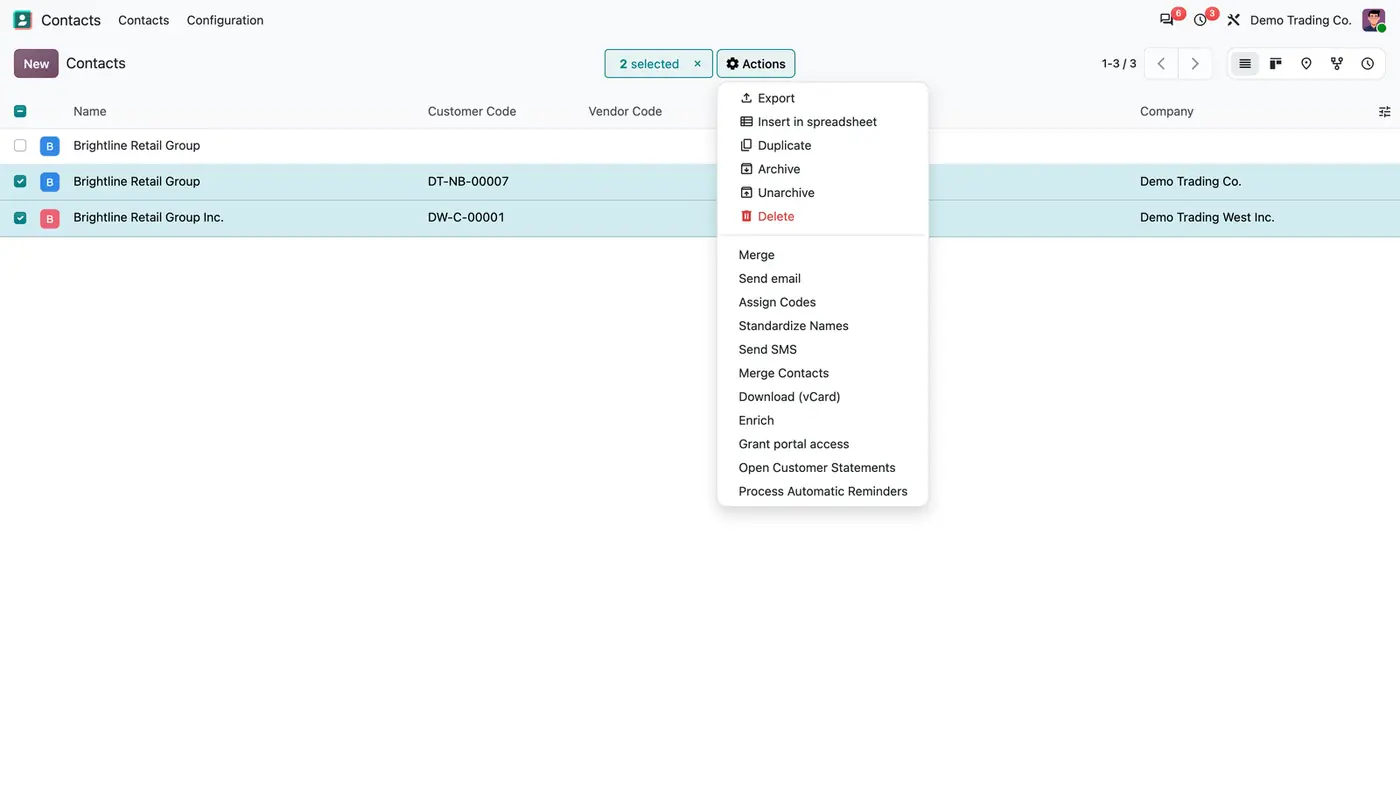
In the Contacts app the user can open and search every contact, but the New button is gone.
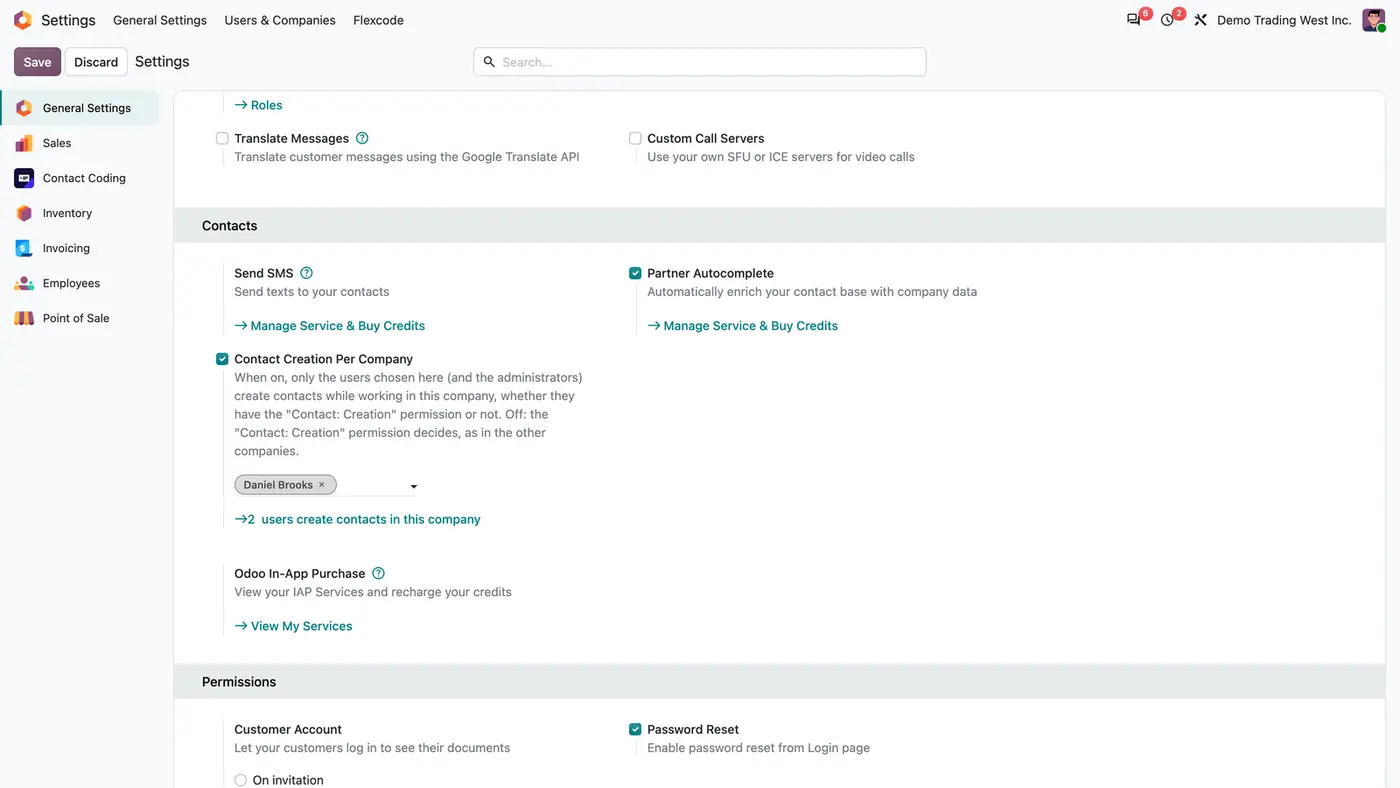
General Settings, Contacts: Contact Creation Per Company ticked, Daniel Brooks selected, 2 users create contacts
A company can choose who creates contacts while working in it; here only Daniel Brooks and the administrators.
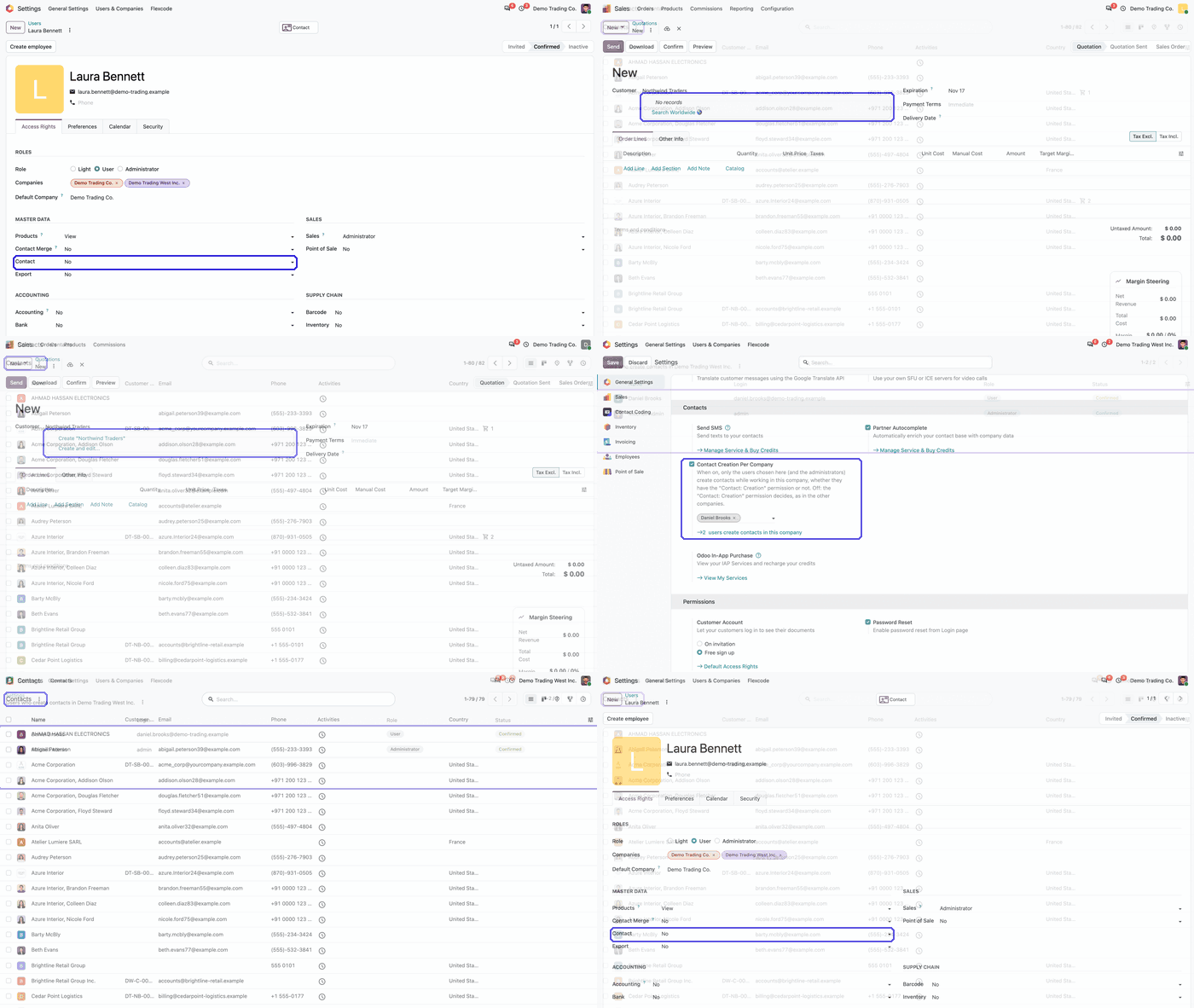
Animated demo: user form, quotation, Contacts list and per-company setting, with key fields highlighted Play demo
All four screens in sequence: the Contact permission, the hidden create options and the per-company creators.

What it does

One permission for every path

  • Contact: Creation on the user form becomes the only grant that allows creating a contact.
  • The rule is checked on the server, so it applies to forms, customer and vendor fields, imports, the Point of Sale and the API.
  • Sales users and the Sales, Inventory, Purchase and Manufacturing administrators, whom standard Odoo also lets create contacts, lose that right unless they have Contact: Creation.
  • Any other attempt, such as an import, is refused with one clear message.

Screens without create options

  • Create and Create and edit are hidden on customer and vendor fields for users without the permission.
  • The New button is hidden in the Contacts app, while every contact can still be opened and searched.
  • Editing existing contacts follows the same access rules as before; only creation is restricted.

E-mail and portal

  • The recipient field only finds existing contacts.
  • An e-mail address without a contact is skipped instead of turning into a new contact.
  • Internal users cannot add addresses through the portal. Portal customers keep their own address book.

Contact creators per company

  • Optionally, each company can choose the users who create contacts while working in it.
  • Listed users create contacts in that company with or without Contact: Creation; the other companies keep the permission rule.
  • The option is off by default and is set under Settings > General Settings > Contacts.

System records keep working

  • The partner of a new company, user or employee is still created, because it runs as the system.
  • Contacts from incoming e-mails and OdooBot keep working as before.
  • A guide opens inside Odoo once after installation, with the flow, a live setup checklist, daily use, roles and FAQ, and stays available afterwards.

Who it is for

A good fit for

  • Companies whose customer and vendor list keeps collecting duplicates.
  • Teams that want a small group of people to own master data while everyone else picks existing contacts.
  • Multi-company databases where each company decides who adds contacts.

Not a fit for

  • Finding or merging the duplicates you already have: the app stops new ones from being created.
  • Databases on Odoo Online (SaaS), which cannot install third-party apps.

Install

Requires: Initial Setup Tools (base_setup), Discuss (mail), Customer Portal (portal)

  1. Download Contact Creation Permission free of charge from the Odoo Apps Store for Odoo 18.0, 19.0 or 20.0.
  2. Add the module to your Odoo.sh project or to the addons path of your on-premise server.
  3. Update the apps list in Odoo and install Contact Creation Permission. From that moment, every internal user without Contact: Creation stops creating contacts.

Odoo Online (SaaS) does not allow third-party apps, so the app cannot be installed there. Use Odoo.sh or an on-premise database, Community or Enterprise.

Questions: info@flexcodesys.com.

Configure

  1. Give Contact: Creation to the right users under Settings > Users & Companies > Users > user > Master Data > Contact > Creation.
  2. Optionally, choose the creators per company under Settings > General Settings > Contacts > Contact Creation Per Company, while working in that company.
  3. Use the in-app guide under Settings > Users & Companies > Contact Creation Guide to check each setup item live.
SettingWhat it does
Contact: CreationPermission on the user form, under Master Data > Contact. Only users with it create contacts.
Contact Creation Per CompanyWhen on, only the users chosen for the company, plus the administrators, create contacts while working in it, whether they have Contact: Creation or not. Off by default.

How to use it

Daily work without the permission

  1. On a new quotation, type a customer name. Existing customers can be chosen; a name that does not exist shows no records and no Create option.
  2. In the Contacts app, open, search and edit any contact. The New button is not shown.
  3. When writing an e-mail, the recipient field only finds existing contacts.

Who can do what

  1. Internal user without Contact: Creation: picks and edits existing contacts; create options are hidden, imports are refused and unknown e-mail addresses are skipped.
  2. User with Contact: Creation: creates contacts from any app, in every company that does not choose its own creators.
  3. User listed by a company: creates contacts while working in that company.
  4. Settings administrator: always creates contacts, grants Contact: Creation and turns on Contact Creation Per Company.

Limits

  • Existing duplicates are not found or merged.
  • Contacts that Odoo creates as the system, such as the partner of a new company, user or employee, contacts from incoming e-mails and OdooBot, are not restricted.
  • It cannot be installed on Odoo Online (SaaS).

FAQ

Which users lose the right to create contacts?

Every internal user who does not have the Contact: Creation permission, including Sales users and the Sales, Inventory, Purchase and Manufacturing administrators, whom standard Odoo also lets create contacts.

Does Odoo still create contacts by itself?

Yes. The partner of a new company, user or employee, contacts from incoming e-mails and OdooBot keep working, because they run as the system.

Can users still edit contacts?

Yes. Editing existing contacts follows the same access rules as before; only creation is restricted.

What happens to an e-mail sent to an unknown address?

The recipient field only finds existing contacts. An address without a contact is skipped instead of turning into a new contact.

Does it work with multi-company databases?

Yes. The module respects the active company and its records, and has been tested in multi-company databases. Each company can also name its own contact creators.

Need it set up or adapted?

We configure our apps for your process, train your team and build the extra pieces you need.