Skip to Content

Sales & Customers · Odoo 20, Odoo 19, Odoo 18

Customer Credit Phone Control

Stop over-limit sales at confirmation and invoicing, and keep customer phones unique

Customer Credit Phone Control enforces customer credit limits in Odoo 18, 19 and 20 at sales order confirmation and at customer invoice posting, with a Credit Limit Override right for chosen users. It shows live exposure and credit health on the customer and refuses a phone number that another customer already has.

Key features

The problem

Selling to a customer who is already over the credit limit costs money and time to recover. In many Odoo databases the limit is a number on the customer that nobody checks at the moment of confirmation. Sales confirms the order, accounting posts the invoice, and the exposure only shows up when payment is late. Duplicate or badly formatted phone numbers make it worse, because the same customer can exist twice.
Screenshots

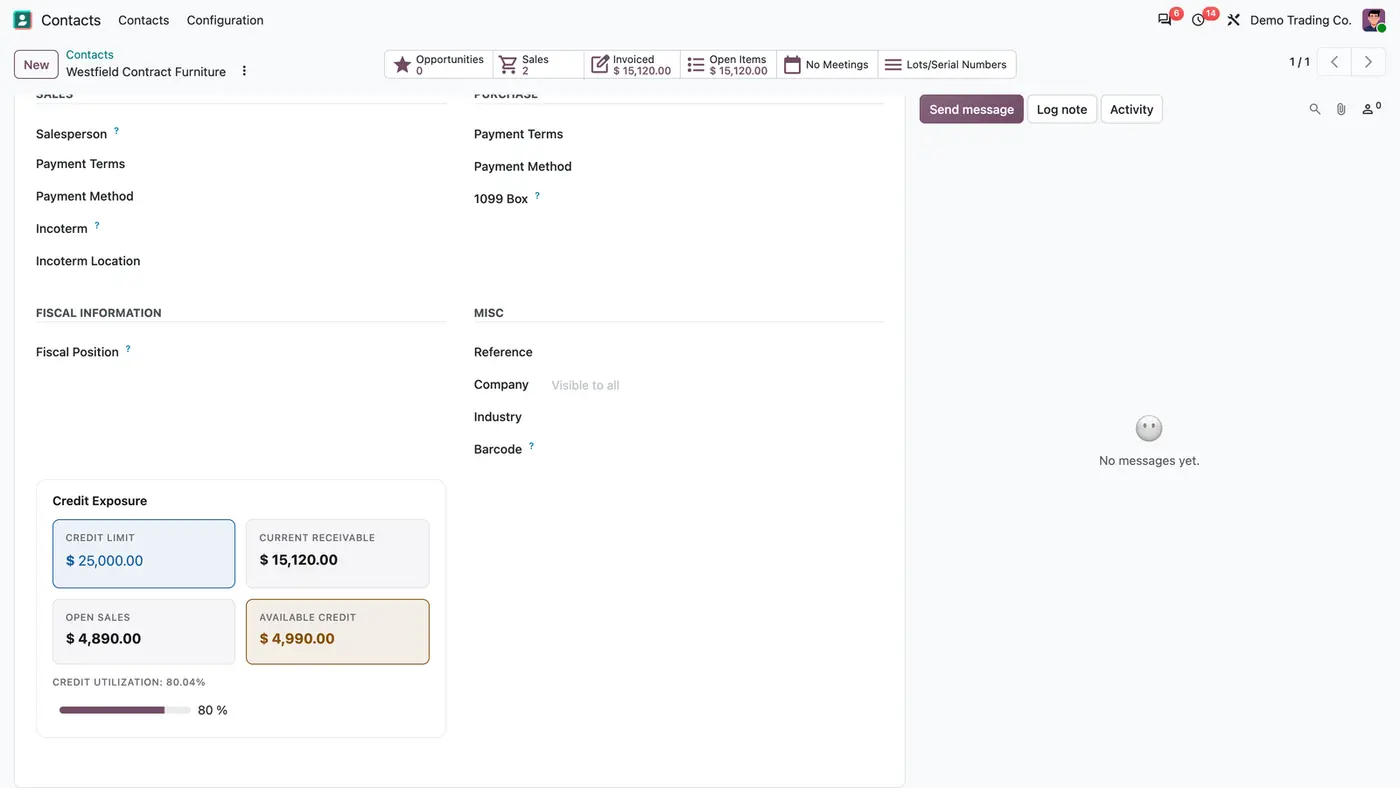
Customer contact with a Credit Exposure card: limit, receivable, open sales, available credit, utilization
The Credit Exposure card on the customer shows the limit, what is owed, open sales and what is left.
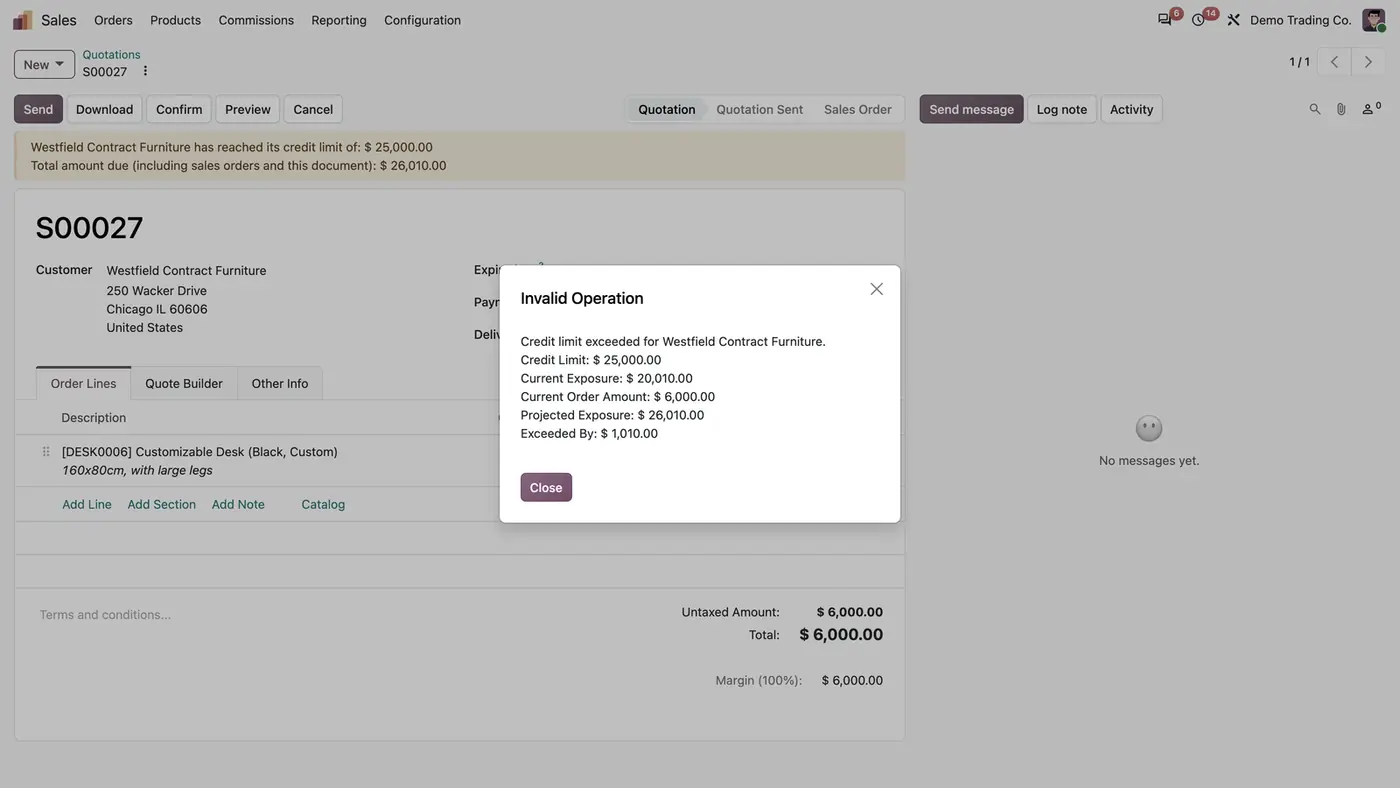
Invalid Operation dialog on a quotation listing credit limit, exposure, order amount and amount exceeded
Confirming an order over the limit is refused, and the message gives the figures behind the decision.
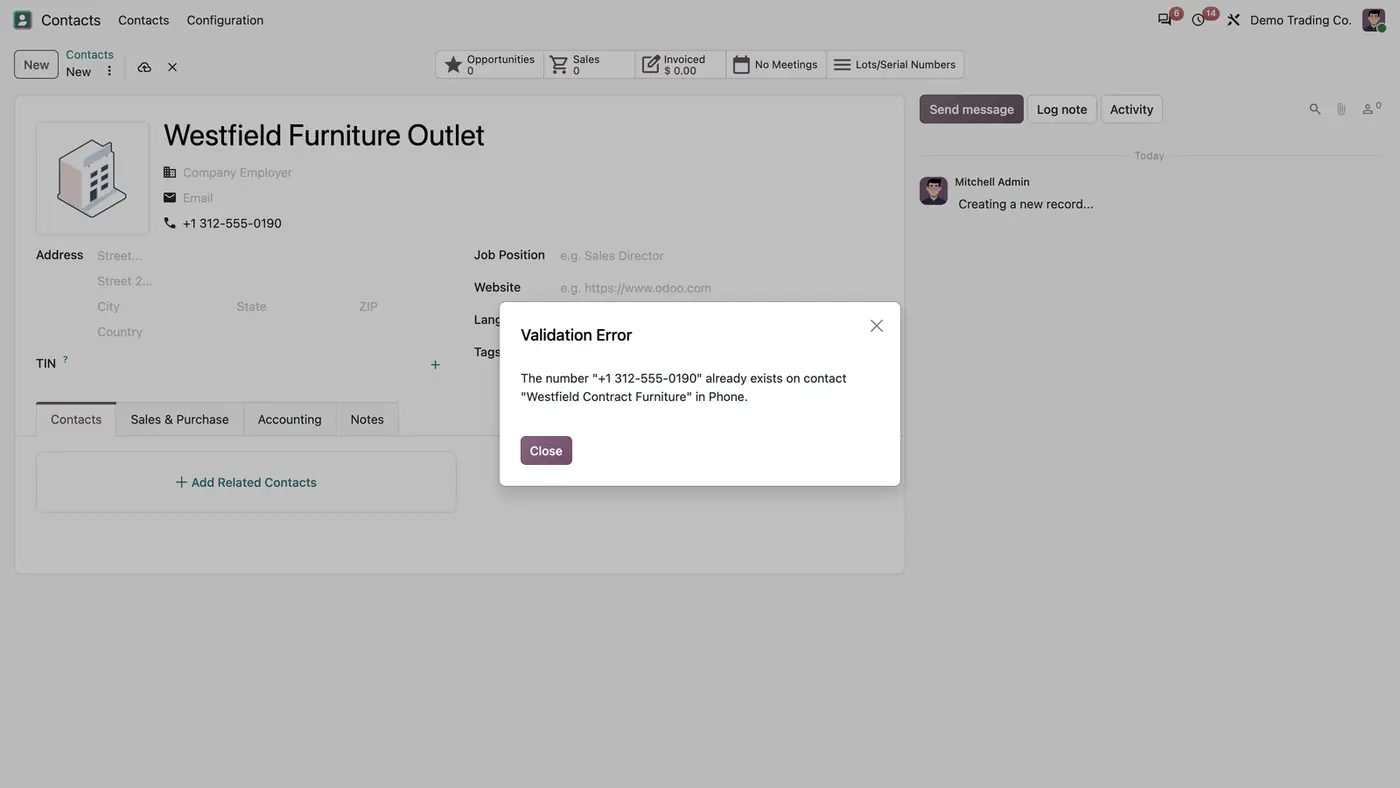
Validation Error when saving a new contact whose phone number already exists on Westfield Contract Furniture
A phone number that another customer already has is refused, and the message names that contact.
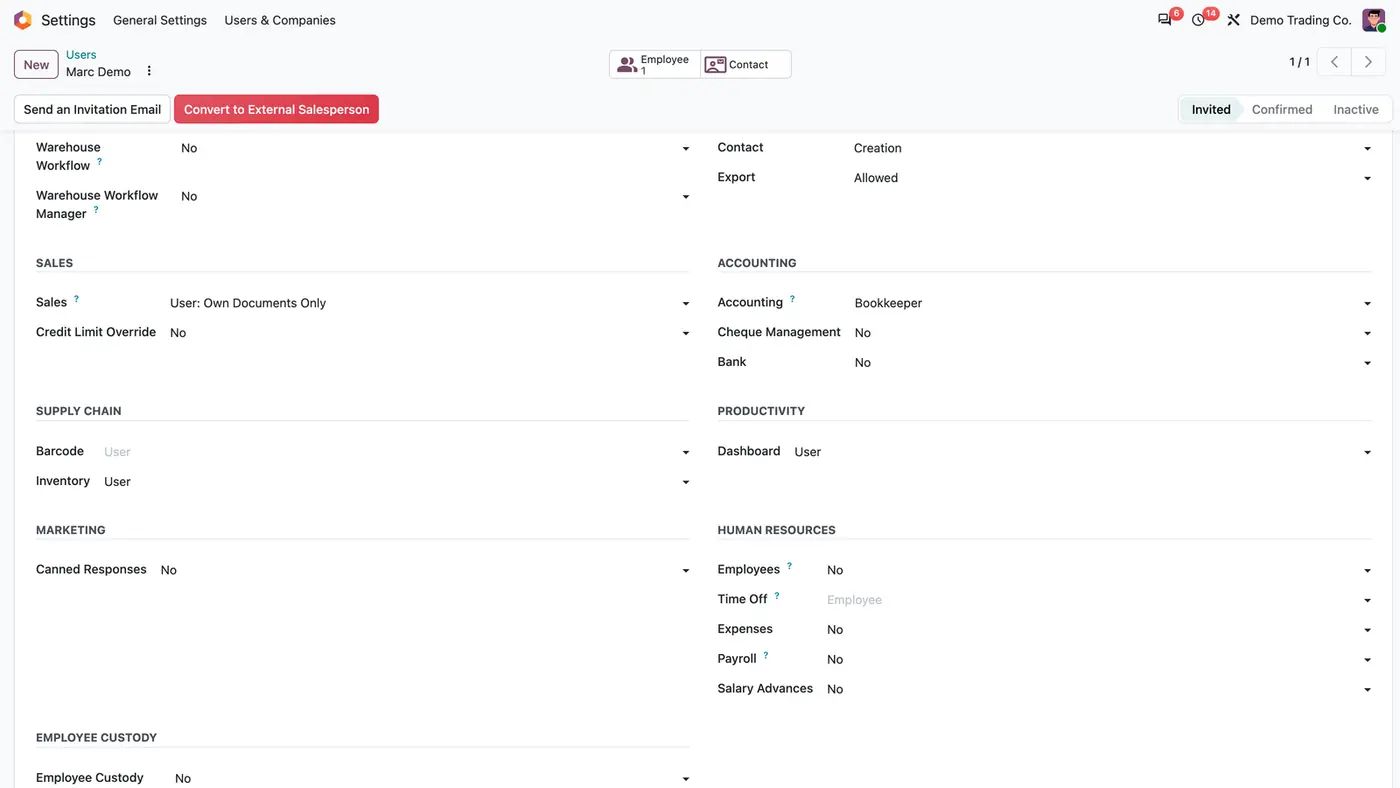
User access rights form with the Credit Limit Override field set to No in the Sales section
The Credit Limit Override right is set per user in the Sales section of the access rights.
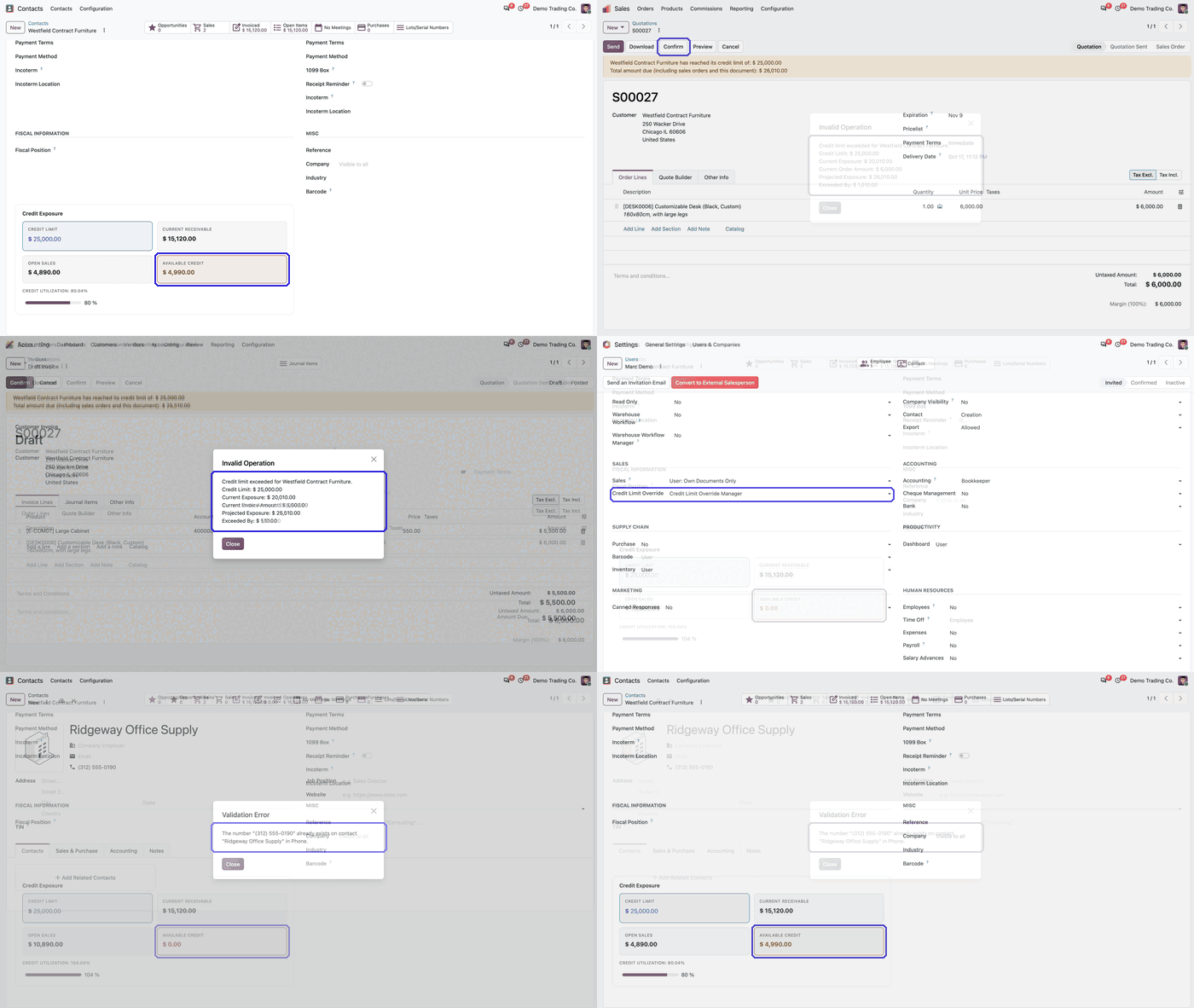
Animated demo: the Credit Exposure card on a customer contact with the available credit highlighted Play demo
The demo shows the credit figures on the customer and the checks at confirmation.

What it does

Credit limits enforced at two moments

  • Block sales order confirmation when the projected exposure exceeds the customer's credit limit.
  • Block customer invoice posting the same way, with a clear, itemised message showing the exposure and the amount exceeded.
  • Let members of a dedicated override group approve over-limit transactions when they are justified.

Exposure engine

  • Track posted, unpaid receivables.
  • Add confirmed sales exposure, net of invoices and credits.
  • Convert amounts to the company currency so limit checks stay consistent.

Credit health on the customer

  • See receivable exposure, open-sales exposure and available credit on the partner form.
  • Read utilisation as a percentage with a Healthy, Warning or Exceeded indicator.

Clean, unique phone numbers

  • Normalise phone and mobile numbers, including Arabic and Persian digits.
  • Refuse a phone number that a contact of another customer already uses. Contacts of the same company may share it.

Who it is for

A good fit for

  • Sales and finance teams that manage customer credit risk.
  • Companies that sell on credit and need hard limits instead of advice.
  • Managers who must be able to approve a justified exception.
  • Businesses that rely on clean, unique customer phone data, for example in markets that use Arabic or Persian digits.

Not a fit for

  • Databases on Odoo Online (SaaS), which cannot install third-party apps.
  • Teams that want quotations, deliveries or payments blocked, or credit reminders sent. The app checks only at order confirmation and invoice posting.

Install

Requires: Invoicing (account), Sales (sale_management), Discuss (mail)

  1. Buy the app on the Odoo Apps Store for your Odoo version (18.0, 19.0 or 20.0).
  2. Add the module to your Odoo.sh project or the addons path of your on-premise server.
  3. Update the apps list and install Customer Credit Phone Control. Sales and Invoicing are installed with it if they are missing.

Odoo Online (SaaS) does not allow third-party apps, so this app cannot be installed there. Use Odoo.sh or an on-premise Odoo database, Community or Enterprise.

Every purchase includes 90 days of free support from FlexCode Systems.

Configure

  1. Turn on Sales Credit Limit under Invoicing / Accounting > Configuration > Settings > Customer Invoices, and optionally set a Default Credit Limit. Then tick Partner Limit on each customer and enter the amount. Where the setting is off, nothing is blocked.
  2. Add the managers who may approve exceptions to the credit-limit override group.
  3. Review existing contacts for duplicate phone numbers. Numbers are stored in international form, and a number already on another customer is refused.
SettingWhat it does
Customer credit limitThe limit on the partner that projected exposure is checked against at order confirmation and invoice posting.
Credit-limit override groupUsers in this group can confirm orders and post invoices that exceed the limit.
Phone and mobileStored in international form. A number already on a contact of another customer is refused.

How to use it

Sell within the limit

  1. Confirm a sales order as usual.
  2. If the projected exposure stays within the customer's limit, the order confirms normally.
  3. If it would exceed the limit, Odoo blocks the confirmation and shows the exposure and the amount over the limit.

Post invoices within the limit

  1. Post a customer invoice as usual.
  2. The same check runs at posting, with an itemised message when the limit would be exceeded.

Approve an exception

  1. Ask a member of the credit-limit override group to review the order or invoice.
  2. The approver confirms or posts it despite the limit, so the exception is a deliberate decision.

Check credit health

  1. Open the customer form.
  2. Read receivable exposure, open-sales exposure, available credit, utilisation and the Healthy, Warning or Exceeded status.

Limits

  • It cannot be installed on Odoo Online (SaaS).
  • Credit is checked at sales order confirmation and customer invoice posting only.
  • The price covers one Odoo major version. It is sold for Odoo 18, 19 and 20, Community and Enterprise.

FAQ

How do I block sales to customers over their credit limit in Odoo?

Customer Credit Phone Control checks the projected exposure against the customer's credit limit when a sales order is confirmed. If the limit would be exceeded, the confirmation is blocked with a message that shows the exposure and the amount over the limit.

Does the credit check also apply to invoices?

Yes. Customer invoice posting is blocked in the same way, with a clear, itemised message, so an over-limit invoice cannot slip through after the order.

Can a manager approve an order above the credit limit?

Yes. Members of a dedicated credit-limit override group can confirm orders and post invoices that exceed the limit when the exception is justified.

How is the customer's credit exposure calculated?

The app adds posted, unpaid receivables to confirmed sales exposure, net of invoices and credits, and converts amounts to the company currency. The partner form shows the result with available credit and a Healthy, Warning or Exceeded indicator.

What does the phone control do?

It stores each phone number in international form, so the national and the international spelling of one number match, and refuses it on a contact of another customer. Contacts of the same company may share it.

Which Odoo versions and editions does it support?

It is sold for Odoo 18, 19 and 20, Community and Enterprise, on-premise and on Odoo.sh. Odoo Online (SaaS) does not allow third-party apps.

Need it set up or adapted?

We configure our apps for your process, train your team and build the extra pieces you need.