Customers see clean product names on quotations, your team keeps the internal detail
Sale Report Clean Product Description keeps Odoo 19 quotation and sale order PDFs readable when product lines carry long internal descriptions. The printed line description is replaced with the product name only while the PDF renders, so stored order data never changes.
Product records in Odoo often carry long internal descriptions: technical notes, supplier codes, warehouse hints. Those descriptions flow onto every quotation line, so customers receive PDFs full of detail they should not see. Editing the products removes information your team needs, and fixing each quotation by hand is slow and easy to forget.
What it does
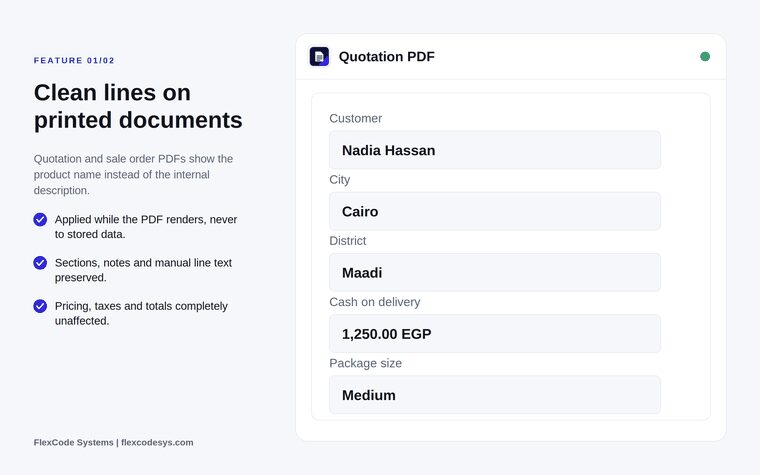
Clean lines on printed documents
Show the product name instead of the internal description on quotation PDFs.
Do the same on sale order confirmation PDFs.
Apply the substitution only while the PDF renders, never to stored data.
Everything else preserved
Keep section lines and note lines exactly as entered.
Keep manually written line text.
Leave prices, taxes and totals untouched.
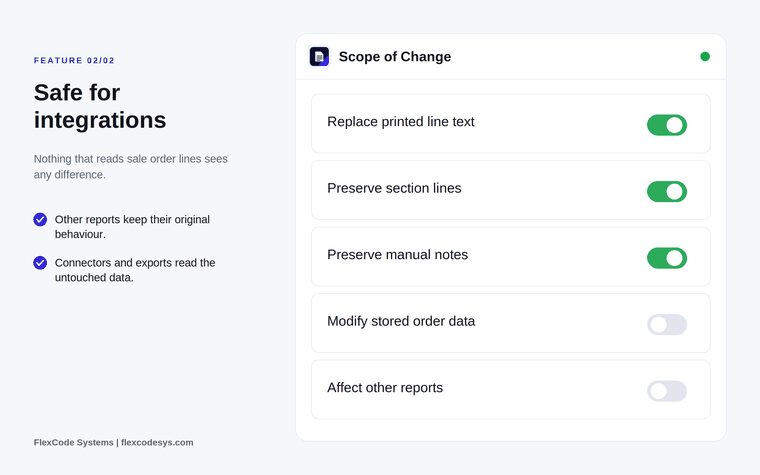
Safe for integrations
Leave other reports with their original behaviour.
Let connectors and exports read the untouched sale order data.
No setup
Install it and it applies, with no configuration required.
Clean lines on printed quotations and sale orders. Illustration from the store listing.Only the printed text changes; stored data and other reports stay as they are. Illustration from the store listing.
Who it is for
Businesses whose product records hold technical or internal detail.
Sales teams that send customer-facing quotations.
Back office staff who produce order confirmations.
Odoo users who want cleaner PDFs without editing product data.
Not a fit when:
Databases on Odoo Online (SaaS), which cannot install third-party apps.
Teams that want to change which text is stored on sale order lines; this app only changes the printed PDF.
Install
Requires: Invoicing (account), Discuss (mail)
Buy the app on the Odoo Apps Store for Odoo 19.0.
Add the module to your Odoo.sh project or the addons path of your on-premise server.
Update the apps list and install Sale Report Clean Product Description.
Odoo Online (SaaS) does not allow third-party apps, so this app cannot be installed there. Use Odoo.sh or an on-premise Odoo 19 database.
Configure
Nothing to configure: once installed, quotation and sale order PDFs print the clean product name.
How to use it
Print a clean quotation
Create or open a quotation as usual.
Print it or send it by email.
Check the PDF: each product line shows the product name, while sections, notes and manual text are unchanged.
Keep internal detail in Odoo
Leave internal descriptions on your products as they are.
Your team still sees them on the sale order lines in Odoo; only the printed document is cleaned.
Limits
It cannot be installed on Odoo Online (SaaS).
It changes the quotation and sale order PDFs only; other reports are not affected.
The price covers one Odoo major version; each future version is sold separately.
Frequently asked questions
How do I hide internal product descriptions on Odoo quotations?
Sale Report Clean Product Description replaces the printed line description with the product name when the quotation or sale order PDF is rendered. The internal description stays on the order inside Odoo.
Does it change my sale orders?
No. The substitution happens only while the PDF renders. Stored sale order lines are never changed.
Are section and note lines affected?
No. Sections, notes and manually written line text are preserved exactly as entered, and prices, taxes and totals are untouched.
Does it affect other reports or integrations?
No. Only the printed quotation and sale order line description changes. Other reports, connectors and exports read the original data.
Do I need to configure anything?
No. Install the app and it applies to quotation and sale order PDFs straight away.
Which Odoo versions and languages are supported?
This release targets Odoo 19 Enterprise on Odoo.sh or on-premise, and each Odoo series is published as its own version of the app. English, German and Arabic translations are included, and it has been tested in multi-company databases.