Stop over-limit sales at confirmation and invoicing, and keep customer phones unique
Customer Credit Phone Control enforces customer credit limits in Odoo 19 Enterprise at sales order confirmation and at customer invoice posting, with a manager override group for approved exceptions. It shows live exposure and credit health on the customer and keeps phone and mobile numbers normalised and unique.
Selling to a customer who is already over the credit limit costs money and time to recover. In many Odoo databases the limit is a number on the customer that nobody checks at the moment of confirmation. Sales confirms the order, accounting posts the invoice, and the exposure only shows up when payment is late. Duplicate or badly formatted phone numbers make it worse, because the same customer can exist twice.
What it does
Credit limits enforced at two moments
Block sales order confirmation when the projected exposure exceeds the customer's credit limit.
Block customer invoice posting the same way, with a clear, itemised message showing the exposure and the amount exceeded.
Let members of a dedicated override group approve over-limit transactions when they are justified.
Exposure engine
Track posted, unpaid receivables.
Add confirmed sales exposure, net of invoices and credits.
Convert amounts to the company currency so limit checks stay consistent.
Credit health on the customer
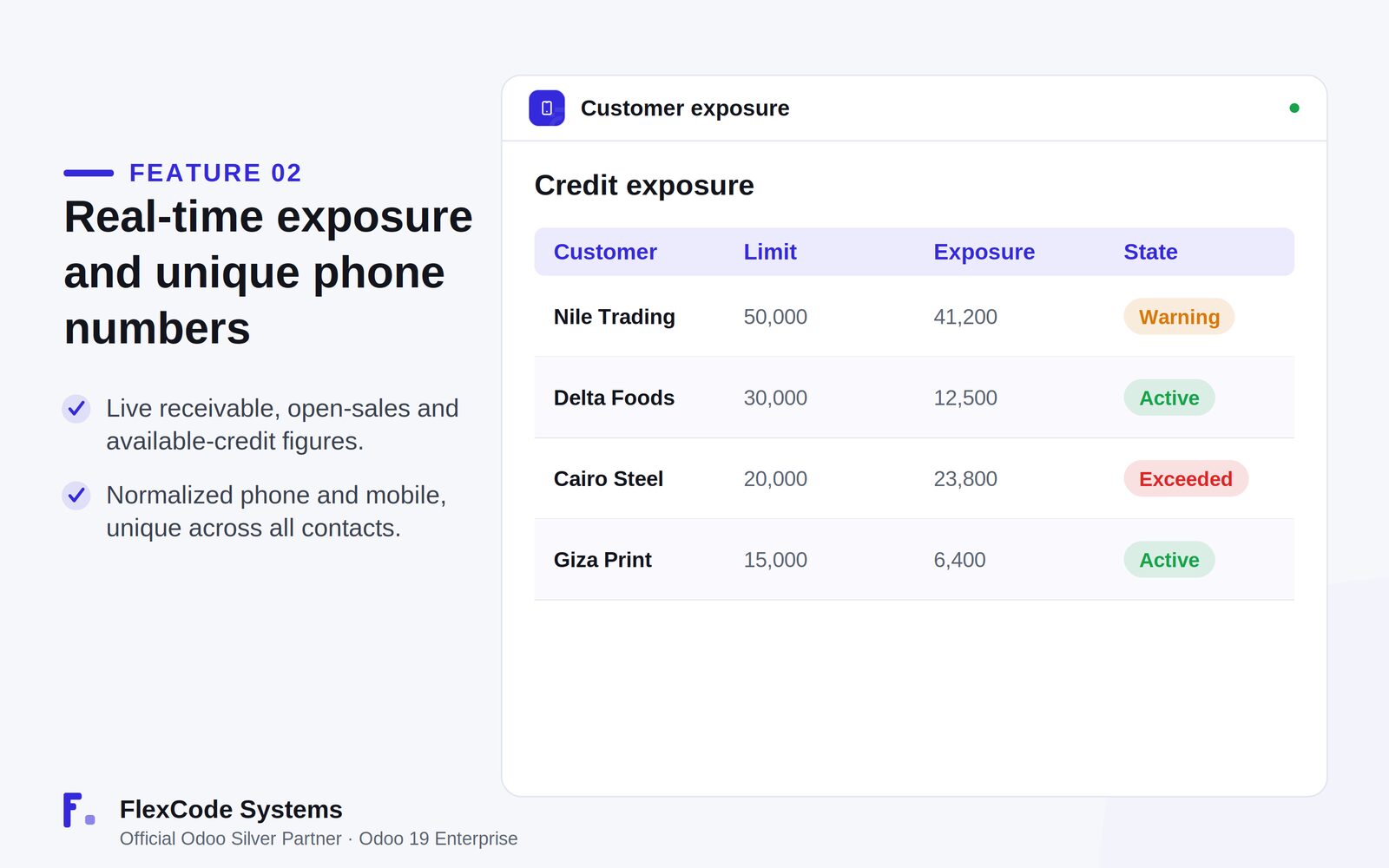
See receivable exposure, open-sales exposure and available credit on the partner form.
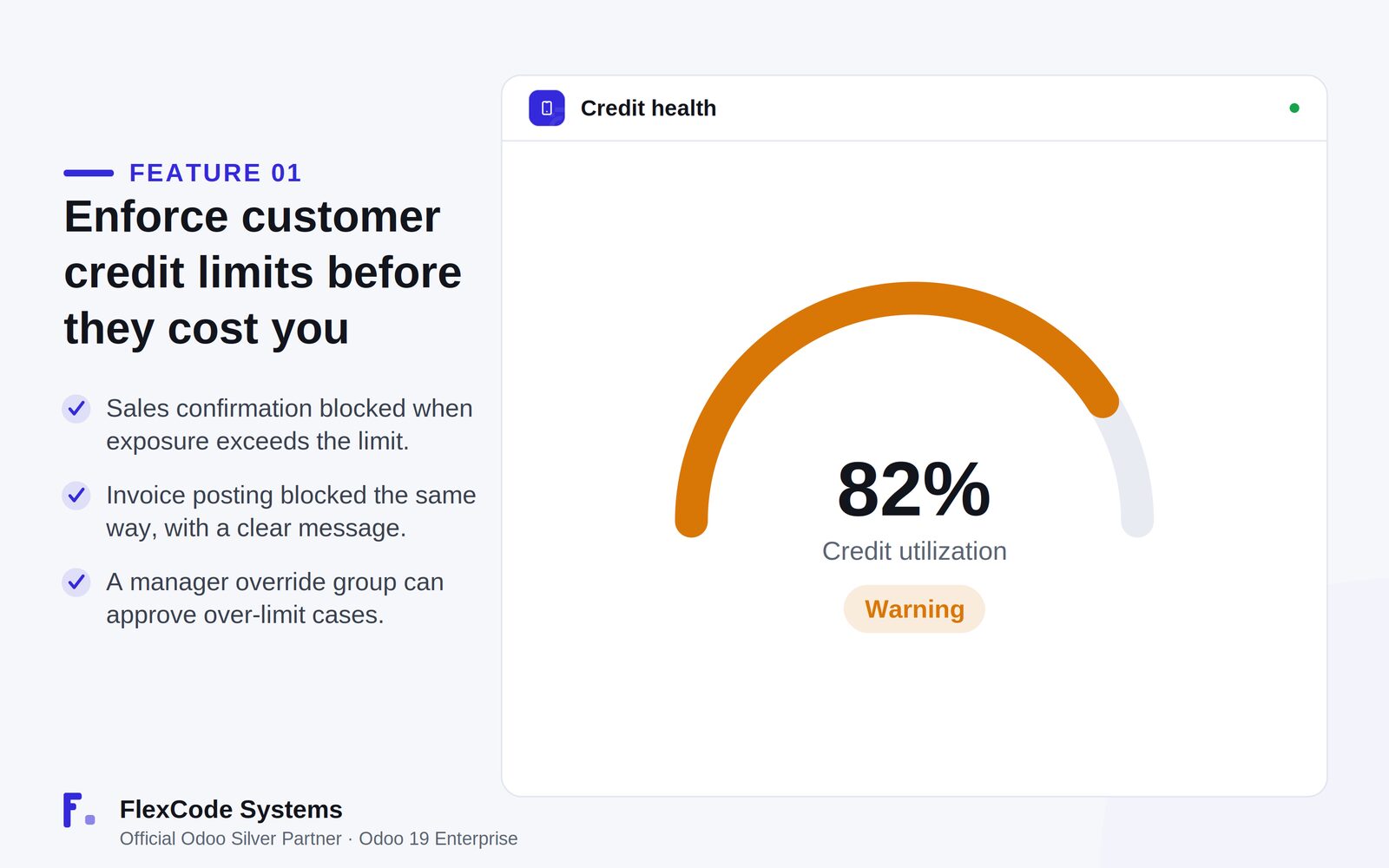
Read utilisation as a percentage with a Healthy, Warning or Exceeded indicator.
Clean, unique phone numbers
Normalise phone and mobile numbers, including Arabic and Persian digits.
Prevent the same number from being used on two contacts.
Credit limits enforced before an order or invoice goes through. Illustration from the store listing.Live exposure per customer with its credit state. Illustration from the store listing.
Who it is for
Sales and finance teams that manage customer credit risk.
Companies that sell on credit and need hard limits instead of advice.
Managers who must be able to approve a justified exception.
Businesses that rely on clean, unique customer phone data, for example in markets that use Arabic or Persian digits.
Not a fit when:
Databases on Odoo Online (SaaS), which cannot install third-party apps.
Odoo Community: the app is built and tested for Odoo 19 Enterprise.
Add the module to your Odoo.sh project or the addons path of your on-premise server.
Update the apps list and install Customer Credit Phone Control. Sales and Invoicing are installed with it if they are missing.
Odoo Online (SaaS) does not allow third-party apps, so this app cannot be installed there. Use Odoo.sh or an on-premise Odoo 19 Enterprise database.
Configure
Set a credit limit on each customer you sell to on credit.
Add the managers who may approve exceptions to the credit-limit override group.
Review existing contacts for duplicate phone or mobile numbers, since the app keeps them unique across contacts.
Setting
What it does
Customer credit limit
The limit on the partner that projected exposure is checked against at order confirmation and invoice posting.
Credit-limit override group
Users in this group can confirm orders and post invoices that exceed the limit.
Phone and mobile
Stored in a normalised form and kept unique across all contacts.
How to use it
Sell within the limit
Confirm a sales order as usual.
If the projected exposure stays within the customer's limit, the order confirms normally.
If it would exceed the limit, Odoo blocks the confirmation and shows the exposure and the amount over the limit.
Post invoices within the limit
Post a customer invoice as usual.
The same check runs at posting, with an itemised message when the limit would be exceeded.
Approve an exception
Ask a member of the credit-limit override group to review the order or invoice.
The approver confirms or posts it despite the limit, so the exception is a deliberate decision.
Check credit health
Open the customer form.
Read receivable exposure, open-sales exposure, available credit, utilisation and the Healthy, Warning or Exceeded status.
Limits
It cannot be installed on Odoo Online (SaaS).
Credit is checked at sales order confirmation and customer invoice posting only.
It is built and tested for Odoo 19 Enterprise. The price covers one Odoo major version; each future version is sold separately.
Frequently asked questions
How do I block sales to customers over their credit limit in Odoo?
Customer Credit Phone Control checks the projected exposure against the customer's credit limit when a sales order is confirmed. If the limit would be exceeded, the confirmation is blocked with a message that shows the exposure and the amount over the limit.
Does the credit check also apply to invoices?
Yes. Customer invoice posting is blocked in the same way, with a clear, itemised message, so an over-limit invoice cannot slip through after the order.
Can a manager approve an order above the credit limit?
Yes. Members of a dedicated credit-limit override group can confirm orders and post invoices that exceed the limit when the exception is justified.
How is the customer's credit exposure calculated?
The app adds posted, unpaid receivables to confirmed sales exposure, net of invoices and credits, and converts amounts to the company currency. The partner form shows the result with available credit and a Healthy, Warning or Exceeded indicator.
What does the phone control do?
It normalises phone and mobile numbers, handles Arabic and Persian digits, and prevents the same number from being used on two contacts.
Does it work on Odoo 19 Enterprise and Odoo.sh?
Yes. It is built and tested for Odoo 19 Enterprise, on-premise and on Odoo.sh. Odoo Online (SaaS) does not allow third-party apps. The app adds no core monkey-patching and no migration scripts.