Skip to Content

Sales & Customers · Odoo 20, Odoo 18

New External Salespersons

Give your agents their own sales without giving them a backend login

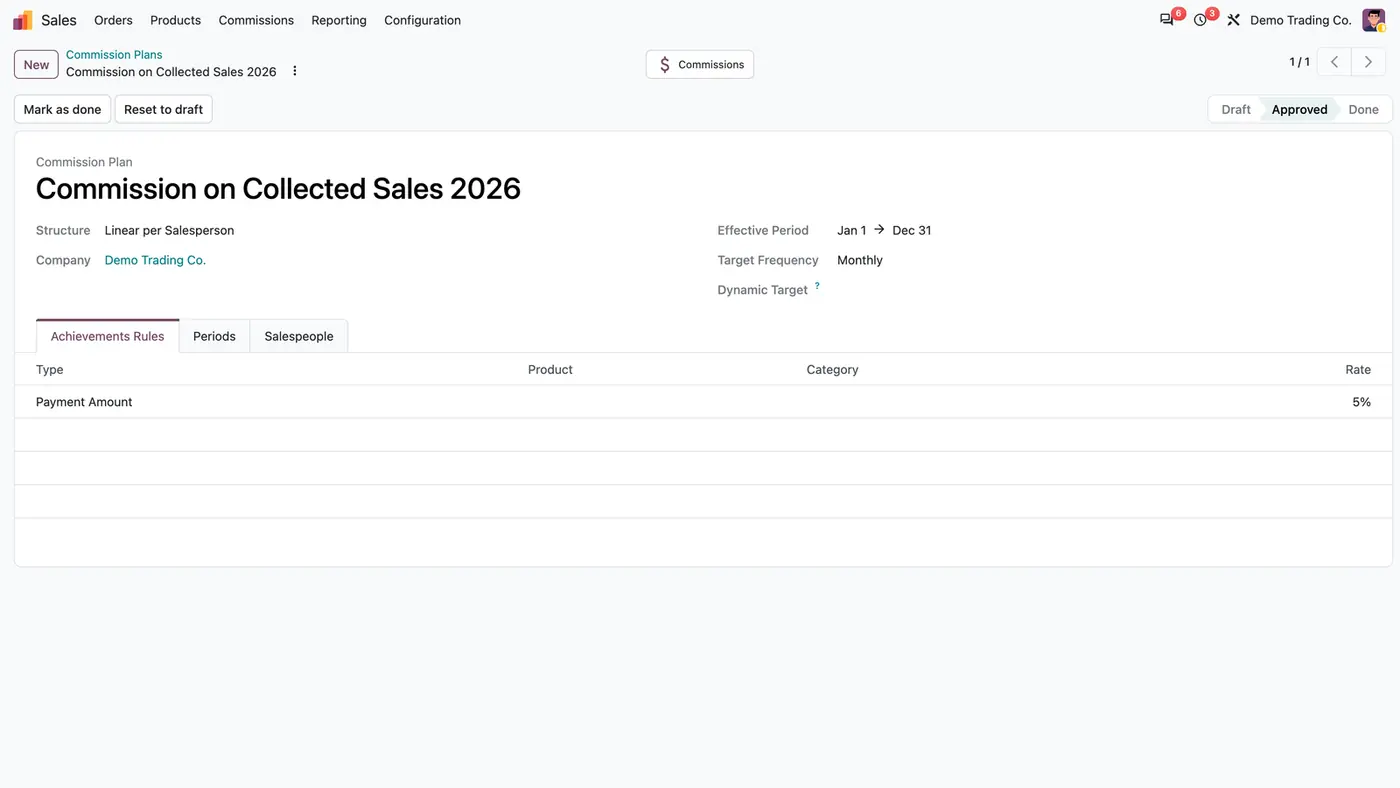
External Salespersons turns a user into an external salesperson: all groups are removed and the account cannot log in, yet the person stays selectable as salesperson on orders, CRM leads, invoices, sales teams and commission plans. When needed, an administrator grants portal access, and the person sees, read only, the quotations, orders and invoices on which they are the salesperson.

Key features

The problem

Agents and reps who sell for you need to appear as salesperson on orders, leads and invoices, and in commission plans. In Odoo that means a user account, and a user account usually comes with backend rights the person should not have. Removing those rights by hand is easy to get wrong, and nobody can say later who changed what.
Screenshots

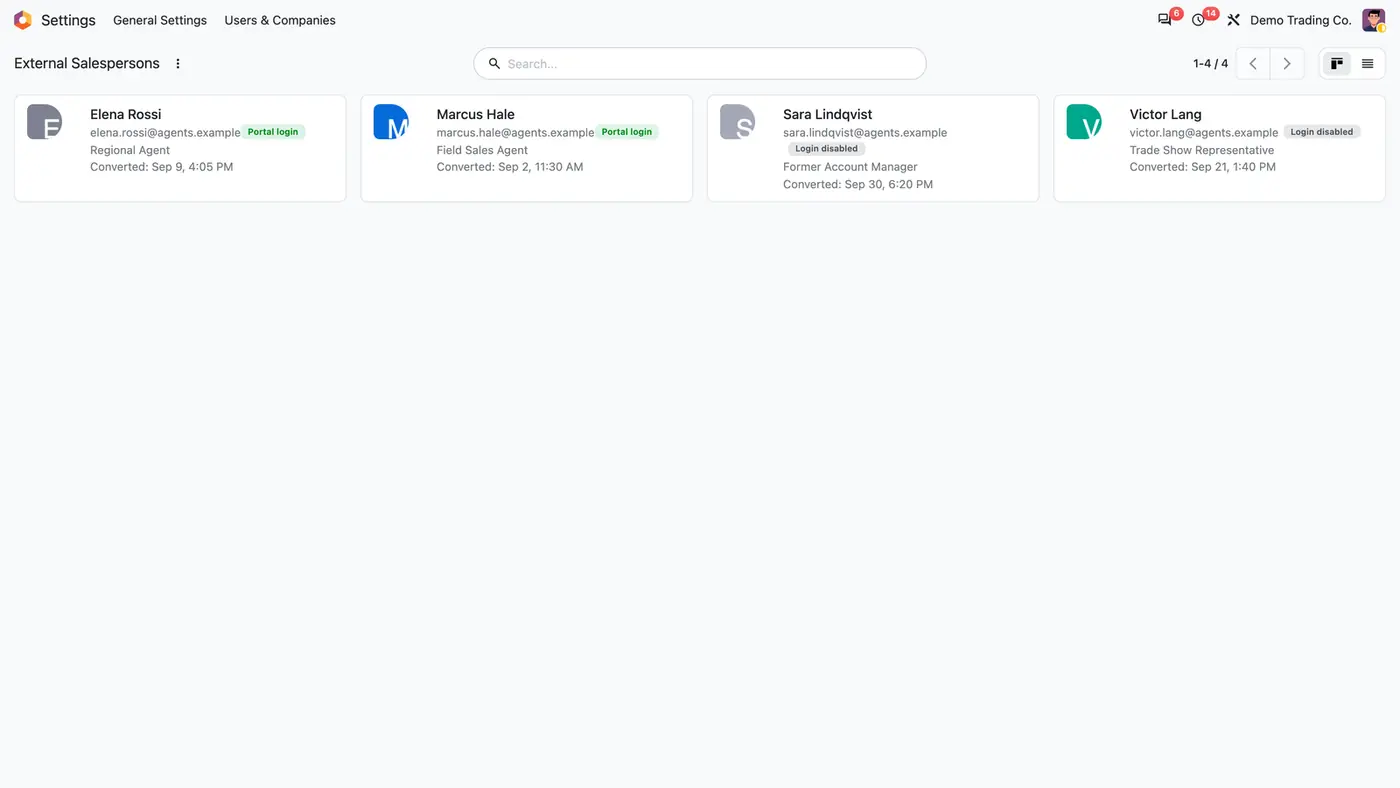
External Salespersons kanban with four agents, their roles, conversion dates and Portal login or Login disabled badges
The overview lists every external salesperson with role, conversion date and whether the portal login is granted.
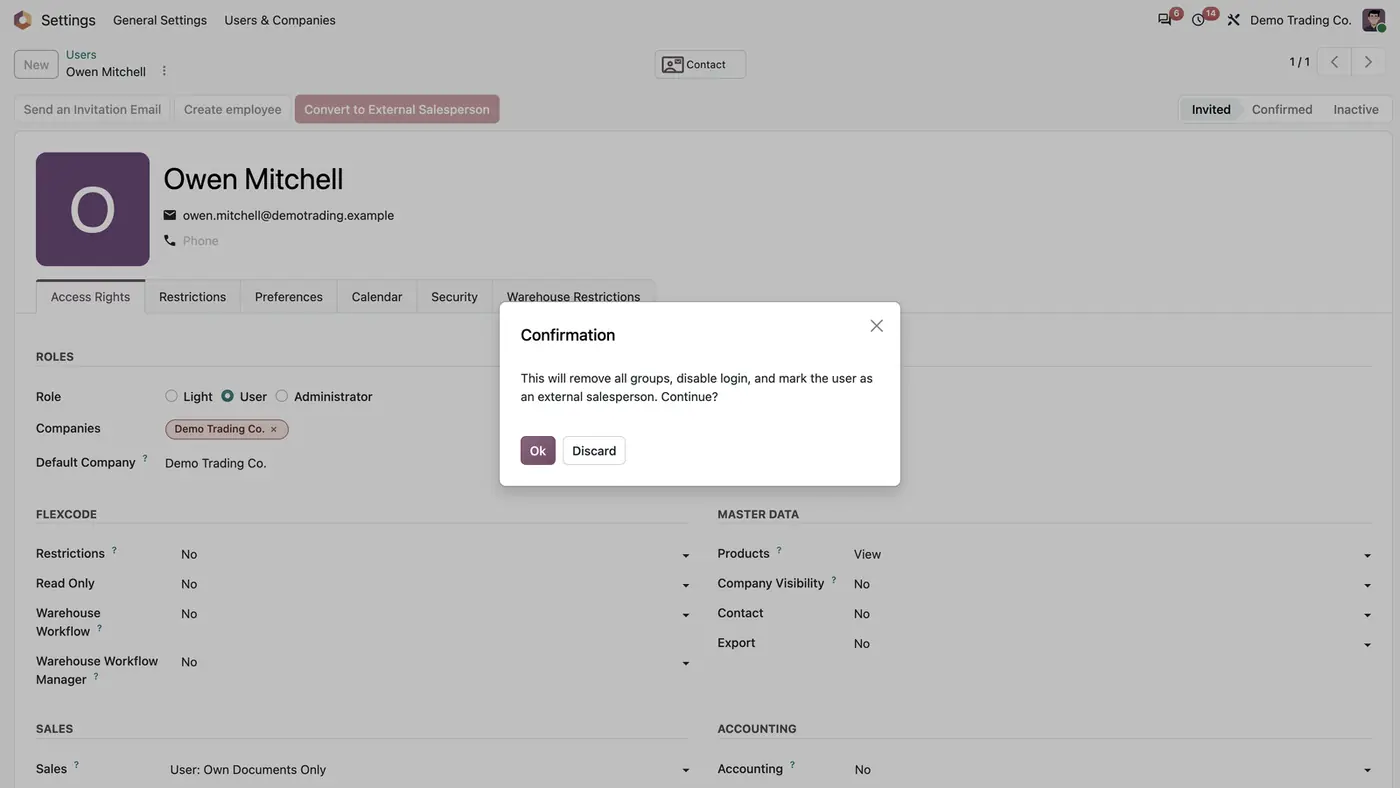
User form with the Convert to External Salesperson button and a confirmation dialog before the conversion
Converting a user removes all groups and blocks the backend login, after a confirmation.
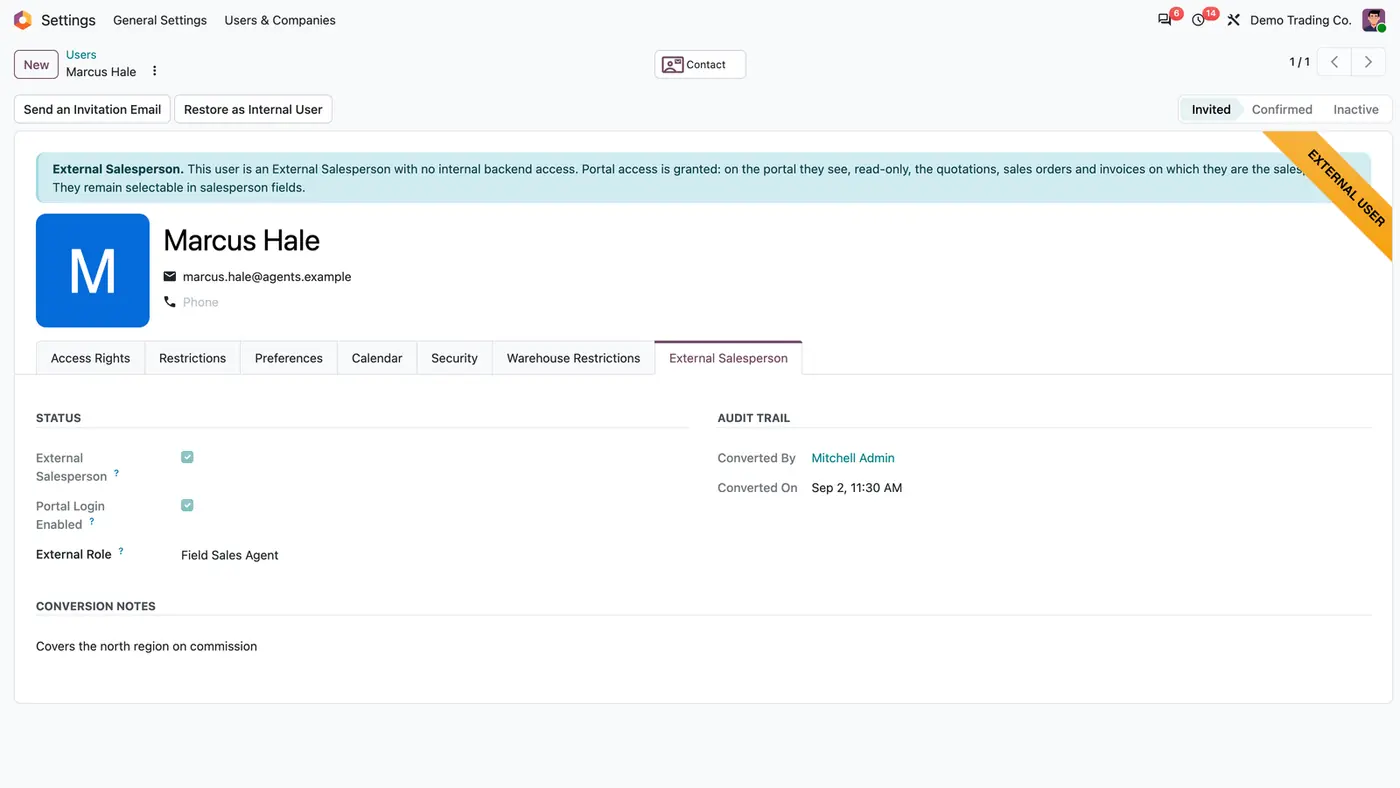
Converted user Marcus Hale with External Salesperson tab, portal login enabled, role Field Sales Agent and audit trail
After conversion the user form shows status, role, who converted the user and when, and a Restore as Internal User button.
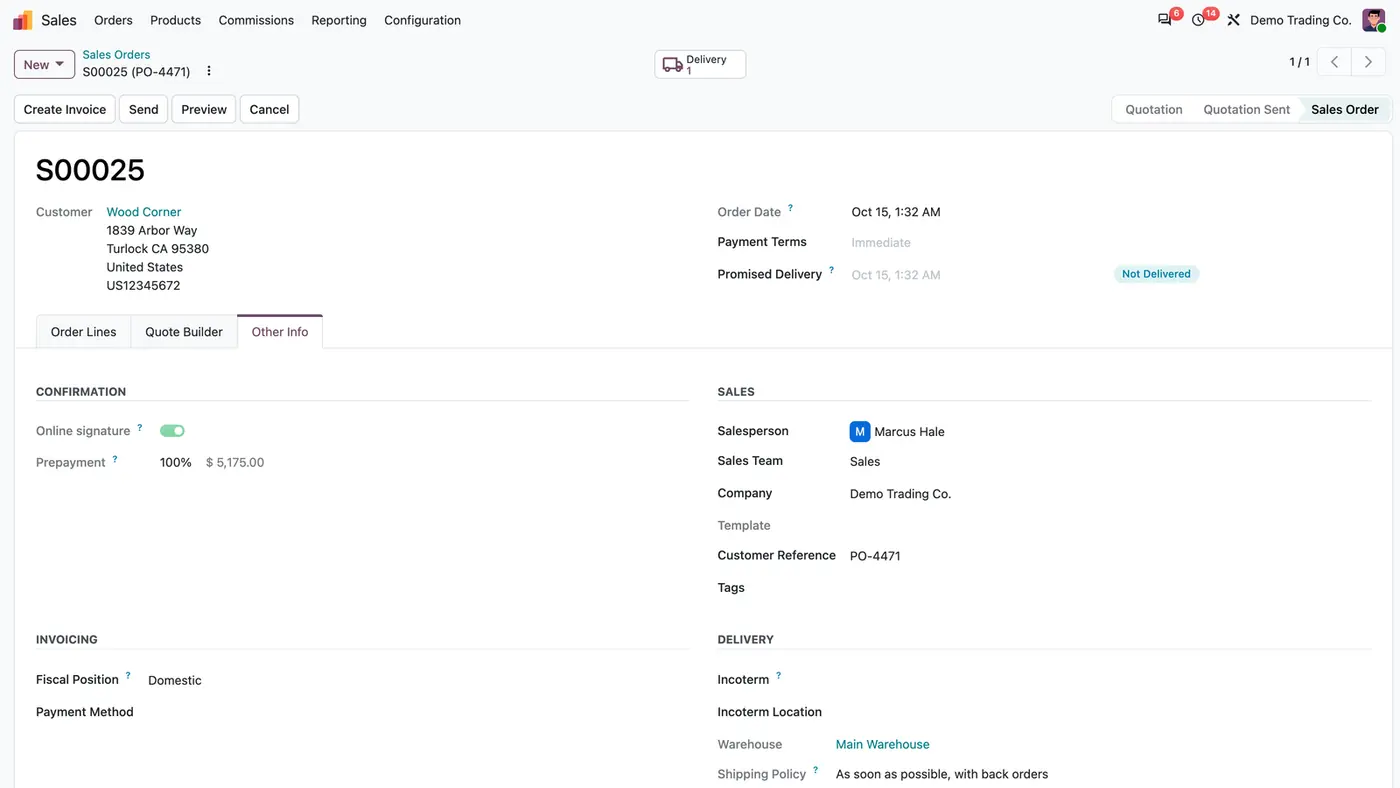
Confirmed sales order S00025 with Marcus Hale as Salesperson and Sales as Sales Team on the Other Info tab
The external salesperson stays the salesperson on the sales order although he has no backend login.
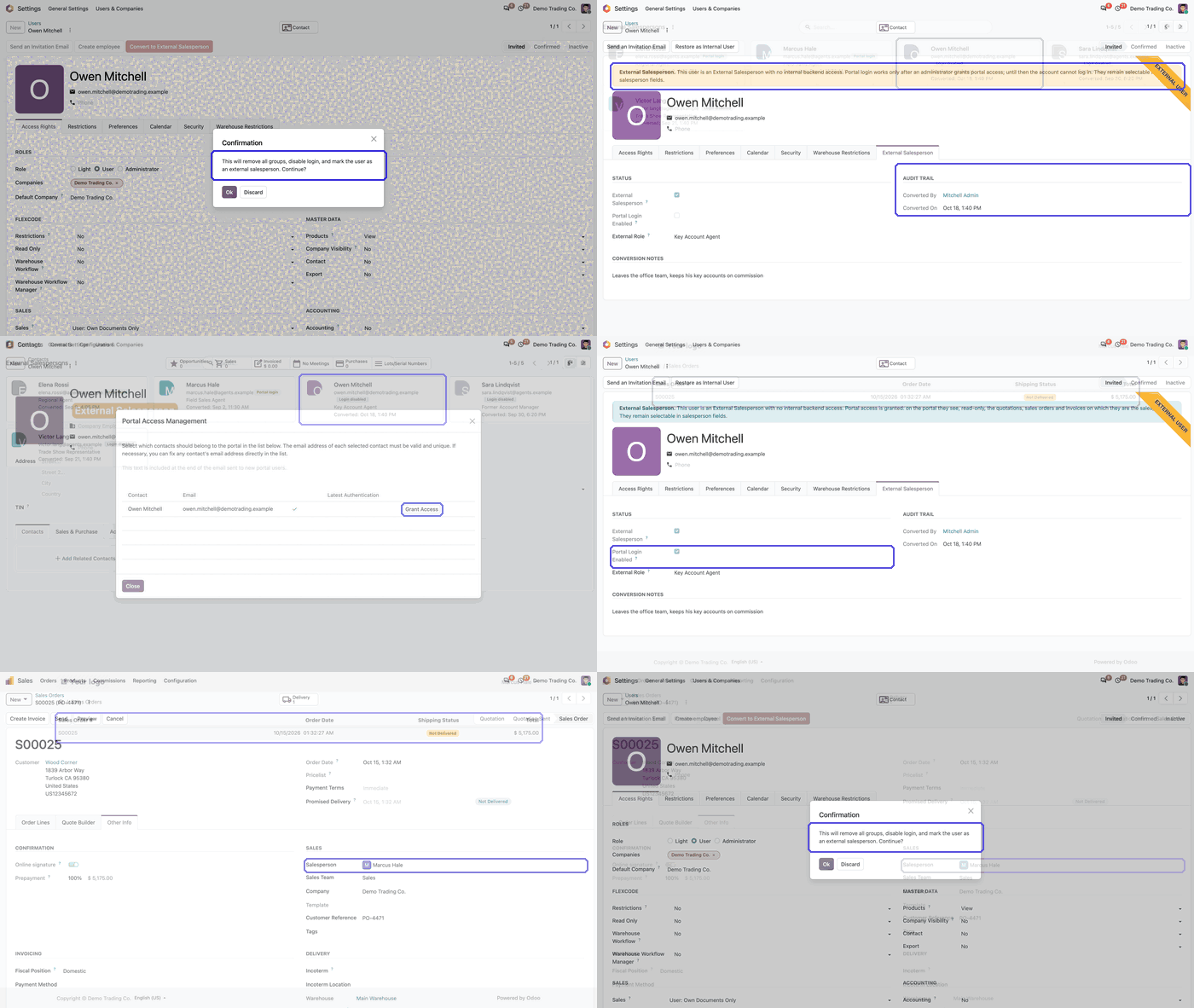
Animated demo of converting a user to an external salesperson in Odoo, starting with the confirmation dialog Play demo
A short demo of the one-click conversion.

What it does

Salesperson without a backend login

  • Convert to External Salesperson removes all of the user's groups and locks the account.
  • The person stays selectable as salesperson on sales orders, CRM leads, invoices and customers.
  • External salespersons can be added as sales team members and as users of a Sales Commission plan.
  • A confirmation is asked before anything changes.

Read-only portal on demand

  • Grant portal access from the contact when the person needs it.
  • On the portal they see only the quotations, sales orders and invoices on which they are the salesperson.
  • The view is read only: they cannot accept, decline or sign a quotation in the customer's place.

Overview and bulk conversion

  • Settings > Users & Companies > External Salespersons lists every converted user with role, conversion date and whether the portal login is granted.
  • Convert several users at once with the Convert Users wizard, after ticking I understand and want to proceed.
  • An optional note is recorded in each converted user's chatter.

Audit trail

  • Converted By and Converted On are recorded on the External Salesperson tab of the user.
  • A chatter note lists the groups that were removed.
  • A banner on the user form states that the user is an external salesperson and whether portal access is granted.

Safe and reversible

  • Only Access Rights administrators can convert or restore a user.
  • Converting a Settings administrator needs another Settings administrator, and the bulk wizard is shown to Settings administrators only.
  • The app refuses to remove the last internal member of a group.
  • Restore as Internal User gives back the Internal User group and removes portal access.

Who it is for

A good fit for

  • Companies that sell through agents, field reps or trade show representatives.
  • Sales teams on Odoo Enterprise that pay commission through Sales Commission plans.
  • Administrators who want former employees to stay salesperson on their deals without backend access.
  • Multi-company databases: the module respects the active company and has been tested there.

Not a fit for

  • Letting agents change records: even with portal access the view is read only.
  • Restoring the previous rights automatically: a restored user gets back only the Internal User group.
  • Odoo Community, because the app builds on the Enterprise Sales Commission app.
  • Databases on Odoo Online (SaaS), which cannot install third-party apps.

Install

Requires: Sales (sale_management), CRM (crm), Invoicing (account), Sales Commission (sale_commission, Enterprise), Contacts (contacts), Calendar (calendar), Discuss (mail)

  1. Buy External Salespersons on the Odoo Apps Store for Odoo 18.0 or 20.0.
  2. Add the module to your Odoo.sh project or to the addons path of your on-premise Enterprise server.
  3. Update the apps list in Odoo and install External Salespersons. Sales, CRM and the other dependencies are installed with it if they are missing.

Odoo Online (SaaS) does not install custom apps from the Apps Store, so the app cannot be installed there. Use Odoo.sh or an on-premise Odoo Enterprise database.

Every purchase includes 90 days of free support from FlexCode Systems.

Configure

  1. Convert a user: Settings > Users & Companies > Users > user > Convert to External Salesperson, and confirm.
  2. Or convert several users at once: Settings > Users & Companies > External Salespersons > Convert Users, pick the Users to Convert, tick I understand and want to proceed and click Convert Users.
  3. Grant portal access when the person needs it: Contacts > contact > Grant portal access.
SettingWhat it does
External RoleA free label such as Field Sales Agent, shown on the user and in the overview.
Portal Login EnabledTicked once portal access has been granted.
Conversion notesOptional note recorded with the conversion.

How to use it

Assign deals to an agent

  1. Pick the external salesperson as Salesperson on a quotation, sales order, CRM lead or invoice, as with any internal user.
  2. Add them to a sales team or a Sales Commission plan if they earn commission.

Let an agent see their documents

  1. Grant portal access from the agent's contact.
  2. The agent logs in to the portal and sees their own quotations, sales orders and invoices, read only.

Bring someone back in-house

  1. Open the user and click Restore as Internal User.
  2. Reassign the groups the user had before; the chatter lists them.

Limits

  • Portal access is read only.
  • A restored user gets back only the Internal User group; previous roles are reassigned by hand.
  • Odoo Enterprise only, because Sales Commission is not available on Community.
  • It cannot be installed on Odoo Online (SaaS).

FAQ

Do external salespersons use a backend login?

No. Conversion removes all their groups and locks the account. They stay selectable as the salesperson in Sales, CRM and Invoicing, but they are not internal users and cannot log in until portal access is granted.

What does portal access give them?

Read-only portal access to the quotations, sales orders and invoices on which they are the salesperson. They cannot accept, decline or sign a quotation in the customer's place.

Does it need Odoo Enterprise?

Yes. It builds on the Sales Commission app (sale_commission), which is part of Odoo Enterprise.

Can a converted user become an internal user again?

Yes. Restore as Internal User on the user form gives back the Internal User group and removes portal access. The groups the user had before are listed in the chatter and are reassigned by hand.

Who can convert or restore a user?

Only Access Rights administrators. Converting a Settings administrator needs another Settings administrator, and the bulk Convert Users wizard is shown to Settings administrators.

Need it set up or adapted?

We configure our apps for your process, train your team and build the extra pieces you need.