Know who holds every device, and keep its passwords out of chats
IT Asset Register keeps one register of laptops, desktops, printers, phones, monitors and network devices, each with its holder, location and an automatic assignment history. Device passwords are stored encrypted and shown only after the user re-enters his password and two-factor code, and every reveal is logged.
Devices are tracked in a spreadsheet that is out of date the day someone hands over a laptop, so nobody can say who held a device last month. BIOS passwords, recovery keys and admin logins are passed around in chats and emails, and there is no record of who looked at which password.
Screenshots
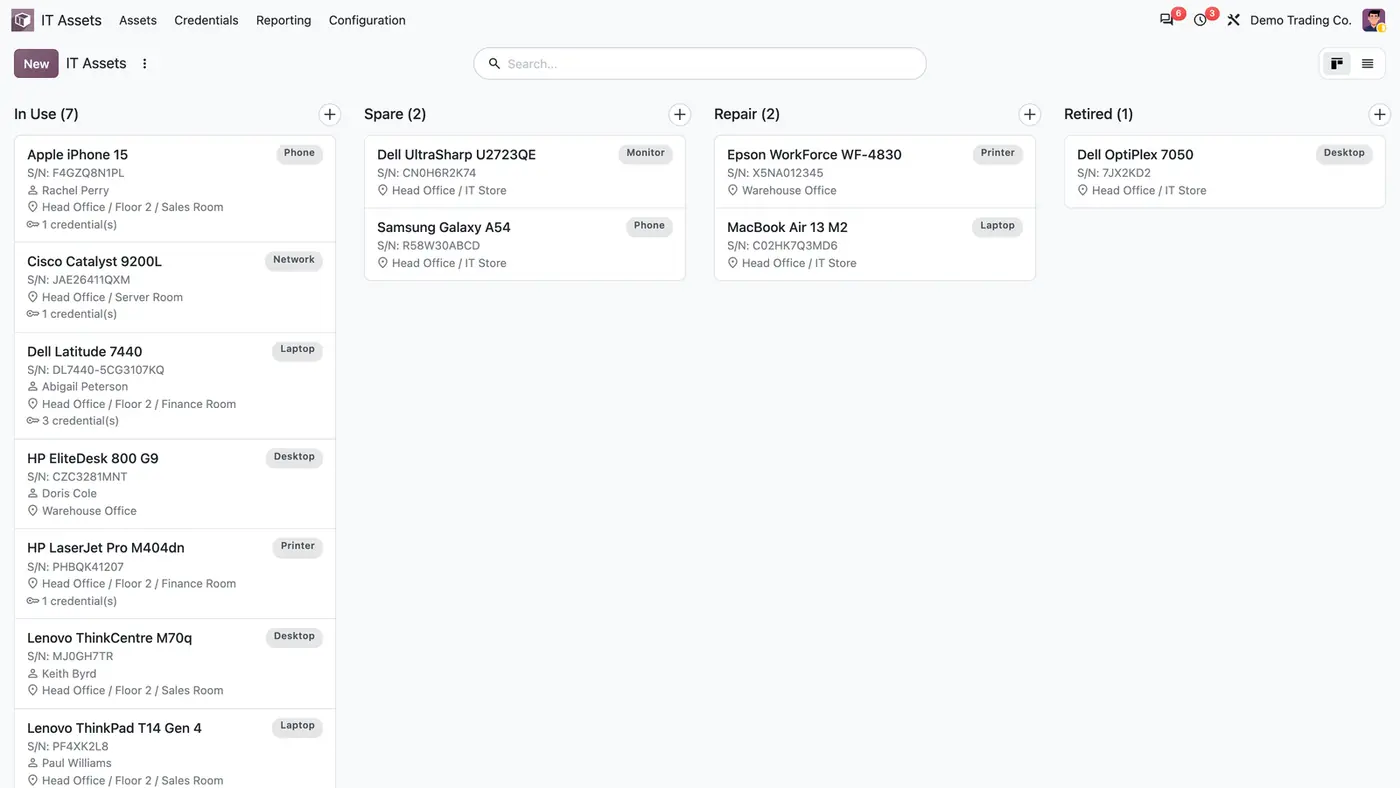
The register opens on a board grouped by status, with holder, location and stored credentials on each card.The assignment history fills itself each time the holder changes.Revealing a stored password requires the user to sign in again.Every password reveal is logged with who, which credential and when. Play demoA short walk-through of the asset register.
What it does
Asset register
Register devices in seven types, among them laptop, desktop, printer, phone, monitor and network.
Keep serial number, specifications, status and purchase date on each asset.
Work on a kanban board grouped by status: In Use, Spare, Repair and Retired.
Place assets in locations with parents, shown as a path such as Head Office / Floor 2 / Finance Room.
Holders and assignment history
Assign each device to an employee from the Employees app.
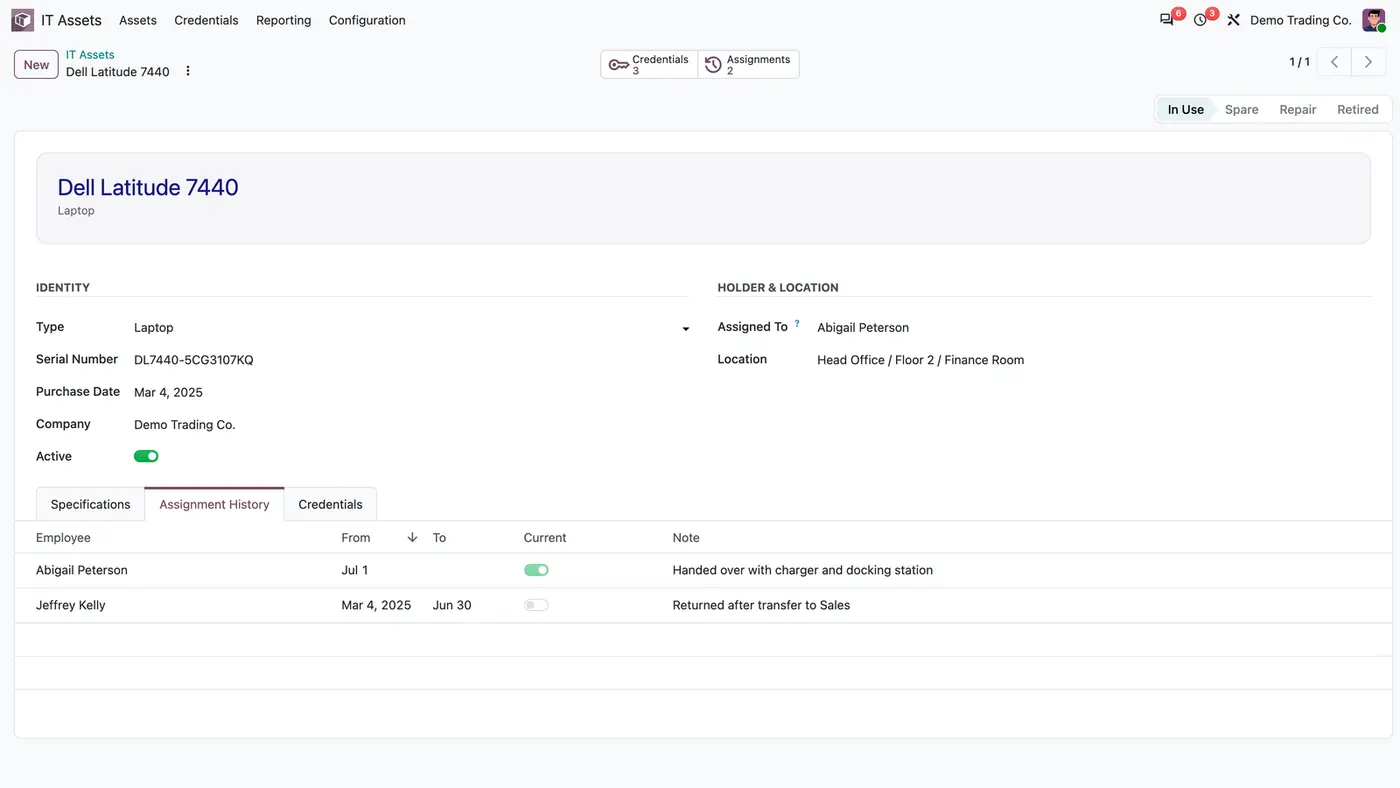
When Assigned To changes, the open assignment is closed and a new one opens for the new holder.
The Assignment History tab shows employee, From, To, Current and a note per assignment.
Encrypted credentials
Store several credentials per asset, each with label, username and note.
Passwords are encrypted with Fernet. The plaintext is never stored or logged.
The encryption key can be kept outside the database in the FLEXCODE_IT_ASSET_KEY environment variable.
Reveal with re-authentication
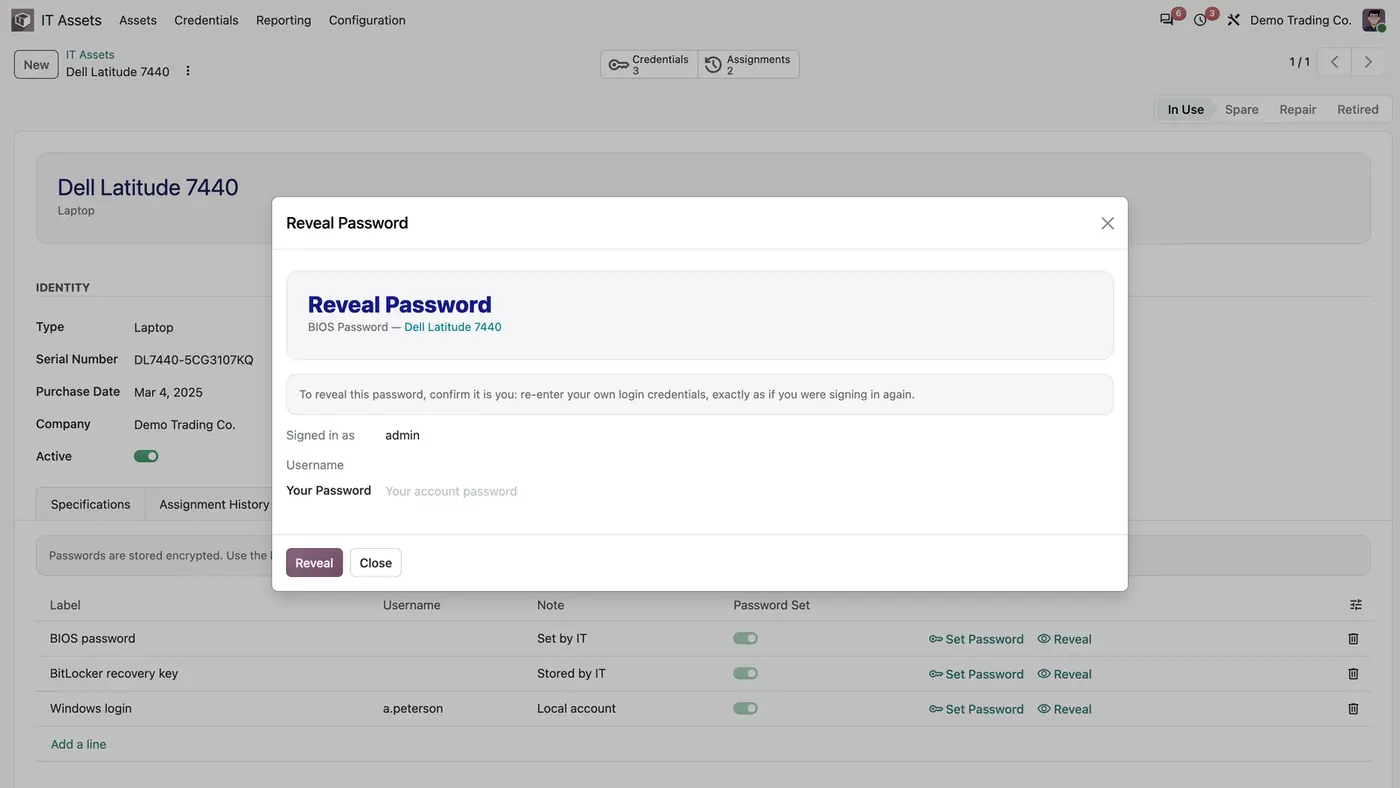
Reveal asks the user to enter his own password again, plus the two-factor code when it is enabled.
The password is decrypted in memory for that user only and is never written to the database.
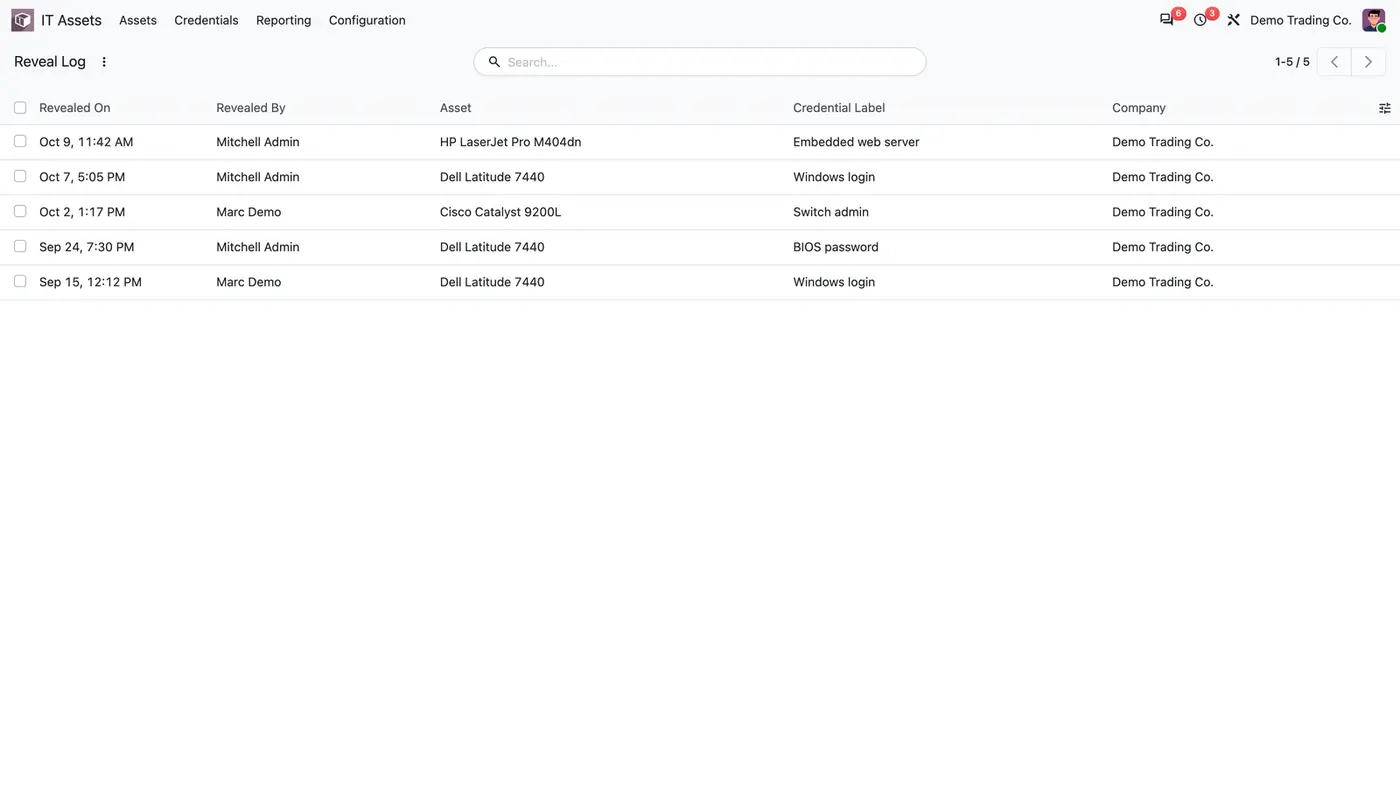
The Reveal Log records who revealed which credential of which asset, and when.
Security
Only members of the IT Asset User group see the app, its devices and its credentials.
Multi-company record rules apply, and the module has been tested in multi-company databases.
Who it is for
A good fit for
IT teams that need to know who holds which device and since when.
Companies that want device passwords out of chats and spreadsheets.
Organisations that need a record of who looked at which device password.
Not a fit for
Depreciation of devices or any posting to accounting: the app is a register of devices, holders and passwords.
Databases on Odoo Online (SaaS), which cannot install third-party apps.
Install
Requires: Employees (hr), Discuss (mail)
Buy IT Asset Register on the Odoo Apps Store for your Odoo version (18.0, 19.0 or 20.0).
Add the module to your Odoo.sh project or to the addons path of your on-premise server.
Update the apps list in Odoo and install IT Asset Register. Employees is installed with it if it is missing.
Odoo Online (SaaS) does not allow third-party apps, so the app cannot be installed there. Use Odoo.sh or an on-premise Odoo database, Community or Enterprise.
Every purchase includes 90 days of free support from FlexCode Systems.
Configure
Give IT staff access under Settings > Users & Companies > Users > user > IT Assets > IT Asset User.
Build the locations under IT Assets > Configuration > Locations, placing each office, room or desk under its parent.
Register the devices under IT Assets > Assets with type, serial number, status and the first holder in Assigned To.
Optional: set FLEXCODE_IT_ASSET_KEY on the Odoo server to keep the encryption key outside the database.
Setting
What it does
IT Asset User
User group that sees the app, its devices and its credentials.
FLEXCODE_IT_ASSET_KEY
Optional server environment variable for the encryption key. Without it, a key is generated once and kept in a system parameter that only administrators can read.
How to use it
Hand over a device
Open the asset and change Assigned To to the new holder.
The previous assignment is closed and a new one starts. Add a note, for example what was handed over with the device.
Store and reveal a password
On the asset's Credentials tab, add a line with label and username, then use Set Password.
To see it later, click Reveal and re-enter your own password, plus the two-factor code if enabled.
Check IT Assets > Reporting > Reveal Log to see every reveal with date, user, asset and credential.
Limits
No depreciation and no accounting entries.
Only IT Asset Users can see devices and passwords.
It cannot be installed on Odoo Online (SaaS).
FAQ
Where is the encryption key kept?
In the FLEXCODE_IT_ASSET_KEY environment variable of the Odoo server when it is set, which keeps the key out of the database. Otherwise a key is generated once and stored in a system parameter that only administrators can read.
Can another user see a password I revealed?
No. The Reveal window belongs to the user who opened it, the password is decrypted in memory for that user only, and it is never written to the database.
Is two-factor authentication required?
When the user has two-factor authentication enabled, the Reveal window asks for the code as well as the password, exactly as a login would.
What happens when a device changes hands?
Change Assigned To on the asset. The open assignment is closed and a new one opens for the new holder, so the Assignment History shows who held the device and when.
Does it depreciate the devices?
No. It does not depreciate devices or post anything to accounting. It is a register of devices, holders and passwords.