FlexCode Systems
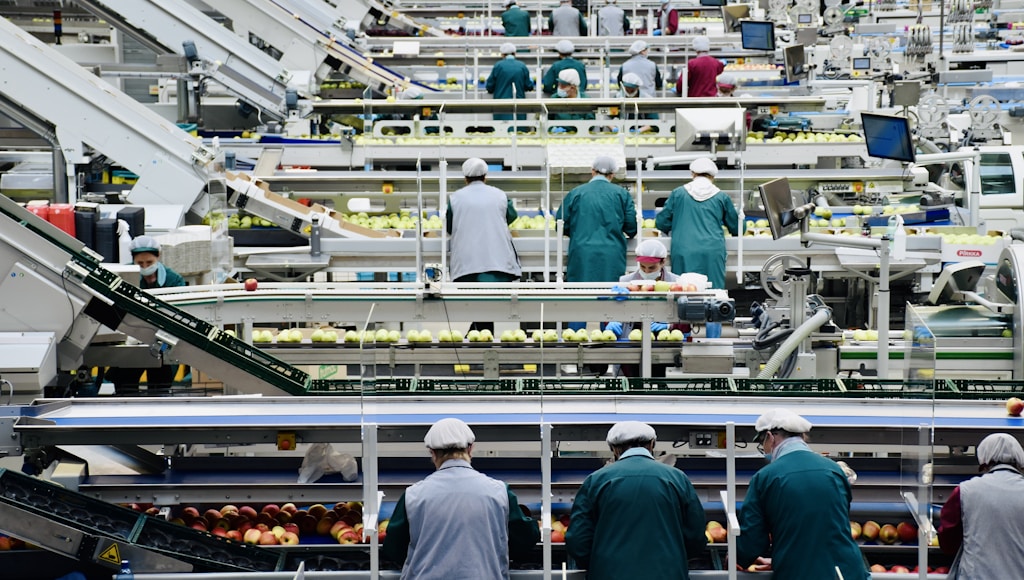
Not because they don't care about efficiency - because the software that solved this problem used to cost €200,000 and take 18 months to implement. That was the enterprise barrier. Odoo 19 removes it.
This week we're breaking down what's new in the Odoo 19 manufacturing module - specifically the IoT integration, real-time shop floor dashboards, and OEE reporting that used to be reserved for companies with dedicated IT teams and seven-figure ERP budgets.
Walk into a large manufacturing facility and you'll see screens on every wall: live production rates, machine status, defect counts, and shift targets - all updating in real time. The floor supervisor knows exactly what's happening without leaving their station.
Walk into an SMB manufacturer with 30-150 employees and you'll more often see a whiteboard, a shared Excel file updated manually every few hours, and a production manager who spends a third of their day chasing status updates from the floor.
The consequences are real:
Bottlenecks go undetected until they've already delayed the delivery
Downtime is logged after the fact, not responded to in real time
Production planning is based on gut feel rather than actual capacity data
Quality issues are discovered at end-of-line rather than at the source.
Odoo has had a manufacturing module for years. What changed in version 19 is the depth of real-time connectivity and the quality of the data it surfaces without requiring manual input.
IoT integration - machines talking to your ERP
Odoo 19 extends its IoT Box framework to support a wider range of industrial protocols - including Modbus, MQTT, and OPC-UA - which are the standard communication languages for most modern CNC machines, PLCs, and production equipment. This means your machines can now send status signals directly into Odoo without an intermediary system.
What does that look like in practice? When a machine starts a job, Odoo logs it. When it stops unexpectedly, Odoo flags it. When a cycle completes, the work order updates automatically. Your production data goes from being something someone records to something that records itself.
Live shop floor dashboard
Odoo 19 introduces a dedicated shop floor view - a full-screen display designed to be mounted on a screen at each work centre. Operators see their current work order, the quantity target, time elapsed, and any quality checks due. They can log progress, flag issues, and request materials without leaving the floor or opening a laptop.
For the production manager, the same data is available in a consolidated dashboard: all work centres, all orders, all statuses - live.
OEE reporting - knowing where your capacity actually goes
Overall Equipment Effectiveness (OEE) is the gold standard metric for manufacturing productivity. It measures the percentage of planned production time that is truly productive - accounting for availability, performance, and quality losses.
Odoo 19 calculates OEE automatically from the IoT and work order data, breaking it down by machine, shift, product, and time period. For most SMBs seeing this data for the first time, the number is a surprise - and not always a welcome one.
Industry benchmark OEE for SMB manufacturers sits at 60-65%. World-class is 85%+. Most of our clients discover their actual OEE is between 45-55% when they first connect Odoo 19. That gap is recoverable production time - and you can't recover what you can't see.
Rather than describing features in the abstract, here is what changes operationally once Odoo 19 manufacturing is live:
Downtime is responded to, not reported. When a machine goes idle unexpectedly, a notification fires immediately. The maintenance team gets an alert before the production manager even notices.
Work orders update themselves. Operators confirm completions on the shop floor screen. No end-of-shift data entry, no reconciling paper records against the system.
Scheduling becomes grounded in reality. Because Odoo knows actual cycle times from historical IoT data, production planning stops being an estimate and starts being a calculation.
Quality catches move upstream. Quality checkpoints are embedded directly in work orders. Issues are flagged at the step where they occur, not discovered during final inspection.
The most common question we get: does IoT integration mean rewiring the factory? Almost never. Here's the standard pathway for a manufacturer with 5-20 machines and 1-3 production lines:
Week 1 - Machine audit: We identify which machines have digital output (most modern equipment manufactured after 2015 does) and which communication protocol they use. Older machines can often be retrofitted with low-cost sensors.
Week 2 - Odoo configuration: Work centres, routings, bill of materials, and quality checkpoints are set up to match your actual production flow.
Week 3 - IoT connection: Odoo IoT Boxes are configured and connected. We run the first live data feeds and validate the signals against manual observations.
Week 4 - Shop floor screens: Displays are mounted at work centres. Operators go through a 1-hour hands-on session - the interface is designed to be used without training, so this is mostly about building confidence.
Week 5 - Go live: First full week of live OEE data. We review the initial numbers with your production team and identify the top two or three areas to focus on first.
"The first OEE report came in at 51%. We expected to be disappointed. Instead we were relieved - finally we knew exactly where the 49% was going. Within six weeks we had recovered about 12 points of it." - Operations director, FlexCode client, January 2026
The clearest fit: manufacturers with 20-200 employees, 5+ machines, and production planning currently done on spreadsheets or whiteboards. If your production manager spends more than an hour a day chasing status updates, or if you regularly have customer delays caused by floor-level issues you didn't see coming, Odoo 19 manufacturing will have an immediate and measurable impact.
It's a lighter win for pure job-shop manufacturers with highly variable one-off production - the data is still valuable, but the OEE gains are harder to standardise. And as with any ERP module, the quality of the output depends on the quality of the setup. Accurate BOMs and routings are a prerequisite, not an optional extra.